Best Western Digital NAS Hard Drives Under $300: 15 Spec-Based Picks
As an Amazon Associate we earn from qualifying purchases. Links on this page are affiliate links.
Finding the best western digital NAS hard drives under $300 requires evaluating interface types, rotational speeds, and storage capacities. We compared 15 drives based strictly on the specifications published on their official listings. The Western Digital 8TB WD Blue Hard Drive takes the top spot by providing a large 8TB capacity and a 128MB cache in a standard 3.5-inch SATA design.
Drive requirements differ across multi-bay network setups, single-drive systems, and external backup targets. This guide helps you decide which drive balance of capacity, spindle speed, and hardware interface fits your network storage setup.
Quick picks
The best fit for you
- You need maximum storage capacity for home backups Western Digital 8TB WD Blue Hard Drive Its 8TB capacity and 128MB cache provide the largest volume available on the list.
- You need enterprise endurance for heavy array workloads Western Digital 6TB Ultrastar DC HC310 Hard Drive The drive features a 550TB per year workload rating, 7200 RPM speed, and 256MB cache.
- You run a multi-bay network enclosure continuously Western Digital 4TB WD Red Plus NAS Drive It uses CMR recording technology and 5400 RPM rotation rated for up to eight synchronized drive bays.
- You want an all-in-one personal cloud hub Western Digital My Book Live 1TB Personal Cloud NAS This standalone 1TB unit provides networked storage and streaming without requiring an internal drive installation.
Our 15 picks
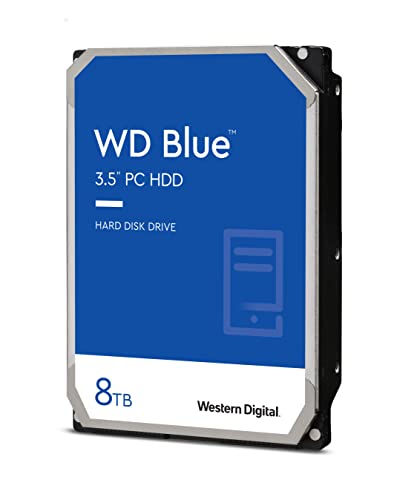
Western Digital 8TB WD Blue Hard Drive
Best for: high-capacity home server and backup storage
- Storage Capacity
- 8TB
- Form Factor
- 3.5"
- Hardware Interface
- SATA 6 Gb/s
- Rotational Speed
- 5640 RPM
- Cache Size
- 128 MB
- Compatibility
- PC
This 3.5-inch Western Digital drive gives you 8TB of storage capacity for your home server or desktop storage array. It operates at 5640 RPM across a SATA 6 Gb/s connection and includes a 128 MB cache. Its air-based architecture is designed for quiet operation and lower power draw during continuous use. If you need maximum capacity in a single drive bay for backups or personal media, this drive fits your setup.
Pros
- High 8TB storage capacity
- Standard 3.5-inch form factor with SATA 6 Gb/s interface
- Low-power 5640 RPM rotational speed
- 128 MB onboard cache
Cons
- Slower 5640 RPM speed compared to 7200 RPM drives
- Smaller 128 MB cache than high-tier models
- Supplied as a renewed drive
Good fit if
- You need 8TB of capacity for home server backups or media storage.
- You prefer lower power draw and quiet acoustics from a 5640 RPM drive.
- You have a standard 3.5-inch SATA bay available in your enclosure.
Skip if
- You require 7200 RPM spindle speeds for faster data transfers.
- You prefer a factory-new drive instead of a renewed unit.
Verdict: Western Digital 8TB WD Blue Internal Hard Drive delivers spacious 8TB storage with low power consumption for home servers and storage enclosures. It provides dependable everyday capacity if you do not require high-speed 7200 RPM transfer rates.

Western Digital My Book Live 1TB Personal Cloud NAS
Best for: basic home network streaming and automated backups
- Storage Capacity
- 1 TB
- Dimensions
- 2 × 6.6 × 5.5 inches
- Weight
- 2.41 pounds
View on Amazon: Western Digital My Book Live 1TB Personal Cloud NAS
The Western Digital My Book Live 1TB Personal Cloud NAS connects to your home network to centralize storage and stream media. You get 1 TB of dedicated capacity, compatibility with Apple Time Machine, and automated backups through WD SmartWare for Windows. Measuring 6.6 by 5.5 by 2 inches and weighing 2.41 pounds, it fits desks easily. This unit suits you if you need networked backups and iPhone photo viewing.
Pros
- Works with Apple Time Machine and WD SmartWare for Windows backups
- Supports media streaming across home networks and iPhone photo viewing
- Compact standalone footprint measuring 6.6 by 5.5 by 2 inches
Cons
- Limited to 1 TB baseline capacity
- Single-drive chassis lacks internal drive bay expansion
Good fit if
- You need networked file sharing and media streaming across your home.
- You back up data using Apple Time Machine or WD SmartWare for Windows.
- You want to access your photo collection directly from an iPhone.
Skip if
- You require more than 1 TB of storage capacity.
- You need a bare internal hard drive for an existing NAS enclosure.
Verdict: Western Digital My Book Live 1TB Personal Cloud NAS delivers networked media streaming and dual-platform backup support in a compact 2.41-pound standalone unit. It provides a simple 1 TB home storage hub for Windows, Mac, and iOS devices.

Western Digital 4TB WD Red Plus NAS Drive
Best for: Small business and home multi-bay NAS setups
- Storage Capacity
- 4TB
- Form Factor
- 3.5"
- Hardware Interface
- SATA 6 Gb/s
- Rotational Speed
- 5400 RPM
- Cache Size
- 64 MB
- Recording Technology
- CMR
This 3.5-inch internal SATA drive gives you 4TB of storage engineered for home and small business NAS systems. It utilizes conventional magnetic recording (CMR) and 5400 RPM rotational speed for consistent performance in multi-drive setups. With support for up to eight drive bays, a 180 TB/year workload rating, and 24x7 continuous operation, you get a dependable drive tailored specifically for shared network storage.
Pros
- Conventional Magnetic Recording (CMR) technology
- Supports multi-drive systems up to 8 bays
- 180 TB/year annualized workload rate limit
- Rated for 24x7 operation with NASware firmware
Cons
- 5400 RPM rotational speed is slower than 7200 RPM class alternatives
- 64 MB cache size is lower than higher-capacity drives
- Limited to enclosures with up to 8 drive bays
Good fit if
- You need a CMR internal drive for a NAS environment with up to 8 bays.
- You run a 24x7 network storage setup with an annual workload up to 180 TB.
Skip if
- You require 7200 RPM rotational speeds for demanding multi-user workflows.
- You need storage for a NAS system with more than 8 bays.
Verdict: Western Digital 4TB WD Red Plus NAS Hard Drive provides dependable CMR reliability and 24x7 operation for multi-bay storage environments. It delivers steady 5400 RPM transfer rates for networks needing up to eight synchronized drive bays.

Western Digital WD Black 2TB 7200 RPM HDD
Best for: high-speed 2TB desktop and creative storage
- Storage Capacity
- 2TB
- Form Factor
- 3.5"
- Hardware Interface
- SATA 6 Gb/s
- Rotational Speed
- 7200 RPM
- Cache Size
- 64 MB
- Dimensions
- 5.8 × 4 × 1 inches
This drive is a 3.5-inch internal hard drive with 2TB of capacity. It runs at a 7200 RPM rotational speed and connects via a SATA 6 Gb/s interface. Western Digital includes a 64 MB cache alongside StableTrac technology. It suits you if you need reliable high-speed mechanical storage for creative tasks, system builds, or desktop gaming setups. A 5-year limited warranty covers the drive.
Pros
- 7200 RPM rotational speed
- 5-year manufacturer limited warranty
- SATA 6 Gb/s interface
- StableTrac and Dynamic Cache Technology
Cons
- 2TB capacity limits overall storage volume
- 64 MB cache is lower than larger-capacity drives
Good fit if
- You need a 7200 RPM drive for gaming or creative workloads.
- You want a 5-year manufacturer warranty on a 2TB drive.
- You have an available 3.5-inch internal SATA drive bay.
Skip if
- You require more than 2TB of storage capacity.
- You need a portable external drive or a 2.5-inch form factor.
Verdict: Western Digital WD Black 2TB 7200 RPM Hard Drive delivers 7200 RPM performance and a 5-year warranty for desktop or creative systems. Its 2TB capacity suits moderate storage setups needing fast SATA 6 Gb/s access.

Western Digital Elements 4TB Desktop External Hard Drive
Best for: external desktop USB storage and backups
- Storage Capacity
- 4TB
- Hardware Interface
- USB 3.0
- Form Factor
- Desktop
- Dimensions
- 5.3 × 1.9 × 6.5 inches
- Weight
- 4.8 ounces
View on Amazon: Western Digital Elements 4TB Desktop External Hard Drive
The Western Digital 4TB Elements Desktop Hard Drive is an external desktop unit designed for direct plug-and-play USB 3.0 connectivity. It provides 4TB of storage in an enclosure measuring 6.5 inches high, 5.3 inches long, and 1.9 inches wide. This setup suits you if you need straightforward external storage or supplementary USB backup for an existing network setup, rather than installing an internal SATA drive.
Pros
- 4TB storage capacity
- USB 3.0 plug-and-play interface
- Compact desktop footprint at 1.9 inches wide
Cons
- Uses external USB 3.0 rather than internal SATA connection
- Desktop enclosure requires dedicated physical placement
Good fit if
- You need 4TB of external storage connected via USB 3.0.
- You want a plug-and-play desktop backup drive.
Skip if
- You need an internal SATA drive for a standard NAS bay.
- You require more than 4TB of storage in a single enclosure.
Verdict: Western Digital 4TB Elements Desktop Hard Drive delivers 4TB of simple desktop storage over a USB 3.0 connection. It works best as an external local repository or supplementary USB target.

Western Digital 4TB WD Blue 3.5-Inch HDD
Best for: secondary desktop storage and basic archiving
- Storage Capacity
- 4TB
- Form Factor
- 3.5"
- Hardware Interface
- SATA 6 Gb/s
- Rotational Speed
- 5400 RPM
- Cache Size
- 64 MB
- Compatibility
- PC
This 3.5-inch internal hard drive provides 4TB of storage with a SATA 6 Gb/s interface. It operates at 5400 RPM and features a 64MB cache alongside bundled Acronis True Image cloning software. Built primarily for standard desktop PC compatibility, it suits you if you need moderate-speed bulk data storage for secondary drives, basic backups, or low-intensity enclosures rather than high-concurrency continuous RAID setups.
Pros
- 4TB capacity in a standard 3.5-inch SATA 6 Gb/s format
- Quiet 5400 RPM rotational speed for standard desktop tasks
- Includes Acronis True Image WD Edition cloning software
Cons
- Modest 64MB cache size
- Specified for PC compatibility rather than dedicated multi-bay NAS duty
- Lower sustained throughput compared to 7200 RPM alternatives
Good fit if
- You need an everyday 4TB drive for PC storage or simple local backups.
- You plan to clone an existing system drive using the included Acronis software.
- You prefer low-noise 5400 RPM operation over maximum rotational speed.
Skip if
- You require dedicated multi-drive NAS firmware and vibration handling.
- You want a high-speed 7200 RPM drive or a cache larger than 64MB.
Verdict: Western Digital 4TB WD Blue 5400 RPM HDD delivers standard desktop capacity and cloning utility, but its 64MB cache and PC focus limit it to secondary storage rather than continuous multi-user NAS workloads.

Western Digital 4TB My Book Desktop External Drive
Best for: hardware-encrypted desktop storage and backups
- Storage Capacity
- 4TB
- Hardware Interface
- USB 3.0
- Form Factor
- Desktop
- Dimensions
- 3.46 × 8.5 × 6.7 inches
- Weight
- 5.92 ounces
View on Amazon: Western Digital 4TB My Book Desktop External Drive
The Western Digital 4TB My Book Desktop Hard Drive is an external storage unit designed for desktop use. It provides 4TB of storage capacity over a 5 Gbps USB 3.0 interface and supports backward compatibility with USB 2.0. Built-in 256-bit AES hardware encryption and backup software secure your files directly on your desk. This drive suits you if you need local external storage or an external backup target.
Pros
- 4TB storage capacity
- Hardware-based 256-bit AES encryption
- 5 Gbps USB 3.0 interface with USB 2.0 backward compatibility
- Includes device management and backup software
Cons
- USB connection only without native Ethernet network ports
- Desktop enclosure cannot be mounted inside an internal NAS drive bay
- Backup features require software download and account registration
Good fit if
- You want 4TB of external storage connected via USB 3.0.
- You need hardware-level 256-bit AES encryption for local data security.
- You plan to connect an external drive to your setup for local backups.
Skip if
- You need an internal SATA drive to insert into a multi-bay NAS enclosure.
- You require a direct RJ-45 Ethernet network connection on the drive itself.
Verdict: Western Digital 4TB My Book Desktop Hard Drive delivers reliable desktop storage with built-in 256-bit AES hardware encryption and a 5 Gbps USB 3.0 connection. It serves as a secure external drive or a dedicated local backup target.

WD 4TB My Passport Ultra for Mac Portable HDD
Best for: portable Mac backups and encrypted storage
- Storage Capacity
- 4TB
- Hardware Interface
- USB-C, USB 3.1
- Compatibility
- Mac
- Dimensions
- 4.33 × 3.23 × 0.5 inches
- Weight
- 8.16 ounces
View on Amazon: WD 4TB My Passport Ultra for Mac Portable HDD
The Western Digital 4TB My Passport Ultra for Mac is a portable external drive featuring 4TB of storage and a USB-C and USB 3.1 interface. It comes preformatted for Mac systems running modern macOS versions and includes 256-bit AES hardware encryption with password protection. Housed in a compact metal enclosure weighing 8.16 ounces, this drive suits you if you need secure, bus-powered external storage for macOS backups alongside your networked setups.
Pros
- USB-C and USB 3.1 connectivity
- 256-bit AES hardware encryption with password protection
- Preformatted for Mac operating systems
- Refined metal enclosure weighing 8.16 ounces
Cons
- External USB design rather than an internal SATA NAS drive
- Formatted exclusively for Mac out of the box
- Requires updating Mac systems to the latest macOS version
Good fit if
- You need portable 4TB storage with native USB-C connectivity for a Mac.
- You require hardware-based 256-bit AES encryption and password protection.
- You want an external direct-attached drive with a metal casing.
Skip if
- You need an internal SATA drive to install inside a multi-bay NAS enclosure.
- You intend to use the drive on Windows without reformatting it.
Verdict: Western Digital 4TB My Passport Ultra for Mac delivers secure, portable 4TB storage over USB-C for Mac-centered environments. It functions as a direct-attached external drive rather than an internal NAS component.

Western Digital 6TB Ultrastar DC HC310 Hard Drive
Best for: high-workload 6TB multi-drive storage arrays
- Storage Capacity
- 6TB
- Form Factor
- 3.5"
- Hardware Interface
- SATA 6 Gb/s
- Rotational Speed
- 7200 RPM Class
- Cache Size
- 256MB
- Workload Rate Limit
- up to 550TB per year
View on Amazon: Western Digital 6TB Ultrastar DC HC310 Hard Drive
This Western Digital internal hard drive provides 6TB of storage on a 3.5-inch SATA interface. Running at 7200 RPM with a 256MB cache, it delivers responsive performance for multi-drive storage enclosures. It features Rotational Vibration Safeguard hardware and carries an enterprise-grade workload rating of up to 550TB per year. You will find it well suited if your setup requires continuous, heavy data transfers and reliable long-term durability across multi-bay configurations.
Pros
- Workload rating up to 550TB per year
- Fast 7200 RPM spindle speed with 256MB cache
- Rotational Vibration Safeguard (RVS) vibration protection
- 2.5 million hours MTBF rating and 5-year warranty
Cons
- HelioSeal technology is omitted below the 10TB capacity
- Standard 3.5-inch size requires full-sized drive bays
Good fit if
- You need a 6TB drive built for heavy annual write workloads up to 550TB.
- You want 7200 RPM performance with vibration protection for multi-drive systems.
Skip if
- You need higher helium-sealed storage capacities of 10TB or above.
- You have a compact setup that only accommodates 2.5-inch drives.
Verdict: Western Digital Ultrastar 6TB 7200 RPM Internal HDD delivers enterprise-grade 550TB per year workload endurance and vibration protection for demanding storage arrays. Its 7200 RPM speed and 256MB cache ensure steady data throughput across continuous operations.

Western Digital 5TB My Passport for Mac
Best for: portable Mac backups via USB
- Storage Capacity
- 5TB
- Hardware Interface
- USB 3.1/USB 3.0
- Compatibility
- Mac
- Dimensions
- 4.22 × 2.95 × 0.75 inches
- Weight
- 7.4 ounces
You get a 5TB portable external hard drive built with a USB 3.0 and USB 3.1 interface. It measures 4.22 inches long, 2.95 inches wide, and weighs 7.4 ounces. Western Digital designs this unit specifically for Mac setups with USB-C compatibility. It includes device management software with ransomware defense. It suits you if you need high-capacity external storage for macOS rather than an internal SATA NAS drive bay.
Pros
- 5TB storage capacity in a 7.4-ounce enclosure
- USB 3.1 and USB 3.0 interface with USB-C compatibility
- Includes device management software with ransomware defense
- Hardware support for password protection
Cons
- External USB connection cannot mount inside internal NAS bays
- Pre-configured specifically for Mac compatibility
Good fit if
- You need 5TB of portable USB storage for a Mac system.
- You want bundled backup software with password protection and ransomware defense.
Skip if
- You need an internal 3.5-inch SATA hard drive for a multi-bay NAS enclosure.
- You need an external drive pre-configured out of the box for Windows.
Verdict: WD 5TB My Passport for Mac External Drive provides 5TB of portable storage specifically configured for Mac users needing USB connectivity. It serves external backup workflows rather than bare internal NAS drive bays.

G-Technology ArmorATD 5TB Rugged USB-C Hard Drive
Best for: rugged external NAS backups and file transport
- Storage Capacity
- 5TB
- Hardware Interface
- USB-C, USB 3.1 Gen 1
- Dimensions
- 5.2 × 3.46 × 1.18 inches
- Weight
- 12.3 ounces
View on Amazon: G-Technology ArmorATD 5TB Rugged USB-C Hard Drive
This is a portable external hard drive offering 5TB of storage through a USB-C and USB 3.1 Gen 1 interface. It features triple-layer shock protection, an IP54 rain and dust resistance rating, and a 1000-pound crush rating. If you need portable storage to attach directly to your NAS via USB for backups or transfers, its rugged 12.3-ounce enclosure handles transport across Windows and Mac setups.
Pros
- Rain- and dust-resistant IP54 enclosure with a 1000-pound crush rating
- Triple-layer shock resistance for physical drive protection
- USB-C connection compatible with USB 3.0 and Thunderbolt 3
- Pre-configured compatibility for both Windows and Mac
Cons
- External USB design rather than an internal SATA drive for NAS bays
- Thicker 1.18-inch profile compared to the 0.83-inch lower-capacity model
Good fit if
- You need 5TB of durable external storage for direct NAS USB backups.
- You require an IP54-rated enclosure that resists dust, rain, and crushing.
- You work across both Windows and Mac environments using USB-C.
Skip if
- You need an internal 3.5-inch SATA hard drive to mount inside a NAS enclosure.
- You prefer a lighter drive under 12.3 ounces for pocket carry.
Verdict: Western Digital 5TB ArmorATD Rugged External Drive provides weather-resistant 5TB storage with USB-C connectivity. It works well if you need an external drive to physically transport backups from your NAS.

Western Digital 4TB WD Gold 7200 RPM HDD
Best for: high-workload enterprise and business NAS environments
- Storage Capacity
- 4TB
- Form Factor
- 3.5"
- Hardware Interface
- SATA 6 Gb/s
- Rotational Speed
- 7200 RPM Class
- Cache Size
- 256 MB
- Workload Rate Limit
- up to 550TB per year
This 3.5-inch enterprise drive provides 4TB of storage with a 7200 RPM spin speed and a 256 MB cache. It connects via SATA 6 Gb/s and includes built-in vibration protection technology. Western Digital rates it for workloads up to 550TB per year. It suits you if you operate a multi-bay business NAS or continuous server environment requiring fast data access and heavy annual transfer endurance.
Pros
- Workload rating up to 550TB per year
- 7200 RPM rotational speed
- 256 MB cache buffer
- Built-in vibration protection technology
Cons
- Lacks HelioSeal technology available only on 12TB and larger models
- Does not include EAMR or TSA features reserved for 16TB and above
Good fit if
- You need heavy-duty workload endurance up to 550TB per year.
- You require 7200 RPM spindle speed for fast NAS read and write performance.
- You operate multi-bay storage that benefits from integrated vibration protection.
Skip if
- You want HelioSeal low-power hardware offered only on 12TB and larger variants.
- You need energy-assisted magnetic recording available exclusively on 16TB and larger models.
Verdict: Western Digital 4TB WD Gold Enterprise HDD provides heavy-duty 550TB per year endurance and 7200 RPM performance for demanding NAS environments. It delivers enterprise-grade reliability but lacks the HelioSeal and EAMR features reserved for higher-capacity units.
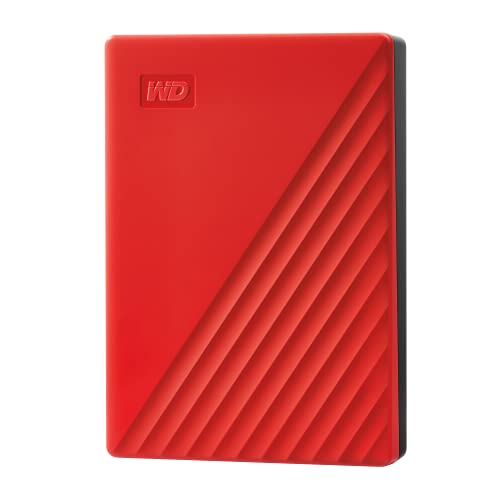
Western Digital 5TB My Passport External Hard Drive
Best for: portable USB backups with hardware encryption
- Storage Capacity
- 5TB
- Hardware Interface
- USB 3.1/USB 3.0
- Compatibility
- PC
- Dimensions
- 4.22 × 2.95 × 0.75 inches
- Weight
- 7.36 ounces
View on Amazon: Western Digital 5TB My Passport External Hard Drive
The Western Digital 5TB My Passport gives you high-capacity external storage in a compact 7.36-ounce enclosure. Measuring 4.22 by 2.95 inches and 0.75 inches thick, it connects directly via USB 3.0 or USB 3.1 without an external power adapter. Built-in hardware encryption and password protection safeguard files. It suits you if you need portable PC backups or extra storage attached to a NAS device via USB.
Pros
- 5TB storage capacity in a 7.36-ounce form factor
- Hardware encryption with password protection
- USB 3.0 and USB 3.1 interface support
- Backup software with ransomware defense included
Cons
- External USB connection rather than internal SATA bay interface
- Listed compatibility restricted to PC systems
Good fit if
- You need 5TB of portable USB 3.0 storage for backups.
- You want hardware encryption and password protection.
Skip if
- You need an internal SATA drive for a NAS bay.
- You require native compatibility with macOS.
Verdict: Western Digital 5TB My Passport Portable Drive delivers high-capacity USB storage with hardware encryption in a pocket-sized package. It offers reliable PC backup functionality through standard USB 3.0 ports.

Western Digital 5TB My Passport External Hard Drive
Best for: portable 5TB PC backups with hardware encryption
- Storage Capacity
- 5TB
- Hardware Interface
- USB 3.0, USB 2.0
- Compatibility
- PC
- Dimensions
- 0.75 × 2.95 × 4.21 inches
- Weight
- 7.36 ounces
View on Amazon: Western Digital 5TB My Passport External Hard Drive
This Western Digital My Passport drive delivers 5TB of external storage in a portable form factor measuring 0.75 inches thick. It connects using a USB 3.0 interface offering transfer speeds up to 5Gbps, along with backwards compatibility for USB 2.0 ports. Built-in 256-bit AES hardware encryption secures stored files. You get a compact drive suited for expanding PC capacity or running local backups.
Pros
- 5TB storage capacity in a 7.36-ounce portable enclosure
- Hardware-based 256-bit AES data encryption
- SuperSpeed USB 3.0 port supporting up to 5Gbps
- 3-year limited warranty included
Cons
- External USB interface rather than an internal SATA NAS connection
- Compatibility listed only for PC
- Backup and management software requires download and account registration
Good fit if
- You need 5TB of portable USB-attached storage for a PC.
- You want built-in 256-bit AES hardware encryption for file protection.
- You prefer a bus-powered drive weighing under 8 ounces.
Skip if
- You need an internal SATA drive to install inside a dedicated NAS bay.
- You require out-of-the-box non-PC operating system compatibility.
Verdict: Western Digital 5TB My Passport Portable Hard Drive provides high-capacity external USB storage with built-in hardware encryption for your PC backup needs.

Western Digital 4TB WD Red Plus NAS Drive
Best for: up to 8-bay 24/7 network enclosures
- Storage Capacity
- 4TB
- Form Factor
- 3.5"
- Hardware Interface
- SATA 6 Gb/s
- Rotational Speed
- 5400 RPM
- Cache Size
- 128 MB
- Recording Technology
- CMR
This 3.5-inch internal hard drive delivers 4TB of storage designed for 24/7 continuous operation. It uses conventional magnetic recording (CMR) and includes 128 MB of cache with a 5400 RPM spindle speed. Rated for up to 180 TB per year of data transfer, it supports multi-drive arrays up to 8 bays. If you need dedicated storage for a home or small business network enclosure, this drive provides balanced everyday throughput.
Pros
- Conventional magnetic recording (CMR) technology
- Rated for 24x7 environments up to 8 bays
- Workload rate limit up to 180 TB/year
- 3-year limited warranty
Cons
- Rotational speed limited to 5400 RPM
- Maximum transfer rate capped at 180 MB/s
- Limited to enclosures with 8 bays or fewer
Good fit if
- You need a CMR drive for a network enclosure holding up to 8 bays.
- You run small office or home network backups in a 24x7 environment.
- You stay within a 180 TB per year transfer workload.
Skip if
- You require 7200 RPM drive speeds for heavy data throughput.
- You manage an enterprise storage rack holding more than 8 bays.
Verdict: Western Digital 4TB WD Red Plus NAS Drive provides stable 5400 RPM CMR storage tailored for up to 8-bay continuous enclosures. It delivers dependable 24/7 operation for home and small business systems.
Specifications side by side
| Spec | Western Digital 8TB WD Blue Hard Drive | Western Digital My Book Live 1TB Personal Cloud NAS | Western Digital 4TB WD Red Plus NAS Drive | Western Digital WD Black 2TB 7200 RPM HDD | Western Digital Elements 4TB Desktop External Hard Drive | Western Digital 4TB WD Blue 3.5-Inch HDD | Western Digital 4TB My Book Desktop External Drive | WD 4TB My Passport Ultra for Mac Portable HDD | Western Digital 6TB Ultrastar DC HC310 Hard Drive | Western Digital 5TB My Passport for Mac | G-Technology ArmorATD 5TB Rugged USB-C Hard Drive | Western Digital 4TB WD Gold 7200 RPM HDD | Western Digital 5TB My Passport External Hard Drive | Western Digital 5TB My Passport External Hard Drive | Western Digital 4TB WD Red Plus NAS Drive |
|---|---|---|---|---|---|---|---|---|---|---|---|---|---|---|---|
| Storage Capacity | 8TB | 1 TB | 4TB | 2TB | 4TB | 4TB | 4TB | 4TB | 6TB | 5TB | 5TB | 4TB | 5TB | 5TB | 4TB |
| Form Factor | 3.5" | not specified | 3.5" | 3.5" | not specified | 3.5" | not specified | not specified | 3.5" | not specified | not specified | 3.5" | not specified | not specified | 3.5" |
| Hardware Interface | SATA 6 Gb/s | not specified | SATA 6 Gb/s | SATA 6 Gb/s | USB 3.0 | SATA 6 Gb/s | USB 3.0 | USB-C, USB 3.1 | SATA 6 Gb/s | USB 3.1/USB 3.0 | USB-C, USB 3.1 Gen 1 | SATA 6 Gb/s | USB 3.1/USB 3.0 | USB 3.0, USB 2.0 | SATA 6 Gb/s |
| Rotational Speed | 5640 RPM | not specified | 5400 RPM | 7200 RPM | not specified | 5400 RPM | not specified | not specified | 7200 RPM Class | not specified | not specified | 7200 RPM Class | not specified | not specified | 5400 RPM |
| Cache Size | 128 MB | not specified | 64 MB | 64 MB | not specified | 64 MB | not specified | not specified | 256MB | not specified | not specified | 256 MB | not specified | not specified | 128 MB |
| Recording Technology | not specified | not specified | CMR | not specified | not specified | not specified | not specified | not specified | not specified | not specified | not specified | not specified | not specified | not specified | CMR |
| Bay Support | not specified | not specified | Up to 8 bays | not specified | not specified | not specified | not specified | not specified | not specified | not specified | not specified | not specified | not specified | not specified | up to 8 bays |
| Workload Rate Limit | not specified | not specified | 180 TB/yr | not specified | not specified | not specified | not specified | not specified | up to 550TB per year | not specified | not specified | up to 550TB per year | not specified | not specified | up to 180 TB/yr |
| Compatibility | PC | not specified | not specified | not specified | not specified | PC | not specified | Mac | not specified | Mac | not specified | not specified | PC | PC | not specified |
| Size | 8TB | 1 TB | 4TB | 2TB | 4TB | 4TB | 4TB | 4TB | 6TB | 5TB | 5TB | 4TB | 5TB | 5TB | 4TB |
| Dimensions | 5.79 × 4 × 1.03 inches | 2 × 6.6 × 5.5 inches | 5.8 × 4 × 1 inches | 5.8 × 4 × 1 inches | 5.3 × 1.9 × 6.5 inches | 5.87 × 4 × 1.03 inches | 3.46 × 8.5 × 6.7 inches | 4.33 × 3.23 × 0.5 inches | 5.79 × 4 × 1.03 inches | 4.22 × 2.95 × 0.75 inches | 5.2 × 3.46 × 1.18 inches | 5.79 × 4 × 1.03 inches | 4.22 × 2.95 × 0.75 inches | 0.75 × 2.95 × 4.21 inches | 5.79 × 4 × 1.03 inches |
| Weight | 1.65 pounds | 2.41 pounds | 1.5 pounds | 1.72 pounds | 4.8 ounces | 1.5 pounds | 5.92 ounces | 8.16 ounces | 1.46 pounds | 7.4 ounces | 12.3 ounces | 1.5 pounds | 7.36 ounces | 7.36 ounces | 1.32 pounds |
| Color | Blue | Black | Red | black | Black | blue | Black | Silver | Gold | Navy | not specified | Gold | Red | White | Red |
| Model | WD80EAZZ | WDBACG0010HCH-NESN | WD40EFRX | WD2003FZEX-SPSRLA0 | WDBWLG0040HBK-NESN | WD40EZRZ | WDBBGB0040HBK-NESN | WDBPMV0040BSL-WESN | HUS726T6TALE6L4 | WDBA2F0050BBL-WESN | 0G10478-1 | WD4003FRYZ-SPF0DB0 | WDBPKJ0050BRD-WESN | WDBPKJ0050BWT-WESN | WD40EFPX |
If you also evaluate outdoor cooking hardware by specifications, you can compare burner output and cooking surface areas in the best grills under 300 guide.
How to Choose Western Digital Drives
-
Compare Rotational Speed Ratings
Drive rotational speed dictates raw data access rates and heat output. You will find speeds split between 5400 RPM and 7200 RPM across storage lineups. Drives running at 5400 RPM run cooler and consume less power during continuous tasks. Higher speeds of 7200 RPM deliver faster access for creative workstations and active transfers. If you run sustained file editing tasks, pick a 7200 RPM model like the Western Digital WD Black 2TB 7200 RPM HDD. Choose 5400 RPM units when quiet operation matters more.
-
Evaluate Onboard Cache Size
Onboard cache acts as a high-speed memory buffer during read and write sequences. Drives in this price bracket provide 64MB, 128MB, or 256MB of cache. Smaller caches suit basic local archival, but larger buffers prevent data transfer bottlenecks during multi-client transfers. If multiple devices access storage at the same time, seek higher cache numbers. The Western Digital 6TB Ultrastar DC HC310 Hard Drive features a 256MB cache to keep large workloads moving smoothly. Match cache capacity to your expected network traffic intensity.
-
Verify CMR Recording Technology
Magnetic recording architecture determines how data tracks fit onto disk platters. Conventional Magnetic Recording writes individual data tracks side by side without overlapping. This specification prevents performance drop-offs when writing large volumes or rebuilding multi-drive arrays. Shingled designs can struggle in RAID pools where consistent write performance is mandatory. Look for explicit CMR verification if you plan to install the drive inside a multi-bay network enclosure. The Western Digital 4TB WD Red Plus NAS Drive specifies CMR architecture for reliable continuous rebuilds and multi-bay parity calculations.
-
Check Hardware Encryption Support
Data security varies between bare internal disks and packaged external drives. If your network storage workflow involves storing sensitive off-site archives, prioritize models with built-in hardware protection. Drives with 256-bit AES hardware encryption secure your files directly at the controller level without consuming host system processor resources. The Western Digital 4TB My Book Desktop External Drive provides this dedicated 256-bit AES encryption hardware. Selecting an encrypted drive protects backup volumes from physical theft or unauthorized extraction when removed from your primary local workstation or enclosure.
-
Review Operating System Compatibility
Storage drives often target specific host operating systems straight out of the box. Some units list dedicated compatibility for PC environments, while others are factory configured for Mac systems. Matching the specification to your existing computer setup avoids unexpected file system format issues before deployment. The WD 4TB My Passport Ultra for Mac Portable HDD lists direct Mac compatibility with native USB-C hardware connectivity. Check whether the drive specifies PC or Mac support so that your host system mounts the volume immediately without needing immediate reformatting steps.
Frequently asked questions
What is the difference between WD Red Plus WD40EFRX and WD40EFPX?
The primary difference between these two 4TB WD Red Plus models is cache size. Model WD40EFPX features a 128MB cache, whereas the WD40EFRX model includes a 64MB cache. Both drives utilize CMR recording technology, operate at 5400 RPM, and connect via SATA interfaces designed for multi-bay storage enclosures housing up to eight drives.
Can you connect an external Western Digital drive to a NAS?
Yes, you can connect external drives to compatible host systems using standard external ports. Drives like the 4TB Western Digital Elements or 5TB My Passport connect via USB 3.0, while the ArmorATD and My Passport Ultra utilize USB-C interfaces. These external models function as supplementary backup repositories or transport units rather than internal bay disks.
Which Western Digital drives provide built-in hardware encryption?
Several external Western Digital models offer integrated hardware security. The 4TB My Book Desktop external drive features 256-bit AES hardware encryption. Additionally, portable units such as the 5TB My Passport and the 4TB My Passport Ultra for Mac include built-in hardware encryption to protect your data directly on the device without relying on host software tools.
Is a personal cloud drive different from an internal NAS hard drive?
Yes, a personal cloud drive operates as an independent network device rather than a raw component drive. The Western Digital My Book Live 1TB Personal Cloud NAS includes its own enclosure and media streaming features for Windows, Mac, and iOS devices. Internal SATA drives require separate installation into a dedicated multi-bay server chassis or network enclosure.
Can you use a WD Blue drive inside a continuous multi-user NAS?
WD Blue drives are intended primarily for single-system PC storage rather than heavy multi-user network enclosures. Models such as the 4TB WD40EZRZ and 8TB WD80EAZZ provide SATA connectivity and standard desktop caching, but their specifications list PC compatibility. For continuous multi-user network arrays, dedicated series like WD Red Plus, WD Gold, or Ultrastar offer multi-drive operational profiles.
What makes the Ultrastar DC HC310 suitable for multi-drive storage arrays?
The Western Digital Ultrastar DC HC310 provides specific hardware attributes designed for multi-drive storage arrays. It features a 7200 RPM rotational speed, a 256MB cache, and built-in vibration protection. These specifications help the 6TB enterprise SATA drive maintain steady data throughput during continuous operation alongside multiple adjacent disks in high-density multi-bay enclosures.
Which Western Digital drive works best for physically transporting external backups?
The G-Technology ArmorATD 5TB external hard drive is designed specifically for durable transport. It features a rugged, weather-resistant physical build engineered to handle movement between locations. The drive connects over USB-C and provides 5TB of storage capacity, making it a practical option when you need to physically move data away from your primary local network.