Looking Beyond the SanDisk Professional 18TB G-DRIVE PRO? 6 Alternatives Worth a Look
As an Amazon Associate we earn from qualifying purchases. Links on this page are affiliate links.
If you are evaluating sandisk professional 18tb g drive pro alternatives, you likely know the strengths of the original unit. The SanDisk Professional 18TB G-DRIVE PRO provides high single-drive capacity with an enterprise-class 7200 RPM Ultrastar hard drive inside. Its dual Thunderbolt 3 ports support daisy-chaining for up to five additional devices, and the hardware reaches transfer rates up to 260MB/s read and write. It comes pre-formatted for Mac, supports Windows through a reformat, and includes a 5-year limited warranty.
However, your storage requirements might call for a different capacity, feature set, or brand. You may prefer a smaller 4TB drive, a higher-capacity 24TB model, built-in docking with memory card slots, or a dual-bay RAID setup. Other workflows may require a lightweight, bus-powered portable drive instead of a desktop enclosure. The 6 alternatives in this guide were chosen because their specifications overlap with the original, sharing desktop form factors, 7200 RPM rotational speeds, or Thunderbolt and USB-C connectivity.
How Each Alternative Compares
SanDisk Professional 4TB G-Drive PRO Desktop Drive
This model retains the 7200 RPM rotational speed and dual Thunderbolt connectivity found on the 18TB version. You get identical peripheral daisy-chaining support in a matching desktop footprint. The primary difference is capacity. It provides 4TB of storage rather than 18TB, which limits room for massive video archives. It also weighs more at 4.41 pounds compared to the 2.6-pound 18TB unit. Pick this drive if you want the fast Thunderbolt workflow and daisy-chain features of the PRO line but only require 4TB of space for your current desktop projects.
LaCie 1big Dock 24TB Thunderbolt 3 Desktop Hard Drive
The LaCie 1big Dock expands your available room to 24TB, providing 6TB more space than the 18TB G-DRIVE PRO. Both desktop units use 7200 RPM drives with Thunderbolt connections. LaCie adds broader workstation docking utility, integrating memory card slots and display output alongside USB 3.0 support. It also lists out-of-the-box compatibility for both PC and Mac. In return, you give up desk space. The 1big Dock measures 12.2 by 9.45 by 5.71 inches, making it substantially bulkier than the slim SanDisk enclosure. Choose this drive if you need maximum single-drive volume combined with desktop docking ports.
Seagate LaCie 2big Dock 8TB Desktop Array
This Seagate LaCie 2big Dock alternative trades massive single-disk capacity for an array enclosure with physical security. It offers 8TB of storage, which is less than half the capacity of the 18TB G-DRIVE PRO. However, it integrates hardware drive locks and a dual-bay desktop array structure. Both units offer Thunderbolt and USB-C hardware interfaces for high-speed connections. The LaCie unit is significantly heavier at 6.39 pounds compared to 2.6 pounds, and its taller profile occupies more vertical desk space. Pick this option if your workstation demands physical drive locking mechanisms and you can manage with an 8TB storage footprint.
LaCie 2big Dock 8TB External RAID Drive
The LaCie 2big Dock RAID drive focuses on hardware redundancy and expanded workstation connectivity. Unlike the single-drive 18TB G-DRIVE PRO, this system features a dual-drive RAID setup that provides data protection options. It also functions as a media hub, supplying memory card slots, monitor connectivity, and USB 3.0 alongside Thunderbolt and USB-C ports. The trade-off is total capacity; you get 8TB instead of 18TB, and the enclosure weighs 4.65 pounds. Choose this unit if your workflow prioritizes direct card ingestion and RAID security over the higher raw capacity of the SanDisk drive.
LaCie Mobile Drive 5TB Portable HDD
The LaCie Mobile Drive prioritizes portability over enterprise desktop capacity. At just 10.6 ounces and 0.79 inches thin, it is drastically smaller and lighter than the 2.6-pound G-DRIVE PRO. It connects across USB 3.0, USB-C, and Thunderbolt while working seamlessly with PC and Mac systems without reformatting. The compromise is capacity and internal drive hardware. You receive 5TB instead of 18TB, and it omits the 7200 RPM enterprise Ultrastar drive and dual-port daisy-chain capability of the SanDisk unit. Select this option if you need mobile, bus-powered storage to travel between workstations rather than a stationary high-capacity desk drive.
SanDisk Professional 4TB G-Drive Desktop HDD
This standard SanDisk Professional G-Drive uses an enterprise 7200 RPM mechanism inside a similar aluminum enclosure, but simplifies connection options. It drops the dual Thunderbolt 3 ports and daisy-chaining features of the PRO model in favor of a single USB-C interface. Capacity is also significantly lower at 4TB compared to 18TB. At 3.06 pounds, it is slightly heavier than the 2.6-pound 18TB PRO. It comes formatted for Mac out of the box. Pick this model if you want the sturdy build and enterprise 7200 RPM reliability of the G-Drive lineup for basic desktop backups without needing Thunderbolt daisy-chaining.
Quick picks
Our 7 picks
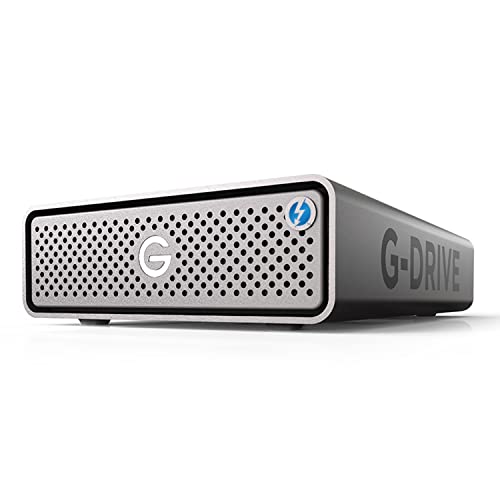
SanDisk Professional 18TB G-DRIVE PRO
Best for: Mac workstations requiring high-capacity daisy-chained storage
- Storage Capacity
- 18TB
- Hardware Interface
- Thunderbolt 3, USB-C
- Rotational Speed
- 7200 RPM
- Form Factor
- Desktop
- Dimensions
- 8.27 × 5.12 × 1.81 inches
- Weight
- 2.6 pounds
The SanDisk Professional 18TB G-DRIVE PRO HDD gives you 18TB of desktop storage powered by an internal 7200RPM Ultrastar enterprise-class drive. You get dual Thunderbolt 3 ports running at up to 20Gbps, a 5Gbps USB-C port, and transfer speeds reaching 260MB/s read and write. It supports daisy chaining for up to five devices. This desktop drive suits you if you need expansive capacity and high-throughput connections for demanding workflows.
Pros
- Dual Thunderbolt 3 ports supporting daisy chaining for up to 5 devices
- Internal enterprise-class 7200RPM Ultrastar drive
- Read and write transfer rates up to 260MB/s
- 5-year limited warranty
Cons
- Requires reformatting for use with Windows
- Thunderbolt 3 interface specified at 20Gbps rather than 40Gbps
- Single-drive unit offers no internal RAID protection
Good fit if
- You need 18TB of storage with transfer speeds up to 260MB/s.
- You plan to daisy chain multiple peripherals through Thunderbolt 3.
- You work on macOS and prefer preformatted HFS+ storage.
Skip if
- You use Windows and require out-of-the-box compatibility without reformatting.
- You need a multi-drive hardware RAID setup for redundancy.
Verdict: SanDisk Professional 18TB G-DRIVE PRO HDD delivers enterprise-grade single-drive capacity alongside flexible Thunderbolt 3 daisy-chain capability. It functions as a robust primary storage hub for high-demand Mac desktop setups.
SanDisk Professional 4TB G-Drive PRO Desktop Drive
Best for: daisy-chained desktop setups needing 4TB enterprise storage
- Storage Capacity
- 4TB
- Hardware Interface
- Thunderbolt 3 (20Gbps), USB-C (5Gbps)
- Rotational Speed
- 7200RPM
- Form Factor
- Desktop
- Dimensions
- 8.27 × 5.12 × 1.79 inches
- Weight
- 4.41 pounds
View on Amazon: SanDisk Professional 4TB G-Drive PRO Desktop Drive
This desktop drive pairs an enterprise-class 7200 RPM Ultrastar hard drive with 4TB of storage in an all-aluminum enclosure. You get dual Thunderbolt 3 ports running at 20Gbps, one USB-C port at 5Gbps, and support for daisy-chaining up to five devices. It suits you if you need reliable external storage for your workspace and plan to link multiple peripherals through a single connection.
Pros
- Dual Thunderbolt 3 ports supporting 20Gbps transfer rates
- Enterprise-class 7200 RPM Ultrastar drive inside
- Supports daisy chaining for up to 5 additional devices
- Solid all-aluminum enclosure
- Includes a 5-year limited warranty
Cons
- Thunderbolt 3 ports operate at 20Gbps rather than 40Gbps
- 4TB capacity is significantly smaller than higher-capacity alternatives
- Desktop footprint weighs 4.41 pounds
Good fit if
- You need to daisy-chain multiple desktop peripherals through dual Thunderbolt 3 ports.
- You want an enterprise-grade 7200 RPM drive backed by a 5-year warranty.
Skip if
- You require large backup pools beyond 4TB of total capacity.
- You need a portable drive rather than a 4.41-pound desktop unit.
Verdict: SanDisk Professional 4TB G-Drive PRO Thunderbolt 3 HDD delivers reliable 20Gbps connectivity and peripheral daisy-chaining in a rigid aluminum enclosure. It provides a dependable desktop storage solution for modest capacities without needing large multi-drive enclosures.
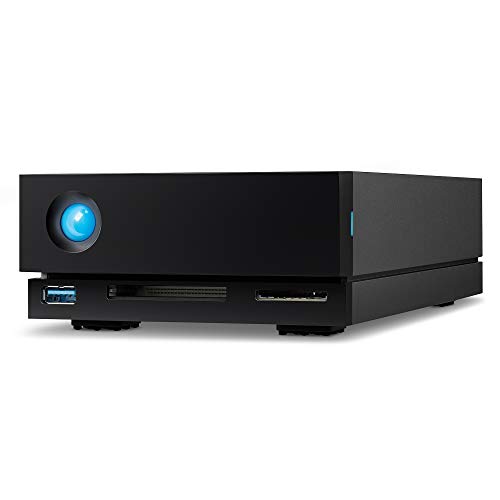
LaCie 1big Dock 24TB Thunderbolt 3 Desktop Hard Drive
Best for: docking connectivity and high-capacity desktop storage
- Storage Capacity
- 24TB
- Hardware Interface
- Thunderbolt 3, USB 3.1, USB 3.0
- Rotational Speed
- 7200 RPM
- Form Factor
- Desktop
- Compatibility
- PC, Mac
- Dimensions
- 5.71 × 12.2 × 9.45 inches
View on Amazon: LaCie 1big Dock 24TB Thunderbolt 3 Desktop Hard Drive
The LaCie 1big Dock 24TB is a desktop storage unit and peripheral hub for your workstation. It integrates a 24TB Seagate IronWolf Pro 7200 RPM enterprise-class hard drive with dual Thunderbolt 3 ports, DisplayPort 1.4, and integrated SD and CF card readers. You can connect displays, ingest memory cards, and deliver up to 60W of power to your laptop through a single cable setup.
Pros
- Includes a 24TB 7200 RPM Seagate IronWolf Pro hard drive
- Dual Thunderbolt 3 ports enable daisy-chaining peripherals
- Built-in SD slot, CF slot, and DisplayPort 1.4 output
- Provides up to 60W power delivery over Thunderbolt 3
- Includes five-year warranty with Rescue Data Recovery Services
Cons
- Charging drops to 30W when daisy-chaining secondary devices
- Achieving 70W pass-through charging requires connecting a laptop power supply
Good fit if
- You need 24TB of desktop storage combined with direct CF and SD card ingestion.
- You want to connect a DisplayPort monitor and dock peripherals over Thunderbolt 3.
- You require daisy-chain capability across multiple desktop hardware units.
Skip if
- You need more than 60W of standalone power delivery without attaching your laptop supply.
- You need a portable hard drive rather than a 3.75-pound desktop station.
Verdict: LaCie 1big Dock 24TB Thunderbolt 3 Desktop Drive pairs 24TB of high-capacity storage with comprehensive peripheral docking for streamlined workstation setups. It delivers reliable 7200 RPM performance alongside integrated card slots and video output.

Seagate LaCie 2big Dock 8TB Desktop Array
Best for: workstations needing Thunderbolt 3 and physical security
- Storage Capacity
- 8000GB
- Hardware Interface
- Thunderbolt 3
- Form Factor
- Desktop
- Dimensions
- 8.54 × 4.65 × 3.67 inches
- Weight
- 6.39 pounds
The LaCie 2big Dock 8TB Desktop Array is a desktop storage unit that provides 8TB of capacity across a multi-drive enclosure. You connect using Thunderbolt 3 or USB-C interfaces for high-speed transfers. Its one-piece aluminum housing dampens noise and vibration on your workspace, while an integrated cable lock and Kensington slot provide physical protection. This setup suits you if you need secure, stationary capacity alongside modern connectivity.
Pros
- Thunderbolt 3 and USB-C hardware interfaces
- One-piece aluminum housing reduces noise and vibration
- AES 256-bit encryption software support
- Integrated cable lock and Kensington lock compatibility
Cons
- Heavier desktop footprint at 6.39 pounds
- Provides 8TB baseline capacity instead of higher 16TB or 28TB options
Good fit if
- You need Thunderbolt 3 and USB-C desktop connectivity.
- You want physical hardware protection with integrated cable and Kensington locks.
- You require an aluminum desktop chassis designed to minimize operating vibration.
Skip if
- You need a lightweight portable drive under 6.39 pounds.
- You require more than 8TB of initial storage capacity.
Verdict: LaCie 2big Dock 8TB Desktop Array delivers reliable Thunderbolt 3 connectivity, quiet aluminum housing, and physical hardware locks for dedicated desk setups. It is a solid match if you need dependable 8TB desktop storage with multi-interface support.
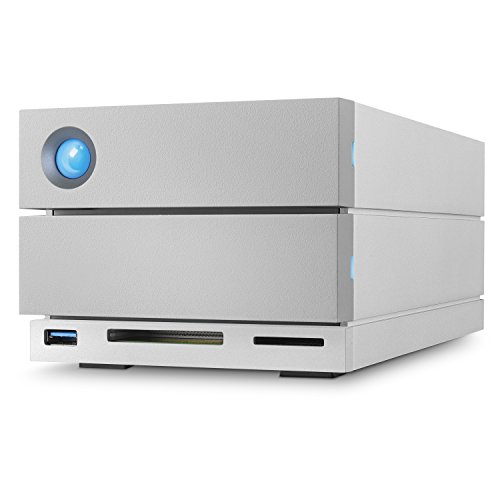
LaCie 2big Dock 8TB External RAID Drive
Best for: desktop docking and direct card ingestion
- Storage Capacity
- 8TB
- Hardware Interface
- Thunderbolt 3, USB-C, USB 3.0, USB 3.1
- Form Factor
- Desktop
- Compatibility
- PC, Mac
- Dimensions
- 4.65 × 3.66 × 8.54 inches
- Weight
- 4.65 pounds
The LaCie 2big Dock 8TB is a dual-drive desktop storage system built for data management. It delivers speeds up to 440MB/s and includes hot-swappable IronWolf Pro enterprise-class hard drives configurable in RAID 0 or RAID 1. Built-in SD and CF card slots, dual Thunderbolt 3 ports, USB 3.0, and a DisplayPort turn the unit into an active workflow hub. It suits you if you need integrated ingest slots alongside redundant desktop storage.
Pros
- Transfer speeds up to 440MB/s
- Hardware RAID 0 and RAID 1 with hot-swappable IronWolf Pro drives
- Built-in SD and CF card slots plus USB 3.0 hub
- Dual Thunderbolt 3 ports and dedicated DisplayPort
- Five-year limited warranty with Rescue Data Recovery Services
Cons
- Weighs 4.65 pounds, limiting portability
- Offers only RAID 0 and RAID 1 setups
- Total 8TB capacity is lower than larger single-drive options
Good fit if
- You need direct SD and CF card ingestion at your desk.
- You want configurable RAID 1 mirroring or RAID 0 speed up to 440MB/s.
- You require daisy chaining via dual Thunderbolt 3 ports.
Skip if
- You need more than 8TB of storage space.
- You want a lightweight drive designed for travel.
Verdict: LaCie 2big Dock 8TB Thunderbolt 3 RAID combines dual-drive RAID flexibility with memory card ingestion and monitor connectivity. It is a reliable desktop hub for users who prioritize port variety and hardware redundancy over maximum raw capacity.
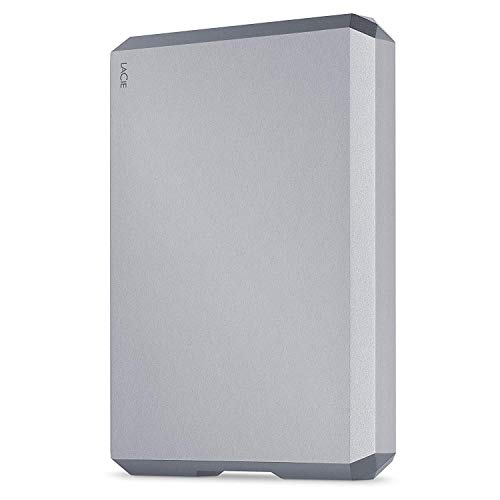
LaCie Mobile Drive 5TB Portable HDD
Best for: portable Mac backups and mobile storage
- Storage Capacity
- 5TB
- Hardware Interface
- USB-C, USB 3.0, Thunderbolt 3
- Form Factor
- Desktop
- Compatibility
- PC, Mac
- Dimensions
- 0.79 × 3.58 × 4.88 inches
- Weight
- 10.6 ounces
The LaCie 5TB Mobile Drive Portable Hard Drive provides 5TB of external storage in an all-aluminum enclosure weighing 10.6 ounces. It connects via USB-C, Thunderbolt 3, and legacy USB 3.0 ports. Pre-formatted for Mac out of the box, it also functions with Windows systems. If you need portable file backups with included mirroring and scheduling tools instead of stationary desktop arrays, this compact drive fits your mobile workflow without external power bricks.
Pros
- 5TB capacity in a 0.79-inch thick aluminum chassis
- Supports USB-C, USB 3.0, and Thunderbolt 3 interfaces
- Includes LaCie Toolkit software for scheduled backups and folder mirroring
- Pre-formatted for Mac compatibility directly out of the box
Cons
- Lower maximum capacity than multi-terabyte desktop alternatives
- Requires reformatting for initial Windows use
Good fit if
- You need high-capacity portable storage that weighs under 11 ounces.
- You use a Mac and want plug-and-play operation over USB-C or Thunderbolt 3.
- You want automated backup and folder mirroring software included.
Skip if
- You need massive capacities above 5TB for single-drive desktop backups.
- You require multi-drive RAID setups or integrated docking station ports.
Verdict: LaCie 5TB Mobile Drive Portable Hard Drive is a lightweight, bus-powered option for users who prioritize mobility over bulky desktop hardware. Its aluminum construction and broad interface support ensure straightforward backup workflows across both Mac and PC systems.

SanDisk Professional 4TB G-Drive Desktop HDD
Best for: Mac desktop backups and everyday project storage
- Storage Capacity
- 4TB
- Hardware Interface
- USB-C (10Gbps), USB 3.2 Gen 2
- Rotational Speed
- 7200RPM
- Form Factor
- Desktop
- Compatibility
- Mac
- Dimensions
- 8.27 × 5.24 × 1.61 inches
View on Amazon: SanDisk Professional 4TB G-Drive Desktop HDD
This is a 4TB external desktop drive housing a 7200 RPM Ultrastar enterprise hard drive. It connects via a 10Gbps USB-C interface and delivers transfer speeds up to 250MB/s read and write. The anodized aluminum enclosure stacks easily on a desk and comes preformatted for Mac and Apple Time Machine. It suits you if you need reliable single-drive desktop storage for backups and project archives without needing larger multidrive enclosures.
Pros
- Enterprise-class 7200 RPM Ultrastar drive inside
- 10Gbps USB-C interface with up to 250MB/s read and write speeds
- Stackable anodized aluminum enclosure with adjustable LED brightness
- Ready for Mac and Apple Time Machine out of the box
Cons
- Offers 4TB of capacity rather than higher multi-terabyte tiers
- Requires reformatting before use on Windows
- Weighs 3.06 pounds and requires dedicated desk space
Good fit if
- You want an enterprise-grade 7200 RPM drive for desktop backups.
- You use macOS and want direct Apple Time Machine compatibility.
- You prefer a stackable aluminum enclosure with adjustable LEDs.
Skip if
- You need more than 4TB of storage capacity for large archives.
- You want a lightweight drive designed for mobile use.
- You work primarily on Windows and do not want to reformat.
Verdict: SanDisk Professional 4TB G-Drive Desktop Hard Drive delivers reliable 7200 RPM enterprise storage in a durable aluminum desktop enclosure. It is a solid choice for Mac users seeking straightforward local backups over a 10Gbps USB-C connection.
Specifications side by side
| Spec | SanDisk Professional 18TB G-DRIVE PRO | SanDisk Professional 4TB G-Drive PRO Desktop Drive | LaCie 1big Dock 24TB Thunderbolt 3 Desktop Hard Drive | Seagate LaCie 2big Dock 8TB Desktop Array | LaCie 2big Dock 8TB External RAID Drive | LaCie Mobile Drive 5TB Portable HDD | SanDisk Professional 4TB G-Drive Desktop HDD |
|---|---|---|---|---|---|---|---|
| Storage Capacity | 18TB | 4TB | 24TB | 8000GB | 8TB | 5TB | 4TB |
| Hardware Interface | Thunderbolt 3, USB-C | Thunderbolt 3 (20Gbps), USB-C (5Gbps) | Thunderbolt 3, USB 3.1, USB 3.0 | Thunderbolt 3 | Thunderbolt 3, USB-C, USB 3.0, USB 3.1 | USB-C, USB 3.0, Thunderbolt 3 | USB-C (10Gbps), USB 3.2 Gen 2 |
| Rotational Speed | 7200 RPM | 7200RPM | 7200 RPM | not specified | not specified | not specified | 7200RPM |
| Form Factor | Desktop | Desktop | Desktop | Desktop | Desktop | Desktop | Desktop |
| Compatibility | not specified | not specified | PC, Mac | not specified | PC, Mac | PC, Mac | Mac |
| Size | 18TB | 4TB | 24TB | 8 TB | 8TB | not specified | 4TB |
| Dimensions | 8.27 × 5.12 × 1.81 inches | 8.27 × 5.12 × 1.79 inches | 5.71 × 12.2 × 9.45 inches | 8.54 × 4.65 × 3.67 inches | 4.65 × 3.66 × 8.54 inches | 0.79 × 3.58 × 4.88 inches | 8.27 × 5.24 × 1.61 inches |
| Weight | 2.6 pounds | 4.41 pounds | 3.75 pounds | 6.39 pounds | 4.65 pounds | 10.6 ounces | 3.06 pounds |
| Color | Space Grey | Grey | Black | argentée | not specified | Gray | Dark Grey |
| Model | SDPH51J-018T-NBAAD | 718037891651 | STHS24000800 | STGB8000400 | STGB8000400 | STHG5000402 | SDPHF1A-004T-NBAAD |
If you prefer portable solid-state drives over high-capacity desktop units, compare specs for sandisk 2tb extreme pro portable alternatives.
Frequently asked questions
Which alternative offers more storage capacity than the 18TB model?
The LaCie 1big Dock provides 24TB of storage, exceeding the 18TB capacity of the SanDisk drive. This desktop model features a 7200 RPM drive mechanism and connects using Thunderbolt and USB 3.0 interfaces. It supports both PC and Mac operating systems while adding integrated memory card slots and video output for your desk.
Are there portable drive alternatives available for travel?
Yes, the LaCie Mobile Drive offers a compact alternative designed for portability. It provides 5TB of storage and weighs 10.6 ounces, operating via bus power without needing an external power adapter. It supports USB 3.0, Thunderbolt, and USB-C interfaces, enabling you to transfer files across both Mac and PC systems on the go.
How does the standard G-Drive 4TB differ from the G-Drive PRO?
The standard SanDisk Professional 4TB G-Drive relies exclusively on a USB-C interface rather than Thunderbolt. While the PRO version incorporates Thunderbolt connectivity, this standard model focuses on basic Mac backups over USB-C. Both share a 7200 RPM rotational speed and a desktop aluminum enclosure, but the standard drive weighs less at 3.06 pounds.
Which alternatives support hardware RAID configurations?
The LaCie 2big Dock provides dual-drive RAID flexibility in an 8TB desktop configuration. Unlike single-drive enclosures, this unit allows you to configure dual drives for data redundancy or performance. It interfaces through USB 3.0, Thunderbolt, and USB-C ports, while also integrating front-facing card ingestion slots and external monitor display connectivity.
Can you connect these hard drive alternatives to Windows PCs?
Several options feature listed PC compatibility right out of the box. These include the LaCie 1big Dock 24TB, the LaCie 2big Dock 8TB, and the LaCie Mobile Drive 5TB. While certain SanDisk desktop models list compatibility primarily for Mac setups, these LaCie options officially support both PC and Mac operating systems across their data ports.
Which alternative includes built-in docking ports for memory cards?
Both the LaCie 1big Dock and the LaCie 2big Dock include built-in card ingestion slots directly on the chassis. These docking units eliminate your need for external card readers. They combine high-capacity 7200 RPM storage or dual-drive RAID with display outputs, peripheral connectivity, and Thunderbolt speeds in a single desktop footprint.
What is the heaviest desktop drive among these alternatives?
The Seagate LaCie 2big Dock 8TB Desktop Array is the heaviest option listed, weighing 6.39 pounds. Its weight comes from a dual-bay aluminum housing designed for permanent desktop deployment. It also incorporates physical hardware locks to keep the installed drive mechanisms securely anchored inside your dedicated workstation space.