15 Best Desktop NAS Hard Drives, Compared
As an Amazon Associate we earn from qualifying purchases. Links on this page are affiliate links.
Finding the right desktop NAS hard drive requires balancing sustained speed, endurance, and hardware compatibility. Your system depends on reliable drives built for continuous read and write operations. The Toshiba 16TB Enterprise 7200 RPM Hard Drive leads the list with its 550 TB/year endurance rating and 7200 RPM rotational speed.
We compared 15 products based strictly on the specifications published on their listings. This guide helps you decide which storage capacity, interface, and hardware features match your desktop setup.
Quick picks
The best fit for you
- You need maximum internal capacity for desktop storage arrays Toshiba 16TB Enterprise 7200 RPM Hard Drive This internal drive delivers 16TB of SATA storage running at 7200 RPM for heavy continuous workloads.
- You want high external capacity for your Windows PC Avolusion PRO-T8 14TB External Desktop Hard Drive It provides 14TB of external storage using a standard USB 3.0 hardware interface with native PC compatibility.
- You need hardware encryption to secure sensitive desktop data Apricorn 4TB Aegis Padlock Encrypted Desktop Drive This 4TB desktop model features built-in PIN authentication and hardware encryption to protect your local files.
- You require Thunderbolt and USB-C connectivity for your workstation LaCie 2big Dock 8TB External RAID Drive This 8TB external drive includes Thunderbolt, USB-C, and USB 3.0 interfaces compatible with PC and Mac.
Our 15 picks

Toshiba 16TB Enterprise 7200 RPM Hard Drive
Best for: high-workload 24/7 desktop storage arrays
- Form Factor
- Desktop (what this guide is about)
- Storage Capacity
- 16 TB
- Hardware Interface
- SATA 6 Gb/s
- Rotational Speed
- 7200 RPM
- Cache Size
- 512 MiB
- Recording Technology
- CMR
This Toshiba drive is a renewed 3.5-inch desktop hard drive offering 16TB of storage using conventional magnetic recording. It operates at 7,200 RPM with a 512 MiB cache and a SATA 6 Gb/s interface, supporting sustained transfer rates up to 262 MiB/s. Built for continuous operation, it includes rotational vibration sensors and carries a 550 TB per year workload rating. It suits you if you need high-capacity storage for demanding desktop server environments.
Pros
- 16TB capacity using Conventional Magnetic Recording (CMR)
- 7,200 RPM spindle speed with 512 MiB cache
- Rated for 550 TB/year workload and 24/7 continuous operation
- Helium-sealed nine-platter design with rotational vibration sensors
Cons
- Supplied as a renewed unit rather than factory-new
- Requires an internal 3.5-inch SATA bay rather than direct USB connectivity
Good fit if
- You need 16TB of CMR storage for continuous 24/7 operations.
- You require fast 7,200 RPM speeds with a 512 MiB buffer for sustained throughput.
- You have an open 3.5-inch SATA bay in a desktop chassis or array.
Skip if
- You need an external plug-and-play USB hard drive.
- You require brand-new hardware rather than a renewed drive.
Verdict: Toshiba 16TB 7200 RPM Desktop Hard Drive delivers enterprise-grade 550 TB/year endurance and high CMR capacity for desktop arrays. It serves continuous-use storage setups well if you have a compatible internal SATA bay.

Avolusion PRO-T8 14TB External Desktop Hard Drive
Best for: Windows desktop expansion and external backups
- Form Factor
- Desktop (what this guide is about)
- Storage Capacity
- 14TB
- Hardware Interface
- USB 3.0
- Rotational Speed
- 7200RPM
- Compatibility
- PC
- Dimensions
- 6 × 1 × 4 inches
View on Amazon: Avolusion PRO-T8 14TB External Desktop Hard Drive
The Avolusion PRO-T8 14TB Desktop Hard Drive gives you high-capacity external storage over a USB 3.0 connection. It pairs an external desktop enclosure with an internal 7200RPM enterprise-grade drive, providing approximately 12TB of usable space after formatting. Designed for Windows desktops and laptops, it lets you expand your system capacity or run regular backups without opening your computer case. This drive suits anyone needing simple plug-and-play desktop backup.
Pros
- 14TB storage capacity with approximately 12TB available after format
- 7200RPM enterprise-grade internal drive mechanism
- Simple USB 3.0 connection requires no internal installation
- Compact enclosure measuring 6 by 4 by 1 inches
Cons
- Internal drive is refurbished rather than factory-new
- Uses USB 3.0 rather than internal SATA or faster interface standards
Good fit if
- You need 14TB of external storage for a Windows PC or laptop.
- You want to back up a desktop system without opening the computer chassis.
- You prefer an external desktop enclosure housing a 7200RPM enterprise drive.
Skip if
- You require an internal SATA bare drive to install into a NAS bay.
- You prefer all-new components rather than a refurbished internal disk.
Verdict: Avolusion PRO-T8 14TB Desktop Hard Drive pairs high-capacity 7200RPM enterprise hardware with a plug-and-play USB 3.0 desktop enclosure. It offers an easy way to expand Windows storage without opening your PC.
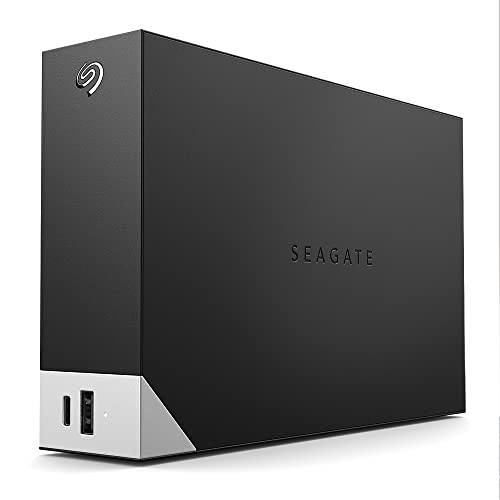
Seagate One Touch Hub 8TB External Desktop Hard Drive
Best for: dual-platform desktop backup with integrated USB charging
- Form Factor
- Desktop (what this guide is about)
- Storage Capacity
- 8TB
- Hardware Interface
- USB C, USB 3.0
- Dimensions
- 3.07 × 8.74 × 9.17 inches
- Weight
- 3.07 pounds
View on Amazon: Seagate One Touch Hub 8TB External Desktop Hard Drive
Seagate One Touch Hub 8TB Desktop Hard Drive gives you 8TB of desktop storage paired with integrated front hub connectivity. You get front-facing USB-C and USB 3.0 ports capable of charging devices while your computer is powered off. It supports both Windows and Mac platforms right out of the box. This unit fits you if you need high-capacity workstation backups alongside convenient front-panel device charging across mixed operating systems.
Pros
- Front-facing USB-C and USB 3.0 ports recharge devices even when the computer is off
- 8TB storage capacity in a dedicated desktop form factor
- Out-of-the-box compatibility with both Windows and Mac
Cons
- Renewed product condition rather than a factory-new unit
- Does not include an Adobe Creative Cloud Photography plan
Good fit if
- You want 8TB of desktop storage compatible with Windows and Mac out of the box.
- You need accessible front USB-C and USB 3.0 ports to recharge peripherals.
Skip if
- You prefer brand-new hardware rather than a renewed drive.
- You require a direct network RJ-45 port rather than USB host connectivity.
Verdict: Seagate One Touch Hub 8TB Desktop Hard Drive suits dual-platform workstation users who need 8TB of local external capacity alongside front-facing ports for charging accessories.

Western Digital My Book 14TB External Desktop Drive
Best for: high-capacity single-drive desktop USB storage
- Form Factor
- Desktop (what this guide is about)
- Storage Capacity
- 14TB
- Hardware Interface
- USB 3.0
- Dimensions
- 5.5 × 1.9 × 6.7 inches
View on Amazon: Western Digital My Book 14TB External Desktop Drive
This Western Digital My Book provides 14TB of external storage in a black desktop form factor. It connects using a USB 3.0 hardware interface for data transfers. The unit measures 6.7 inches tall, 5.5 inches long, and 1.9 inches wide. It suits you if you need a high-capacity standalone drive for desktop backups or expanded file storage without internal installation.
Pros
- 14TB storage capacity
- USB 3.0 hardware interface
- Compact vertical footprint at 1.9 inches wide
Cons
- Renewed product condition rather than factory new
- Hardware interface limited to USB 3.0 without Thunderbolt
Good fit if
- You need 14TB of capacity in a single external drive.
- You connect external drives using a standard USB 3.0 port.
- You have vertical desk clearance for a 6.7-inch tall enclosure.
Skip if
- You require brand-new hardware rather than a renewed unit.
- You need internal SATA connectivity for a multi-bay NAS enclosure.
Verdict: WD 14TB My Book USB 3.0 Desktop Hard Drive delivers high standalone capacity for external desktop setups using a standard USB 3.0 connection. It handles large-scale file storage without requiring internal drive bays.

Western Digital 8TB My Book Thunderbolt Duo
Best for: daisy-chained desktop Thunderbolt RAID setups
- Form Factor
- Desktop (what this guide is about)
- Storage Capacity
- 8 TB
- Hardware Interface
- Thunderbolt
- Dimensions
- 6.2 × 3.9 × 6.5 inches
- Weight
- 5.07 pounds
This desktop drive delivers 8TB of storage via two Thunderbolt ports, enabling direct daisy-chain setups for your workstation. Inside, user-configurable RAID 0 and RAID 1 let you choose between maximum speed and mirrored data redundancy. The tool-free enclosure makes replacing or upgrading internal drives simple. Measuring 6.5 inches tall and weighing 5.07 pounds, it suits you if you need dedicated Thunderbolt storage.
Pros
- Two Thunderbolt ports support device daisy-chaining
- Selectable RAID 0 and RAID 1 hardware configurations
- Tool-free enclosure for user-serviceable drive swaps
- 8TB capacity across a dual-drive desktop footprint
Cons
- No standard USB connectivity provided
- Relatively heavy desktop build at 5.07 pounds
Good fit if
- You use host systems equipped with Thunderbolt interfaces.
- You want hardware options for RAID 0 speed or RAID 1 redundancy.
- You need tool-free access to swap or upgrade drives independently.
Skip if
- You require standard USB Type-A or Type-C connectivity.
- You prefer a lightweight single-drive enclosure for portability.
Verdict: WD 8TB My Book Thunderbolt Duo Desktop RAID provides dual Thunderbolt connectivity, tool-free bay maintenance, and configurable RAID 0 or RAID 1 modes. It serves workstations requiring dedicated daisy-chain desktop storage.

Western Digital Elements 4TB Desktop Hard Drive
Best for: Windows desktop backups with UK power setups
- Form Factor
- Desktop (what this guide is about)
- Storage Capacity
- 4TB
- Hardware Interface
- USB 3.0, USB 2.0
- Dimensions
- 1.89 × 5.31 × 6.53 inches
- Weight
- 2.01 pounds
View on Amazon: Western Digital Elements 4TB Desktop Hard Drive
The Western Digital 4TB Elements is a 3.5-inch desktop external hard drive providing 4TB of storage. It connects via a USB 3.0 interface and supports USB 2.0 backward compatibility. The drive comes formatted in NTFS for Windows out of the box and includes a UK power adapter. If you need simple, standalone storage for desktop backups or media archiving alongside other options in this 15-drive lineup, this unit fits your workspace.
Pros
- USB 3.0 connectivity with backward compatibility for USB 2.0
- 4TB desktop storage capacity
- Pre-formatted NTFS for Windows 7, 8.1, and 10
Cons
- Requires reformatting for use with Mac OS X
- Includes a UK power adapter packaged for UK use
Good fit if
- You need a 4TB USB 3.0 desktop drive pre-formatted for Windows.
- You use UK power outlets or have a matching power converter.
Skip if
- You use Mac OS X and want ready out-of-the-box drive compatibility without reformatting.
- You need a power plug designed for regions outside the UK.
Verdict: Western Digital 4TB Elements Desktop Hard Drive provides straightforward 4TB desktop USB 3.0 storage for Windows systems. It serves well as a reliable external repository provided you have the appropriate UK plug setup.

Apricorn 4TB Aegis Padlock Encrypted Desktop Drive
Best for: hardware-encrypted desktop data security
- Form Factor
- Desktop (what this guide is about)
- Storage Capacity
- 4TB
- Hardware Interface
- USB 3.0
- Dimensions
- 1 × 4.25 × 2 inches
- Weight
- 3 pounds
View on Amazon: Apricorn 4TB Aegis Padlock Encrypted Desktop Drive
The Apricorn Aegis Padlock is a 4TB desktop external drive built for data security. You unlock stored files using secure PIN number access. It features 256-bit AES XTS hardware encryption with FIPS 140-2 Level 2 validation. It connects over USB 3.0 and supports separate Admin and User modes. This unit suits you if you need certified hardware encryption and PIN authentication for desktop data backups.
Pros
- 256-bit AES XTS hardware encryption
- FIPS 140-2 Level 2 validation
- Secure PIN number access with Admin and User modes
- Super Speed USB 3.0 interface
Cons
- Requires manual PIN entry to access data
- Heavier unit at 3 pounds
Good fit if
- You need FIPS 140-2 Level 2 certified hardware encryption.
- You want physical PIN access control for stored files.
Skip if
- You prefer seamless plug-and-play access without entering a PIN.
- You require high-speed Thunderbolt connectivity.
Verdict: Apricorn Aegis Padlock 4TB Encrypted Desktop Drive delivers robust hardware encryption and PIN authentication directly on the hardware. It is a solid choice for protecting sensitive local data under FIPS 140-2 standards.

Western Digital Elements 4TB Desktop External Hard Drive
Best for: simple USB 3.0 desktop data backups
- Form Factor
- Desktop (what this guide is about)
- Storage Capacity
- 4TB
- Hardware Interface
- USB 3.0
- Dimensions
- 5.3 × 1.9 × 6.5 inches
- Weight
- 4.8 ounces
View on Amazon: Western Digital Elements 4TB Desktop External Hard Drive
The Western Digital Elements is a desktop external hard drive offering 4TB of storage space. It connects to your system via a standard USB 3.0 hardware interface for plug-and-play data transfers. Measuring 6.5 inches high, 5.3 inches long, and 1.9 inches wide with a weight of 0.3 pounds, it suits you if you need straightforward desktop storage for files, photos, and backups.
Pros
- USB 3.0 hardware interface
- 4TB storage capacity
- Plug-and-play setup
- Lightweight build at 0.3 pounds
Cons
- Relies on USB 3.0 rather than newer interface standards
- External desktop form factor instead of bare internal SATA
Good fit if
- You need 4TB of external desktop capacity for straightforward file storage.
- You want a lightweight desktop external drive weighing 0.3 pounds.
Skip if
- You need an internal SATA drive to install inside an enclosure bay.
- You require capacities larger than 4TB for your storage setup.
Verdict: Western Digital Elements 4TB Desktop Hard Drive provides basic desktop expansion through a USB 3.0 interface. It delivers 4TB of capacity in a lightweight desktop enclosure for routine data storage.
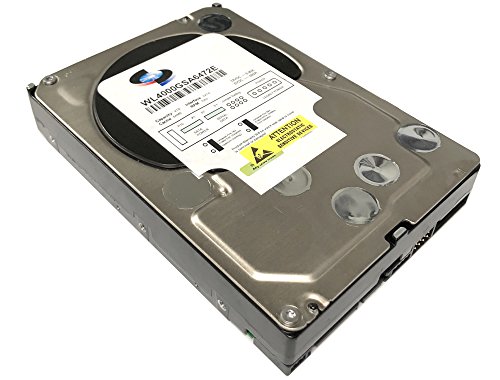
White Label 4TB 7200 RPM Enterprise Hard Drive
Best for: budget 24x7 desktop NAS and RAID arrays
- Form Factor
- Desktop (what this guide is about)
- Storage Capacity
- 4TB
- Hardware Interface
- SATA 6.0Gb/s
- Rotational Speed
- 7200RPM
- Cache Size
- 64MB
- Compatibility
- PC
View on Amazon: White Label 4TB 7200 RPM Enterprise Hard Drive
This 3.5-inch desktop drive from White Label provides 4TB of storage with a SATA 6.0 Gb/s interface. It operates at 7200 RPM with a 64MB cache and delivers sustained sequential data rates up to 171 MB/s. Built for continuous 24x7 operation with a 1.2 million hour MTBF, it includes dual processors and rotational vibration protection. It suits you if you need a dedicated, always-on drive for a desktop NAS or RAID setup.
Pros
- 7200 RPM rotational speed
- Rated for 24x7 operation with 1.2 million hour MTBF
- Enhanced RAFF real-time rotational vibration protection
- Sustained sequential transfer rate up to 171 MB/s
Cons
- 64MB cache buffer
- 4TB capacity limit
Good fit if
- You need an internal 3.5-inch drive for 24x7 NAS or RAID operation.
- You want 7200 RPM speed paired with hardware vibration protection.
Skip if
- You require more than 4TB of capacity per drive bay.
- You need a larger cache size than 64MB.
Verdict: White Label 4TB 7200 RPM Desktop Hard Drive offers continuous 24x7 operation and rotational vibration protection for desktop arrays. Its 4TB capacity and 64MB cache provide standard throughput for essential NAS workloads.
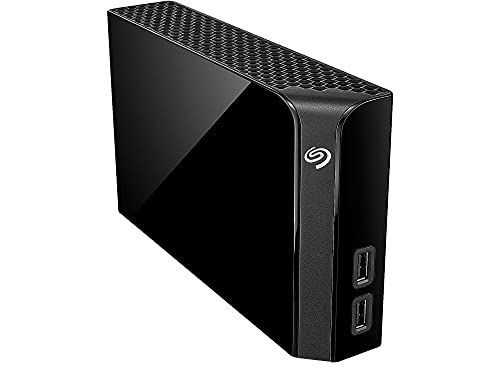
Seagate Backup Plus Hub 4TB Desktop Hard Drive
Best for: desktop backups needing integrated USB peripheral hubs
- Form Factor
- Desktop (what this guide is about)
- Storage Capacity
- 4TB
- Hardware Interface
- USB 3.0
- Compatibility
- PC, Mac
- Dimensions
- 4.65 × 1.61 × 7.8 inches
- Weight
- 2.34 pounds
View on Amazon: Seagate Backup Plus Hub 4TB Desktop Hard Drive
The Seagate Backup Plus Hub 4TB Desktop Drive provides external storage with integrated dual USB 3.0 hub ports on the front. It measures 7.8 inches high and weighs 2.34 pounds, designed for stationary desktop placement. Compatible with both Windows and Mac via an included NTFS driver, it allows you to connect and charge peripherals while backing up files over USB 3.0. It suits you if you need accessible desktop capacity with extra connectivity.
Pros
- Two integrated USB 3.0 ports for charging and device connections
- Cross-platform support for Windows and Mac with included NTFS driver
- Includes four-month Adobe Creative Cloud Photography Plan membership
- 4TB desktop storage capacity
Cons
- Requires desktop space at 7.8 inches tall and 2.34 pounds
- External USB enclosure rather than a bare internal SATA drive
Good fit if
- You need front-facing USB 3.0 ports to charge devices or connect thumb drives.
- You transfer data across both Windows and Mac systems.
- You want 4TB of external desktop backup storage.
Skip if
- You need an internal bare SATA drive to mount directly inside a NAS bay.
- You require a bus-powered portable drive that operates without desktop placement.
Verdict: Seagate Backup Plus Hub 4TB Desktop Drive serves as a dual-purpose external drive and desktop hub for Windows and Mac systems. Its integrated front USB 3.0 ports provide convenient peripheral connectivity alongside 4TB of storage.

WD 6TB My Book External Hard Drive
Best for: Hardware-encrypted 6TB desktop data backups
- Form Factor
- Desktop (what this guide is about)
- Storage Capacity
- 6TB
- Hardware Interface
- USB 3.0
- Dimensions
- 3.46 × 8.5 × 6.7 inches
- Weight
- 2.31 pounds
The WD My Book 6TB is a desktop external hard drive equipped with a USB 3.0 interface operating at up to 5 Gbps. It features 256-bit AES hardware encryption to safeguard stored files alongside included software for device management and backups. Measuring 6.7 inches high and weighing roughly 2.3 pounds, this single-drive unit suits you if you need localized 6TB storage with hardware security for your desktop workstation.
Pros
- 256-bit AES hardware encryption with password protection
- USB 3.0 interface delivering data transfer rates up to 5 Gbps
- Backwards compatible with USB 2.0 ports
- Includes downloadable software for device management and backups
Cons
- Single-drive configuration lacks built-in RAID protection
- Included management software requires download and user account registration
Good fit if
- You need 6TB of external storage secured by 256-bit AES hardware encryption.
- You connect to host systems using SuperSpeed USB 3.0 or USB 2.0 ports.
Skip if
- You need internal bare SATA drives to install into multi-bay NAS trays.
- You require multi-drive RAID redundancy within the enclosure.
Verdict: WD My Book 6TB USB 3.0 External Desktop Drive provides 6TB of desktop storage with 256-bit AES hardware encryption and USB 3.0 connectivity. It serves business and personal environments needing secure local file backups.

Western Digital 4TB My Book Desktop Hard Drive
Best for: secure, scheduled desktop backups across PC and Mac
- Form Factor
- Desktop (what this guide is about)
- Storage Capacity
- 4 TB
- Hardware Interface
- USB 3.0
- Compatibility
- PC, Mac
- Dimensions
- 5.48 × 1.93 × 6.72 inches
- Weight
- 2.2 pounds
View on Amazon: Western Digital 4TB My Book Desktop Hard Drive
The Western Digital 4TB My Book USB 3.0 Desktop Hard Drive provides 4 TB of external storage in a desktop form factor. It connects through a 5 Gbps USB 3.0 interface and works out of the box with both Windows and Mac systems. The unit features built-in 256-bit AES hardware encryption and includes scheduled backup software. It suits you if you need secure, standalone local backups for documents, photos, and system files.
Pros
- 256-bit AES hardware encryption with password protection
- USB 3.0 interface supporting speeds up to 5 Gbps
- Works out of the box with both PC and Mac
- Included software supports automated, scheduled backups
Cons
- Requires dedicated desktop placement at 2.2 pounds
- Uses USB 3.0 rather than newer USB-C connectivity
Good fit if
- You need password protection backed by 256-bit AES hardware encryption.
- You want automated backup scheduling for Mac or Windows out of the box.
- You require 4 TB of desktop storage over a standard USB 3.0 connection.
Skip if
- You need internal SATA connectivity instead of an external USB interface.
- You want a lightweight, bus-powered portable drive that weighs less than 2.2 pounds.
Verdict: Western Digital 4TB My Book USB 3.0 Desktop Hard Drive delivers reliable local desktop storage with 256-bit AES encryption and plug-and-play PC and Mac compatibility. It gives you a straightforward way to automate file backups without complicated setup.

Seagate LaCie 2big Dock 8TB Desktop Array
Best for: desktop workstations needing Thunderbolt connectivity
- Form Factor
- Desktop (what this guide is about)
- Storage Capacity
- 8000GB
- Hardware Interface
- Thunderbolt 3
- Dimensions
- 8.54 × 4.65 × 3.67 inches
- Weight
- 6.39 pounds
The LaCie 2big Dock 8TB Thunderbolt 3 Array is an 8 TB desktop disk array designed for your workspace. It features Thunderbolt and USB-C hardware interfaces alongside a one-piece aluminum enclosure built to dampen noise and vibration. Built-in AES 256-bit encryption software and an integrated cable lock protect your data and setup. This unit suits you if you need high-bandwidth desktop storage connected directly to your workstation.
Pros
- Dual Thunderbolt and USB-C hardware connectivity
- One-piece aluminum housing dampens noise and vibration
- Integrated cable lock and Kensington lock compatibility
- AES 256-bit software encryption support
Cons
- Heavier desktop footprint at 6.39 pounds
- Lacks a direct Ethernet network port in specs
Good fit if
- You want Thunderbolt or USB-C connectivity directly on your desk.
- You prioritize vibration control via an aluminum enclosure.
- You need physical security via an integrated cable lock.
Skip if
- You require an Ethernet interface for direct network attachment.
- You need a lightweight storage device under six pounds.
Verdict: LaCie 2big Dock 8TB Thunderbolt 3 Array delivers fast direct connectivity and rigid aluminum construction. It provides secure, vibration-dampened local capacity for your demanding data workflows.

WD 6TB My Book Duo Dual-Drive Desktop RAID
Best for: dual-drive desktop storage with hardware encryption
- Form Factor
- Desktop (what this guide is about)
- Storage Capacity
- 6TB
- Hardware Interface
- USB 3.1, USB 3.0
- Dimensions
- 6.3 × 3.94 × 7.09 inches
- Weight
- 5.16 pounds
The WD 6TB My Book Duo is a desktop storage unit equipped with RAID-optimized WD Red drives configured in RAID-0 out of the box. You connect it via USB 3.1 Gen 1 or USB 3.0, and it includes two integrated USB 3.0 hub ports for extra connectivity. Built-in 256-bit AES hardware encryption and password protection secure your files. This unit suits you if you need local dual-drive storage.
Pros
- Equipped with RAID-optimized WD Red drives
- Pre-configured in RAID-0 out of the box
- Includes two USB 3.0 hub ports for peripherals
- Features 256-bit AES hardware encryption and password protection
Cons
- Weighs 5.16 pounds, creating a heavier desktop footprint
- Interfaces via 5 Gbps USB 3.1 Gen 1 rather than faster Gen 2 or Thunderbolt connections
Good fit if
- You want pre-installed WD Red drives configured for desktop RAID performance.
- You need built-in USB 3.0 accessory hub ports on your drive enclosure.
- You require password security backed by 256-bit AES hardware encryption.
Skip if
- You need a lightweight desktop enclosure under five pounds.
- You require high-speed host connections like Thunderbolt or USB 3.1 Gen 2.
Verdict: WD 6TB My Book Duo Desktop RAID Drive combines dual WD Red hard drives with hardware encryption and auxiliary USB ports. It delivers dedicated multi-drive desktop capacity with hardware-level security.
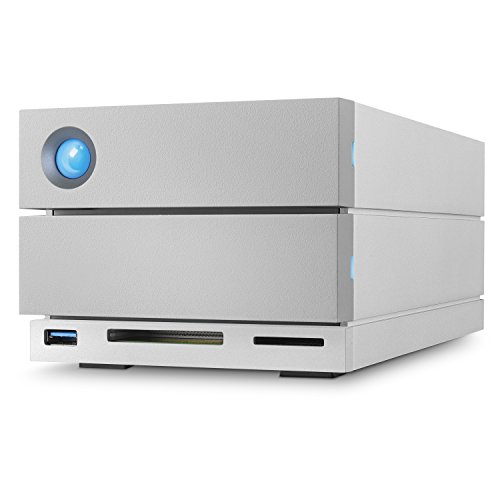
LaCie 2big Dock 8TB External RAID Drive
Best for: desktop docking and direct memory card ingestion
- Form Factor
- Desktop (what this guide is about)
- Storage Capacity
- 8TB
- Hardware Interface
- Thunderbolt 3, USB-C, USB 3.0, USB 3.1
- Compatibility
- PC, Mac
- Dimensions
- 4.65 × 3.66 × 8.54 inches
- Weight
- 4.65 pounds
This desktop storage dock combines 8TB of capacity with dual hot-swappable IronWolf Pro enterprise drives. You can configure hardware RAID 0 or RAID 1 for either 440MB/s speeds or complete data mirroring. Built-in SD and CF card slots, dual Thunderbolt 3 ports, USB 3.1, and DisplayPort make it a complete desktop workstation hub. It suits you if you need fast direct file transfers and expandable monitor connectivity alongside your local drive storage.
Pros
- Dual Thunderbolt 3 ports for daisy chaining plus a dedicated DisplayPort
- Front-facing SD and CF card slots alongside a USB 3.0 hub
- Hot-swappable IronWolf Pro enterprise-class hard drives
- Hardware RAID 0 and RAID 1 configuration options reaching up to 440MB/s
- Five-year limited warranty with Rescue Data Recovery Services included
Cons
- Heavier desktop footprint at 4.65 pounds
- RAID 1 redundancy reduces your usable space to half capacity
Good fit if
- You need integrated SD and CF card slots for ingesting camera media directly.
- You want hot-swappable enterprise drives with configurable RAID 0 or RAID 1.
- You use Thunderbolt 3 daisy chaining and an external monitor setup.
Skip if
- You require standalone network-attached ethernet storage instead of direct desktop interfaces.
- You need more than two drive bays for parity-based multi-drive arrays.
Verdict: LaCie 2big Dock 8TB Thunderbolt 3 Desktop RAID delivers high-speed IronWolf Pro storage alongside comprehensive docking ports for connected workstations. It gives you flexible RAID configurations and diverse video and card connectivity in a single dual-bay enclosure.
Specifications side by side
| Spec | Toshiba 16TB Enterprise 7200 RPM Hard Drive | Avolusion PRO-T8 14TB External Desktop Hard Drive | Seagate One Touch Hub 8TB External Desktop Hard Drive | Western Digital My Book 14TB External Desktop Drive | Western Digital 8TB My Book Thunderbolt Duo | Western Digital Elements 4TB Desktop Hard Drive | Apricorn 4TB Aegis Padlock Encrypted Desktop Drive | Western Digital Elements 4TB Desktop External Hard Drive | White Label 4TB 7200 RPM Enterprise Hard Drive | Seagate Backup Plus Hub 4TB Desktop Hard Drive | WD 6TB My Book External Hard Drive | Western Digital 4TB My Book Desktop Hard Drive | Seagate LaCie 2big Dock 8TB Desktop Array | WD 6TB My Book Duo Dual-Drive Desktop RAID | LaCie 2big Dock 8TB External RAID Drive |
|---|---|---|---|---|---|---|---|---|---|---|---|---|---|---|---|
| Storage Capacity | 16 TB | 14TB | 8TB | 14TB | 8 TB | 4TB | 4TB | 4TB | 4TB | 4TB | 6TB | 4 TB | 8000GB | 6TB | 8TB |
| Form Factor | 3.5" | not specified | not specified | not specified | not specified | 3.5in | not specified | not specified | 3.5" | not specified | not specified | not specified | not specified | not specified | not specified |
| Hardware Interface | SATA 6 Gb/s | USB 3.0 | USB C, USB 3.0 | USB 3.0 | Thunderbolt | USB 3.0, USB 2.0 | USB 3.0 | USB 3.0 | SATA 6.0Gb/s | USB 3.0 | USB 3.0 | USB 3.0 | Thunderbolt 3 | USB 3.1, USB 3.0 | Thunderbolt 3, USB-C, USB 3.0, USB 3.1 |
| Rotational Speed | 7200 RPM | 7200RPM | not specified | not specified | not specified | not specified | not specified | not specified | 7200RPM | not specified | not specified | not specified | not specified | not specified | not specified |
| Cache Size | 512 MiB | not specified | not specified | not specified | not specified | not specified | not specified | not specified | 64MB | not specified | not specified | not specified | not specified | not specified | not specified |
| Recording Technology | CMR | not specified | not specified | not specified | not specified | not specified | not specified | not specified | not specified | not specified | not specified | not specified | not specified | not specified | not specified |
| Workload Rate Limit | up to 550 TB/year | not specified | not specified | not specified | not specified | not specified | not specified | not specified | not specified | not specified | not specified | not specified | not specified | not specified | not specified |
| Compatibility | not specified | PC | not specified | not specified | not specified | not specified | not specified | not specified | PC | PC, Mac | not specified | PC, Mac | not specified | not specified | PC, Mac |
| Size | 16TB | 14TB | 8TB | 14TB | 8 TB | 4 TB | 4TB | 4TB | 4TB | 4TB | 6TB | 4 TB | 8 TB | 6TB | 8TB |
| Dimensions | 5.8 × 4 × 1 inches | 6 × 1 × 4 inches | 3.07 × 8.74 × 9.17 inches | 5.5 × 1.9 × 6.7 inches | 6.2 × 3.9 × 6.5 inches | 1.89 × 5.31 × 6.53 inches | 1 × 4.25 × 2 inches | 5.3 × 1.9 × 6.5 inches | not specified | 4.65 × 1.61 × 7.8 inches | 3.46 × 8.5 × 6.7 inches | 5.48 × 1.93 × 6.72 inches | 8.54 × 4.65 × 3.67 inches | 6.3 × 3.94 × 7.09 inches | 4.65 × 3.66 × 8.54 inches |
| Weight | 1.32 pounds | 2 pounds | 3.07 pounds | not specified | 5.07 pounds | 2.01 pounds | 3 pounds | 4.8 ounces | 1 pounds | 2.34 pounds | 2.31 pounds | 2.2 pounds | 6.39 pounds | 5.16 pounds | 4.65 pounds |
| Color | Silver | Black | Black | Black | 8 TB | Black | 4 TB | Black | White | not specified | Black | Black | argentée | Black | not specified |
| Model | MG08ACA16TE | PROT8-BK-14TB-WIN | STLC8000400 | WDBBGB0140HBK-NESN | WDBUTV0080JSL-NESN | WDBWLG0040HBK-EESN | ADT-3PL256F-4000 | WDBWLG0040HBK-NESN | WL4000GSA6472E | STEL4000300 | WDBBGB0060HBK-NESN | WDBBGB0040HBK-EESN | STGB8000400 | WDBFBE0060JBK-NESN | STGB8000400 |
Is a Desktop Form Factor Worth It?
A desktop form factor designates stationary storage built to remain in a fixed workspace. These units range from internal SATA drives to standalone enclosures weighing up to 6.39 pounds and measuring over eight inches tall. In daily use, desktop units provide capacities from 4TB up to 16TB, 7200 RPM rotational speeds, and multi-drive RAID configurations. However, they require dedicated desk footprint or internal bay space, alongside direct cabling via USB, Thunderbolt, or SATA interfaces.
Worth it if
- You want stationary storage with capacities up to 16TB or multi-drive RAID modes.
- You have dedicated workstation desk space or an available internal drive bay.
- You use desktop setups wired directly through SATA, USB 3.0, or Thunderbolt interfaces.
Skip it if
- You need compact, mobile storage that travels with you rather than sitting in a fixed workspace.
- You do not have available desk space or an open internal SATA bay to house the hardware.
For desktop NAS hard drives, consider these best heatsinks for desktop to manage thermal performance during sustained write operations.
Choosing the Best Desktop Drives
To find options for this guide, we filtered Amazon listings specifically marked with a desktop form factor in their published specifications or titles. We selected 15 models representing internal SATA drives and external desktop units, choosing only one capacity variant from each product family. We rely entirely on published manufacturer specifications without physical handling or hardware testing.
You will see the list arranged with products in stock first, then by Amazon sales rank. When evaluating each pick, we compared specifications including storage capacity, rotational speed, and hardware interfaces such as SATA, USB 3.0, or Thunderbolt. This helps you identify the proper desktop drive configuration for your specific storage setup.
Choosing the Right Desktop Storage Drive
-
Match Rotational Speed to Tasks
Check the drive rotational speed spec before purchasing. Spindle speed is measured in revolutions per minute. A 7200 RPM drive, such as the White Label 4TB Enterprise Hard Drive, spins platters faster to deliver quicker file read and write operations. Fast spindle speeds suit active desktop NAS arrays and constant data transfers. Slower speeds generate less heat and lower acoustic noise in small desktop enclosures. Choose 7200 RPM models if your priority is sustained throughput during large file operations, and accept slightly higher running temperatures.
-
Select Single or Dual Bays
Determine whether you need drive redundancy or maximum capacity. Single-drive desktop units contain one disk, so hardware failure means immediate data loss without a separate backup. Dual-bay desktop enclosures, like the WD 6TB My Book Duo, accommodate two matched drives inside one chassis. These multi-drive units allow RAID 1 mirroring to preserve an exact copy of your files if one disk fails. Alternatively, configure them as RAID 0 to combine capacities into a single fast volume. Choose dual-bay setups when continuous uptime matters most.
-
Review Hardware Encryption Needs
Evaluate how you secure sensitive data on stationary desktop units. Standard hard drives rely entirely on host software for encryption, which consumes host processing resources. Dedicated security drives, such as the Apricorn 4TB Aegis Padlock, feature integrated 256-bit AES cryptographic engines. Physical authentication, such as an onboard PIN keypad, keeps encryption keys contained on the hardware itself rather than stored on the connected computer. Choose hardware-encrypted models if you store confidential business records or must comply with strict organizational data security mandates.
-
Verify Operating System Compatibility
Confirm that the drive supports your host operating system out of the box. Some desktop external drives ship preformatted strictly for Windows PCs, requiring reformatting before macOS can write files. Other units, like the Seagate Backup Plus Hub 4TB, provide cross-platform compatibility drivers or generic formatting for both PC and Mac environments. Check the manufacturer compatibility specifications if you routinely switch between operating systems or manage a mixed-platform office network. Selecting cross-compatible models eliminates extra setup steps and prevents accidental drive reformatting errors.
-
Assess Auxiliary Hub Ports
Inspect the external enclosure for extra connectivity options. Basic external drives offer only an input cable, occupying a desktop port without adding connectivity. Advanced desktop units, such as the LaCie 2big Dock 8TB, include built-in docking hubs with auxiliary USB-A ports, display outputs, or memory card slots. These integrated passthrough connections let you recharge mobile devices and attach peripherals directly to your desk storage. Choose drives with integrated hubs if your workstation has limited available ports or requires convenient front-facing access for data ingestion.
Frequently asked questions
Can you connect an external desktop drive to a NAS for local backups?
Yes, you can plug an external desktop drive directly into your NAS USB port to run scheduled local backups. Units such as the Western Digital My Book 14TB and Western Digital Elements 4TB use standard USB 3.0 connections. This setup lets you create offline secondary copies of your shared network folders without taking up internal drive bays in your primary storage enclosure.
Which desktop storage interfaces support daisy-chaining devices?
Thunderbolt interfaces allow you to daisy-chain multiple high-speed devices along a single computer port. For example, the Western Digital 8TB My Book Thunderbolt Duo features dedicated Thunderbolt ports designed for workstation chains. The Seagate LaCie 2big Dock also offers Thunderbolt connectivity alongside USB-C, giving you continuous bandwidth when you link displays and additional storage units together on your desk.
How do encrypted desktop hard drives protect your stored files?
Encrypted desktop drives process data security internally using dedicated hardware chips rather than relying on computer software. The Apricorn 4TB Aegis Padlock features on-device PIN authentication meeting FIPS 140-2 standards. Other models, including the WD 6TB My Book and 4TB My Book, integrate 256-bit AES hardware encryption to lock your files against unauthorized access if the desktop drive is ever disconnected.
Are desktop hard drives compatible with both PC and Mac systems?
Many external desktop drives provide native multi-platform support across both PC and Mac operating systems out of the box. The Seagate Backup Plus Hub 4TB, Western Digital 4TB My Book, and LaCie 2big Dock 8TB list explicit compatibility with both platforms. You can share files between environments easily, though some setups may require specific partition formatting depending on your operating system configuration.
What advantages do dual-drive desktop enclosures provide over single drives?
Dual-drive desktop units provide hardware-level redundancy and configurable storage modes like RAID 0 and RAID 1. The Western Digital 8TB My Book Thunderbolt Duo features tool-free bay maintenance and selectable RAID modes. Similarly, the WD 6TB My Book Duo pairs two WD Red hard drives inside a single desktop chassis, giving you added protection against drive failure compared to standalone single-drive enclosures.
Can desktop external hard drives also function as USB hubs?
Yes, select desktop external drives integrate pass-through ports that serve as desktop hubs. The Seagate One Touch Hub 8TB includes front-facing ports to charge accessories and connect devices right on your desk. Similarly, the Seagate Backup Plus Hub 4TB includes dual front USB 3.0 ports, allowing you to attach additional peripherals without reaching around your computer or NAS unit.
What role does cache memory play in an internal desktop hard drive?
Cache memory acts as a high-speed data buffer that temporarily holds active files between your computer and the physical spinning platters. In models like the White Label 4TB Enterprise Hard Drive, a 64MB cache works alongside a 7200 RPM rotational speed to streamline data throughput. This buffer helps manage continuous read and write demands during sustained operations in desktop storage arrays.