Best WD NAS Hard Drives: 13 Models Compared
As an Amazon Associate we earn from qualifying purchases. Links on this page are affiliate links.
Selecting the right WD NAS hard drive depends on whether you require internal bay storage or external backups. WD offers internal 3.5-inch SATA drives, desktop units, and portable external drives, with capacities ranging from 1TB to 6TB. The WD Ultrastar 4TB 7200 RPM Hard Drive leads the lineup because it is built for 24/7 multi-drive NAS and RAID storage with a 7200 RPM rotational speed and SATA connectivity.
This guide compares 13 models based directly on the specifications published on the listings to help you find the right match.
Quick picks
Our 13 picks

WD Ultrastar 4TB 7200 RPM Hard Drive
Best for: 24/7 multi-drive NAS and RAID storage
- Storage Capacity
- 4 TB
- Form Factor
- 3.5 Inch
- Hardware Interface
- SATA 6.0Gb/s
- Rotational Speed
- 7200 RPM
- Cache Size
- 64MB
- Dimensions
- 5.8 × 4 × 1 inches
This WD Ultrastar drive provides 4TB of internal storage for your network-attached storage or server system. It runs at a 7200 RPM rotational speed with a SATA 6.0Gb/s interface and a 64MB cache. Built for continuous 24/7 operation, it features vibration protection and error recovery technology. It suits you if you need a durable 3.5-inch drive capable of handling demanding read and write workloads in multi-drive environments.
Pros
- 7200 RPM rotational speed with SATA 6.0Gb/s interface
- Engineered for continuous 24/7 operation in NAS and RAID systems
- Built-in vibration protection and error recovery technology
- Standard 3.5-inch form factor for servers and storage enclosures
Cons
- Cache size is limited to 64MB
- Requires a 3.5-inch internal SATA bay rather than direct USB connectivity
Good fit if
- You need an internal drive built for continuous 24/7 NAS or server workloads.
- You want 7200 RPM rotational speed with hardware vibration protection.
Skip if
- You need a portable plug-and-play external USB hard drive.
- You require a drive with more than 64MB of cache.
Verdict: WD Ultrastar 4TB 7200 RPM Internal Hard Drive delivers reliable 24/7 storage with hardware vibration protection for NAS and RAID setups. It provides steady, high-workload throughput for continuous multi-drive environments.

WD 6TB My Book External Hard Drive
Best for: secure desktop backups and stationary storage
- Storage Capacity
- 6TB
- Hardware Interface
- USB 3.0
- Form Factor
- Desktop
- Dimensions
- 3.46 × 8.5 × 6.7 inches
- Weight
- 2.31 pounds
The WD 6TB My Book Desktop External Hard Drive gives you 6TB of desktop storage with a 5 Gbps USB 3.0 connection. It features built-in 256-bit AES hardware encryption to protect your files, alongside included backup and drive management software. Because it uses a desktop form factor and weighs 2.31 pounds, it suits you if you need high-capacity external storage for backups at your workstation.
Pros
- 6TB capacity in a single-drive configuration
- SuperSpeed USB 3.0 interface operating up to 5 Gbps
- 256-bit AES hardware encryption with password protection
- Included software for device management and backup
Cons
- Desktop form factor weighing 2.31 pounds is not designed for portability
- Management and backup software requires separate download and installation
Good fit if
- You want 6TB of stationary desktop storage for business or personal backups.
- You need 256-bit AES hardware encryption to secure files locally.
Skip if
- You need a lightweight, bus-powered portable drive for travel.
- You want an internal drive to install directly into a NAS bay.
Verdict: WD 6TB My Book Desktop External Hard Drive delivers 6TB of desktop capacity with hardware-level encryption for stationary local backup setups.
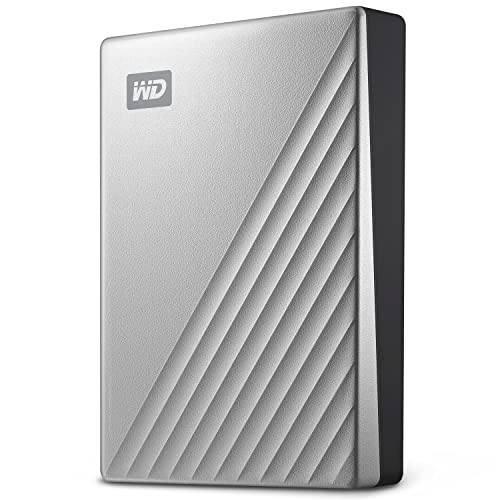
WD 4TB My Passport Ultra Portable HDD
Best for: Encrypted external USB-C backups
- Storage Capacity
- 4TB
- Hardware Interface
- USB-C, USB 3.1
- Compatibility
- PC
- Dimensions
- 4.33 × 3.21 × 0.83 inches
- Weight
- 8.16 ounces
The WD 4TB My Passport Ultra is a portable external hard drive with a metal cover and a USB-C interface. It offers 4TB of storage, 256-bit AES hardware encryption, and compatibility with USB 3.1 systems. The unit comes formatted for Windows and measures 4.33 inches long by 0.83 inches high. It suits you if you need compact, hardware-encrypted external storage to connect directly to your PC or network hardware via USB-C.
Pros
- 256-bit AES hardware encryption with password protection
- Native USB-C interface with USB 3.1 compatibility
- Metal cover enclosure weighing 0.51 pounds
- Includes a 3-year manufacturer's limited warranty
Cons
- Preformatted for Windows out of the box
- External USB drive rather than an internal SATA NAS drive
Good fit if
- You need 4TB of portable storage with USB-C and USB 3.1 connectivity.
- You require built-in 256-bit AES hardware encryption for data security.
- You want a metal-cased external drive backed by a 3-year warranty.
Skip if
- You need an internal 3.5-inch SATA drive for a standard NAS bay.
- You run macOS and want drive formatting ready out of the box.
Verdict: WD 4TB My Passport Ultra Portable Hard Drive provides portable 4TB storage with USB-C connectivity and 256-bit AES encryption in a metal case. It is a solid choice when you need secure external USB storage alongside your primary systems.

WD 4TB My Passport Portable Hard Drive
Best for: portable USB backups and encrypted offline storage
- Storage Capacity
- 4TB
- Hardware Interface
- USB 3.1/USB 3.0
- Dimensions
- 4.22 × 2.95 × 0.75 inches
- Weight
- 7.41 ounces
The WD 4TB My Passport Portable Hard Drive gives you 4TB of external storage in a 0.46-pound enclosure. It connects over a USB 3.0 interface and measures 4.22 by 2.95 inches. WD includes device management software with ransomware defense, plus password protection paired with hardware encryption. This drive suits you if you want portable file transport or a dedicated USB backup target to complement your network storage setup.
Pros
- Hardware encryption paired with password protection
- Backup software includes defense against ransomware
- Covered by a 3-year limited warranty
- Compact form factor weighing under 0.47 pounds
Cons
- External USB 3.0 design cannot mount into internal NAS drive bays
- Offers 4TB capacity rather than higher 5TB or 6TB options
Good fit if
- You want 4TB of portable USB 3.0 storage with hardware encryption.
- You need backup software that includes ransomware protection features.
- You require a lightweight drive under half a pound for transporting data.
Skip if
- You need bare internal SATA drives to fill multi-bay NAS slots.
- You require more than 4TB of storage space on a single device.
Verdict: WD 4TB My Passport Portable Hard Drive provides portable USB 3.0 storage backed by hardware encryption and a 3-year limited warranty. It delivers a secure, lightweight solution for taking backups outside of your primary drive array.

WD 5TB My Passport Portable Hard Drive
Best for: encrypted high-capacity portable backups
- Storage Capacity
- 5TB
- Hardware Interface
- USB 3.1/USB 3.0
- Dimensions
- 4.22 × 2.95 × 0.75 inches
- Weight
- 7.4 ounces
This is a 5TB portable external hard drive with a USB 3.0 interface. It measures 4.22 inches long, 2.95 inches wide, and 0.75 inches thick, weighing 7.4 ounces. Features include hardware encryption, password protection, and backup software with ransomware defense. It comes with a 3-year limited warranty. It suits you if you need a high-capacity portable drive to store and protect your data outside a traditional multi-bay NAS setup.
Pros
- 5TB capacity in a 7.4-ounce enclosure
- Hardware encryption with password protection
- Backup software with defense against ransomware
- Three-year limited warranty
Cons
- USB 3.0 interface rather than faster modern standards
- External USB drive rather than an internal SATA NAS bay drive
Good fit if
- You need 5TB of portable USB storage for file backups.
- You want built-in hardware encryption and password security.
Skip if
- You need an internal SATA drive for a standard NAS enclosure.
- You require an interface faster than USB 3.0.
Verdict: WD 5TB My Passport Portable Hard Drive delivers 5TB of external storage with hardware encryption and backup tools. It fits users who need high-capacity portable backup rather than internal NAS drives.

WD 4TB My Passport Portable Hard Drive
Best for: secure portable PC backups and transport
- Storage Capacity
- 4TB
- Hardware Interface
- USB 3.1/USB 3.0
- Compatibility
- PC
- Dimensions
- 4.22 × 2.95 × 0.75 inches
- Weight
- 7.41 ounces
The WD 4TB My Passport is a portable external drive offering four terabytes of storage over a USB 3.0 interface. Measuring 4.22 inches long and weighing under half a pound, it includes built-in hardware encryption and password protection to safeguard data. It suits you if you need a compact, portable external drive for local backups and secure PC file transport alongside your primary storage setup.
Pros
- 4TB storage capacity in a 0.46-pound portable enclosure
- Hardware encryption with password protection
- Included device management backup software with ransomware defense
- 3-year limited warranty coverage
Cons
- External USB 3.0 design cannot mount inside standard internal NAS drive bays
- Compatibility listed only for PC systems
- Uses USB 3.0 rather than newer USB-C connectivity
Good fit if
- You need 4TB of portable storage with password protection and hardware encryption.
- You want backup management software with ransomware defense for a PC.
- You need a lightweight external drive weighing under half a pound for offsite data copies.
Skip if
- You need an internal 3.5-inch SATA hard drive to populate a dedicated NAS bay.
- You require an external drive with native non-PC compatibility specified out of the box.
Verdict: WD 4TB My Passport Portable Hard Drive delivers secure, encrypted storage in a pocket-sized format for PC-connected file backups. Its portable USB 3.0 interface makes it practical for offsite copies rather than internal network storage arrays.

WD 2TB My Passport Portable Hard Drive
Best for: portable USB backups with hardware encryption
- Storage Capacity
- 2TB
- Hardware Interface
- USB 3.1/USB 3.0
- Dimensions
- 4.22 × 2.95 × 0.44 inches
- Weight
- 4.23 ounces
The WD 2TB My Passport is a compact external hard drive featuring a USB 3.0 interface and 2TB of storage capacity. At 0.44 inches thick and 0.26 pounds, it provides portable data handling with integrated hardware encryption and backup software. This drive suits you if you need a lightweight, secure external drive for direct USB backups alongside your primary storage systems.
Pros
- Hardware encryption with password protection
- Slim 0.44-inch thickness and 0.26-pound weight
- USB 3.0 hardware interface
- 3-year limited warranty included
Cons
- External USB connection cannot install directly into internal SATA drive bays
- 2TB storage ceiling is lower than larger external alternatives
Good fit if
- You need a portable, lightweight drive for USB-attached storage.
- You want built-in password protection with hardware encryption.
Skip if
- You need an internal 3.5-inch SATA hard drive for a NAS enclosure.
- You require high-capacity storage greater than 2TB for your backups.
Verdict: WD 2TB My Passport Portable Hard Drive delivers compact USB 3.0 external storage with built-in hardware encryption for secure file handling. It serves as a straightforward portable solution when you do not need internal drive bays.

WD 2TB My Passport Portable Hard Drive
Best for: portable encrypted USB file backups
- Storage Capacity
- 2TB
- Hardware Interface
- USB 3.1/USB 3.0
- Dimensions
- 4.22 × 2.95 × 0.44 inches
- Weight
- 4.23 ounces
This portable external drive gives you 2TB of storage via a USB 3.0 interface. It measures 4.22 by 2.95 by 0.44 inches and weighs 0.26 pounds, making it easy to carry. The drive features hardware encryption, password protection, and included device management backup software with ransomware defense. It suits you if you need a compact, bus-powered external backup drive rather than an internal bay-mounted NAS hard drive.
Pros
- Hardware encryption and password protection
- Compact 0.44-inch profile and 0.26-pound weight
- Included device management backup software with ransomware defense
- 3-year limited warranty
Cons
- External USB 3.0 interface rather than internal SATA NAS bay connector
- 2TB maximum capacity for this specific model
Good fit if
- You need a portable 2TB external drive running over USB 3.0.
- You require password protection and hardware encryption for offline file copies.
- You want bundled backup software featuring defense against ransomware.
Skip if
- You need a bare 3.5-inch SATA hard drive to slot directly into a NAS enclosure.
- You need more than 2TB of drive space for your storage pool.
Verdict: WD 2TB My Passport Portable Hard Drive provides portable USB 3.0 storage with built-in hardware encryption and a 3-year warranty. It serves as an external secondary backup drive rather than an internal multi-bay NAS drive.

WD 4TB My Passport Portable Hard Drive
Best for: portable USB backup and encrypted file storage
- Storage Capacity
- 4TB
- Hardware Interface
- USB 3.1/USB 3.0
- Dimensions
- 4.22 × 2.95 × 0.75 inches
- Weight
- 7.41 ounces
WD 4TB My Passport Portable Hard Drive provides 4TB of external storage using a USB 3.0 interface. It includes hardware encryption, password protection, and dedicated backup software. Measuring 4.22 by 2.95 by 0.75 inches and weighing under half a pound, it connects to an external USB port on your NAS or workstation. This drive suits you if you need local external backups and portable file storage.
Pros
- 4TB storage capacity in a 0.46-pound enclosure
- Hardware encryption with password protection
- Included device management and backup software
- 3-year limited warranty
Cons
- USB 3.0 interface rather than internal SATA
- Cannot mount directly inside standard NAS drive bays
Good fit if
- You need 4TB of external backup storage connected via USB 3.0.
- You want hardware encryption and password security for files.
- You prefer a lightweight portable drive for offsite data copies.
Skip if
- You need an internal SATA drive to fill a standard NAS bay.
- You require storage capacities greater than 4TB.
Verdict: WD 4TB My Passport Portable Hard Drive delivers password-protected external storage over USB 3.0 for users needing off-device backups. It offers 4TB of portable space backed by a 3-year limited warranty.
WD 1TB My Passport Portable Hard Drive
Best for: lightweight portable backups and secure external storage
- Storage Capacity
- 1TB
- Hardware Interface
- USB 3.1/USB 3.0
- Dimensions
- 4.22 × 2.95 × 0.44 inches
- Weight
- 4.16 ounces
The WD 1TB My Passport is a compact external hard drive built for portable storage and local data backups. You get 1TB of capacity running across a USB 3.0 interface, enclosed in a casing that measures 0.44 inches thick and weighs 0.26 pounds. It includes built-in hardware encryption and password protection. This drive suits you if you need a lightweight, pocket-sized device for routine backups or external NAS expansion.
Pros
- Hardware encryption and password protection
- Slim 0.44-inch profile weighing 0.26 pounds
- Standard USB 3.0 connectivity
- 3-year limited warranty
Cons
- External USB connection rather than internal SATA bay drive
- 1TB capacity is limited for large multi-user setups
Good fit if
- You need a lightweight 0.26-pound portable drive for basic file backups.
- You want password protection backed by hardware encryption.
- You need 1TB of external USB 3.0 storage for routine file access.
Skip if
- You need an internal 3.5-inch SATA drive for a multi-bay NAS enclosure.
- You require more than 1TB of storage capacity for large media collections.
Verdict: WD 1TB My Passport Portable Hard Drive provides portable USB 3.0 storage with hardware encryption in an ultra-slim 0.26-pound design. It serves well as a dedicated local backup disk or external auxiliary drive.

WD 5TB My Passport Ultra Portable Hard Drive
Best for: portable encrypted Windows backups over USB-C
- Storage Capacity
- 5TB
- Hardware Interface
- USB-C, USB 3.1
- Dimensions
- 4.33 × 3.21 × 0.83 inches
- Weight
- 4.64 ounces
View on Amazon: WD 5TB My Passport Ultra Portable Hard Drive
The WD 5TB My Passport Ultra is a portable external hard drive with a metal cover and USB-C connectivity. It provides 5TB of storage, 256-bit AES hardware encryption, and compatibility with USB 3.1 ports. The unit comes formatted for Windows and includes backup software. This drive suits you if you need portable, encrypted local storage to expand your system or create standalone backups from a PC.
Pros
- 5TB capacity in a 0.29-pound metal enclosure
- 256-bit AES hardware encryption with password protection
- USB-C and USB 3.1 compatibility
- 3-year manufacturer's limited warranty
Cons
- Pre-formatted for Windows rather than universal or Mac file systems
- External USB portable format rather than an internal SATA NAS drive
Good fit if
- You need 5TB of portable USB-C storage with hardware encryption.
- You want a Windows-formatted external drive for local backups.
Skip if
- You need an internal 3.5-inch SATA drive for a NAS bay.
- You want out-of-the-box compatibility without reformatting on non-Windows systems.
Verdict: WD 5TB My Passport Ultra External Drive provides 5TB of portable storage with USB-C connectivity and 256-bit AES hardware encryption. Its metal housing and 3-year limited warranty make it a solid choice for encrypted external Windows backups.

WD Elements SE 2TB Portable SSD
Best for: Mac users needing durable portable SSD storage
- Storage Capacity
- 2TB
- Hardware Interface
- USB 3.0
- Compatibility
- PC, Mac
- Dimensions
- 2.54 × 2.54 × 0.34 inches
- Weight
- 0.96 ounces
The WD Elements SE 2TB Portable SSD provides external solid-state storage with plug-and-play compatibility for Mac and PC. It connects over USB 3.0, delivers read speeds up to 400MB/s, and features 2-meter drop resistance within a 0.06-pound square body measuring 2.54 inches across. If you need a lightweight, pocket-sized drive to offload files or move project data quickly between computers without relying on mechanical disks, this drive suits your setup.
Pros
- Read speeds reaching up to 400MB/s
- Compact enclosure weighing 0.06 pounds
- Drop resistance up to 2 meters
- Plug-and-play support for PC and Mac
Cons
- Read speed capped at 400MB/s
- Uses USB 3.0 hardware interface
- Capacity tops out at 2TB
Good fit if
- You need a Mac-compatible external SSD for portable daily file transfers.
- You want drop protection up to 2 meters in an ultralight 0.06-pound drive.
Skip if
- You need mass desktop backup capacity exceeding 2TB.
- You require transfer speeds faster than 400MB/s.
Verdict: WD Elements SE 2TB Portable SSD delivers dependable solid-state performance with Mac and PC compatibility in a pocket-sized, drop-resistant design. It is a practical external drive when you prioritize physical durability and lightweight portability over bulk desktop storage.

WD 6TB My Passport Portable Hard Drive
Best for: high-capacity portable USB backups on PC
- Storage Capacity
- 6TB
- Form Factor
- 2.5”
- Hardware Interface
- USB 3.1/USB 3.0 Compatible
- Compatibility
- PC
- Dimensions
- 4.21 × 0.81 × 2.95 inches
- Weight
- 7.36 ounces
This WD My Passport is a 2.5-inch portable external hard drive offering 6TB of storage capacity. It connects via a USB 3.0 interface and weighs 0.46 pounds, making it compact enough to transport easily. The drive includes hardware encryption, password protection, and backup software configured for PC systems. It suits you if you need high-capacity external storage for backups or file transfers alongside your NAS setup without requiring external power.
Pros
- 6TB capacity in a 2.5-inch portable form factor
- Hardware encryption and password protection built in
- Includes backup software with defense against ransomware
- Lightweight build weighing 0.46 pounds
Cons
- Uses USB 3.0 interface rather than faster USB-C standards
- Listed for PC compatibility without out-of-the-box Mac support
- External USB drive rather than an internal SATA drive for drive bays
Good fit if
- You need 6TB of portable USB 3.0 storage in a 2.5-inch form factor.
- You want built-in password protection and hardware encryption for PC backups.
Skip if
- You need an internal SATA drive to install directly into a NAS bay.
- You require native compatibility with Mac systems out of the box.
Verdict: WD 6TB My Passport Portable Hard Drive provides large 2.5-inch external storage with hardware encryption and backup utility support. It serves well as a dedicated offline USB backup drive for your PC or NAS data.
Specifications side by side
| Spec | WD Ultrastar 4TB 7200 RPM Hard Drive | WD 6TB My Book External Hard Drive | WD 4TB My Passport Ultra Portable HDD | WD 4TB My Passport Portable Hard Drive | WD 5TB My Passport Portable Hard Drive | WD 4TB My Passport Portable Hard Drive | WD 2TB My Passport Portable Hard Drive | WD 2TB My Passport Portable Hard Drive | WD 4TB My Passport Portable Hard Drive | WD 1TB My Passport Portable Hard Drive | WD 5TB My Passport Ultra Portable Hard Drive | WD Elements SE 2TB Portable SSD | WD 6TB My Passport Portable Hard Drive |
|---|---|---|---|---|---|---|---|---|---|---|---|---|---|
| Storage Capacity | 4 TB | 6TB | 4TB | 4TB | 5TB | 4TB | 2TB | 2TB | 4TB | 1TB | 5TB | 2TB | 6TB |
| Form Factor | 3.5 Inch | not specified | not specified | not specified | not specified | not specified | not specified | not specified | not specified | not specified | not specified | not specified | 2.5” |
| Hardware Interface | SATA 6.0Gb/s | USB 3.0 | USB-C, USB 3.1 | USB 3.1/USB 3.0 | USB 3.1/USB 3.0 | USB 3.1/USB 3.0 | USB 3.1/USB 3.0 | USB 3.1/USB 3.0 | USB 3.1/USB 3.0 | USB 3.1/USB 3.0 | USB-C, USB 3.1 | USB 3.0 | USB 3.1/USB 3.0 Compatible |
| Rotational Speed | 7200 RPM | not specified | not specified | not specified | not specified | not specified | not specified | not specified | not specified | not specified | not specified | not specified | not specified |
| Cache Size | 64MB | not specified | not specified | not specified | not specified | not specified | not specified | not specified | not specified | not specified | not specified | not specified | not specified |
| Compatibility | not specified | not specified | PC | not specified | not specified | PC | not specified | not specified | not specified | not specified | not specified | PC, Mac | PC |
| Size | 4 TB | 6TB | 4TB | 4TB | 5TB | 4TB | 2TB | 2TB | 4TB | 1TB | 5TB | 2TB | 6TB |
| Dimensions | 5.8 × 4 × 1 inches | 3.46 × 8.5 × 6.7 inches | 4.33 × 3.21 × 0.83 inches | 4.22 × 2.95 × 0.75 inches | 4.22 × 2.95 × 0.75 inches | 4.22 × 2.95 × 0.75 inches | 4.22 × 2.95 × 0.44 inches | 4.22 × 2.95 × 0.44 inches | 4.22 × 2.95 × 0.75 inches | 4.22 × 2.95 × 0.44 inches | 4.33 × 3.21 × 0.83 inches | 2.54 × 2.54 × 0.34 inches | 4.21 × 0.81 × 2.95 inches |
| Weight | 1.83 pounds | 2.31 pounds | 8.16 ounces | 7.41 ounces | 7.4 ounces | 7.41 ounces | 4.23 ounces | 4.23 ounces | 7.41 ounces | 4.16 ounces | 4.64 ounces | 0.96 ounces | 7.36 ounces |
| Model | HUS726T4TALE6L4/CR | WDBBGB0060HBK-NESN | WDBFTM0040BSL-WESN | WDBPKJ0040BBL-WESN | WDBPKJ0050BBK-WESN | WDBPKJ0040BRD-WESN | WDBYVG0020BBK-WESN | WDBYVG0020BBL-WESN | WDBPKJ0040BBK-WESN | WDBYVG0010BBK-WESN | WDBFTM0050BBL-WESN | WDBAYN0020BBK-WESN | WDBR9S0060BBL-WESN |
| Color | not specified | Black | Silver | Blue | Black | Red | Black | Blue | Black | Black | Blue | Black | Blue |
The WD Lineup at a Glance
WD structures this lineup by form factor and hardware interface. If you need internal storage for continuous multi-drive arrays, the WD Ultrastar 4TB 7200 RPM Hard Drive fits 3.5-inch bays with a SATA connection and 64MB cache. For stationary desk backups, the WD 6TB My Book External Hard Drive uses a desktop format with USB 3.0 connectivity.
For portable backups and file transport, the drives vary by interface and media type. The WD 4TB My Passport Ultra Portable HDD uses USB-C for PC systems. For solid-state storage, the WD Elements SE 2TB Portable SSD offers a compact build compatible with PC and Mac. These portable models suit you when you need offline secondary storage rather than internal RAID bays.
Where the WD Range Fits
This lineup suits you if you need compact external backups or a single 4TB internal drive. Capacities range from 1TB up to 6TB across different form factors. Physical shapes include a 3.5-inch internal drive, a desktop enclosure, pocket-sized portable hard drives, and a square SSD weighing 0.06 pounds. Connection options include SATA, USB 3.0, and USB-C.
The collection has clear gaps. You will not find internal drive capacities below or above 4TB, as only one internal SATA drive is present. Furthermore, no model exceeds 6TB, leaving out higher-capacity storage tiers.
If your workflow requires solid-state caching alongside mechanical drives, you can compare the best nvme SSDs for NAS.
How to Choose the Right WD Drive
-
Select the Correct Form Factor
Check whether your enclosure takes standard internal bays or external connections. If you manage a dedicated multi-drive enclosure, pick a 3.5-inch internal drive to install directly inside drive caddies. If you lack open internal bays or need supplementary storage on a desk, choose external desktop or portable form factors. Desktop models occupy permanent shelf space, while 2.5-inch portable drives fit mobile workflows. Check physical drive bay dimensions and weight specifications before you finalize your hardware selection for your home or office backup system.
-
Match the Hardware Interface
Examine how the drive connects to your host system or storage unit. Internal NAS storage requires standard SATA connections for direct motherboard or backplane communication. For external backups, verify whether your hardware provides standard USB Type-A or modern USB-C ports. The WD 4TB My Passport Ultra uses USB-C connectivity, which plugs directly into modern computers without adapters. USB 3.0 models use traditional ports. Match the connector spec to your available physical ports so you avoid extra cabling hubs and interface bottlenecks during routine data transfers.
-
Choose HDD or Solid State
Evaluate whether you need mechanical magnetic storage or solid-state media. Traditional spinning hard drives provide higher capacity tiers up to 6TB for larger volume archives. In contrast, portable solid-state drives prioritize physical durability. The WD Elements SE 2TB Portable SSD offers drop-resistant solid-state storage weighing only 0.06 pounds. This lightweight design benefits you when traveling frequently with critical data files. If your drive remains stationary in an enclosure or on a desk, mechanical hard drives provide ample capacity without the strict durability requirements of travel hardware.
-
Verify Hardware Data Encryption
Check whether the drive specifications include built-in hardware encryption if you store sensitive data offsite. Standard drives require software utilities or unencrypted storage pools. Models like the WD 6TB My Book External Hard Drive feature hardware-level encryption directly on the controller. Other portable units include 256-bit AES hardware encryption. This feature secures your files directly at the device level without consuming host system processor resources. If your primary setup lacks network-level drive encryption, dedicated hardware encryption on your backup drive protects your confidential archives from unauthorized physical access.
-
Check Rotational Speed Specs
Review the rotational speed and buffer specifications if you configure an active storage array. Drives engineered for multi-drive environments often spin at 7200 RPM. This higher speed delivers steady throughput for multi-user demands. For instance, the WD Ultrastar 4TB 7200 RPM Hard Drive combines this rotational speed with a 64MB cache. The onboard cache holds active data temporarily to streamline sequential and random read cycles. Verify that your enclosure can dissipate the heat generated by 7200 RPM mechanisms before adding them to dense multi-drive bays.
-
Confirm Operating System Compatibility
Inspect the specified operating system compatibility before connecting your storage device. Several external models in this lineup explicitly list PC compatibility out of the box, such as the WD 6TB My Passport Portable Hard Drive. Other options support both PC and Mac operating systems without reformatting. If you manage a mixed network environment or use Apple computers, verify native filesystem support. Choosing a drive that matches your host operating system eliminates the extra setup step of repartitioning the storage volume before running your scheduled data backups.
Frequently asked questions
Which WD model works as an internal NAS hard drive?
The WD Ultrastar 4TB Hard Drive is the only internal model in this comparison. It uses a standard 3.5-inch form factor and a SATA interface designed for continuous multi-drive NAS and RAID setups. It features a 7200 RPM rotational speed, a 64MB cache, and built-in hardware vibration protection to maintain steady data throughput in multi-bay drive enclosures.
Can you connect an external WD drive directly to a NAS enclosure?
Yes, you can connect external WD drives using their USB interface. Models like the WD 6TB My Book or WD My Passport connect over USB 3.0, while My Passport Ultra uses USB-C. NAS systems with external USB host ports accept these drives to perform local offline backups, expand storage pools externally, or copy secondary archives without occupying internal 3.5-inch SATA drive bays.
What hardware encryption features are available on WD portable drives?
WD My Passport and My Passport Ultra portable drives provide built-in hardware-level encryption. The My Passport Ultra 4TB and 5TB models feature 256-bit AES hardware encryption within metal housings. Desktop models like the WD 6TB My Book also incorporate hardware-level encryption, allowing you to password-protect your stationary local data or portable file copies independently of your operating system's software encryption tools.
What is the maximum storage capacity available among these WD drives?
The maximum storage capacity available in this comparison is 6TB. You can get 6TB of storage in two form factors: the stationary WD 6TB My Book desktop external drive or the portable WD 6TB My Passport external hard drive. If you need internal drive storage for RAID arrays, the WD Ultrastar tops out at 4TB in a 3.5-inch SATA configuration.
Which WD drives support USB-C connections?
The WD My Passport Ultra series supports direct USB-C connections. Both the 4TB silver model and the 5TB blue model feature USB-C hardware interfaces alongside metal enclosures. Most other portable drives in the lineup, including standard My Passport drives and the WD Elements SE SSD, use USB 3.0 interfaces, which require standard Type-A ports unless you use an external adapter with your device.
What makes the WD Elements SE SSD different from WD mechanical hard drives?
The WD Elements SE 2TB is a solid-state drive rather than a mechanical hard drive. It features drop resistance, silent solid-state operation, and a very light weight of 0.06 pounds. In comparison, mechanical models like the 4TB My Passport weigh roughly 0.46 pounds, and desktop units like the 6TB My Book weigh 2.31 pounds while requiring stationary positioning due to internal spinning platters.
Which WD drives work with Apple Mac computers out of the box?
The WD Elements SE 2TB Portable SSD explicitly lists Mac and PC compatibility in its specifications. Other models in the lineup, such as the WD My Passport Ultra and My Passport series, list PC compatibility and standard file system configurations. You can use standard USB external hard drives with Mac systems, but you may need to reformat them depending on your storage setup.