15 Best Hard Drive Enclosures with 5GbE, Compared
As an Amazon Associate we earn from qualifying purchases. Links on this page are affiliate links.
A hard drive enclosure with 5GbE provides fast multi-gigabit connectivity for backups and direct file access across your local network. We compared 15 models based strictly on the specifications published on the listings.
The Asustor 6-Bay NAS with Quad M.2 NVMe Slots leads the rankings because it combines six drive bays, four M.2 NVMe slots, and 8GB RAM with a quad-core processor. This guide helps you decide which bay count, processor type, and network configuration best support your daily storage requirements.
Quick picks
The best fit for you
- You need six drive bays with NVMe SSD slots Asustor 6-Bay NAS with Quad M.2 NVMe Slots This enclosure combines six drive bays, four M.2 NVMe slots, and 5GbE connectivity.
- You want a compact two-bay unit with bundled storage Synology DiskStation 8TB 2-Bay NAS It includes 8TB of storage across two bays alongside a 5GbE network connection.
- You need maximum pre-installed memory for heavy workloads QNAP 9-Bay Hybrid NAS with 32GB RAM It features 32GB of pre-installed RAM, nine drive bays, and 5GbE and 10GbE network interfaces.
- You want a rackmount enclosure for shallow server racks QNAP 4-Bay Short-Depth Rackmount NAS with M.2 NVMe Its rackmount chassis provides four drive bays, M.2 NVMe support, and 5GbE plus 10GbE ports.
Our 15 picks

Asustor 6-Bay NAS with Quad M.2 NVMe Slots
Best for: content creators needing hybrid NVMe multi-bay storage
- Network Connectivity
- 5GbE, 2.5GbE (what this guide is about)
- Number of Bays
- 6 Bay
- Processor
- Intel Celeron N5105
- Processor Cores
- quad-core
- RAM Capacity
- 8GB DDR4
- M.2 NVMe Slots
- 4X M.2 NVMe
This 6-bay network attached storage enclosure from Asustor delivers 5GbE and dual 2.5GbE network connectivity for fast data transfers. Inside, an Intel Celeron N5105 quad-core processor pairs with 8GB of DDR4 memory, expandable to 16GB. You get four M.2 NVMe SSD slots alongside the six drive bays for hybrid caching or storage pools. Built-in HDMI and PCIe expansion suit content creators handling 4K video transcoding and demanding multi-drive backup tasks.
Pros
- Six SATA drive bays paired with four M.2 NVMe SSD slots
- 5GbE and dual 2.5GbE network connectivity
- Intel Celeron N5105 quad-core processor with 4K hardware transcoding
- 8GB DDR4 RAM expandable up to 16GB
- PCIe expansion slot for 10GbE card or SSD upgrade
Cons
- Maximum memory expansion capped at 16GB RAM
- Unit weighs over 10.8 pounds without drives installed
Good fit if
- You need six drive bays and four M.2 NVMe slots for tiered caching or flash storage.
- You want 5GbE or dual 2.5GbE connectivity with PCIe upgrade room for 10GbE.
- You run 4K media workflows requiring hardware video transcoding and HDMI output.
Skip if
- You require more than 16GB of system memory for heavier virtualization workloads.
- You want a compact enclosure with fewer drive bays.
Verdict: Asustor Lockerstor 6-Bay NAS with NVMe Slots combines 5GbE connectivity, four M.2 NVMe slots, and a quad-core processor into a versatile six-bay setup. It delivers dependable throughput and hardware 4K transcoding for demanding creative workflows.

Synology DiskStation 8TB 2-Bay NAS
Best for: compact 8TB multi-gigabit network storage
- Network Connectivity
- 5GbE, 1GbE (what this guide is about)
- Number of Bays
- 2-Bay
- Processor
- Intel Celeron J4125
- Processor Cores
- Quad-Core
- RAM Capacity
- 2 GB DDR4
- Hardware Interface
- RJ-45
This Synology DiskStation is a 2-bay NAS enclosure equipped with 8TB of storage and 5GbE network connectivity. It runs on a quad-core Intel Celeron processor and includes 2 GB of non-ECC DDR4 memory. You can use Synology Hybrid RAID and Btrfs snapshots for file management. It suits you if you need compact 8TB storage with multi-gigabit networking and third-party drive support for home or office backups.
Pros
- 5GbE and 1GbE network connectivity
- Pre-configured 8TB capacity in a 2-bay enclosure
- Quad-core Intel Celeron processor
- Btrfs snapshot protection and Synology Hybrid RAID support
- Expandable memory from 2 GB up to 6 GB DDR4
Cons
- Limited to two internal drive bays
- Installed 2 GB DDR4 memory is non-ECC
- Maximum memory expansion caps at 6 GB
Good fit if
- You need an 8TB two-bay storage setup with 5GbE networking.
- You want Btrfs snapshot protection and Synology Hybrid RAID management.
- You intend to use third-party drives supported under DSM 7.3.
Skip if
- You need more than two drive bays for higher internal drive counts.
- You require error-correcting ECC memory or more than 6 GB of RAM.
Verdict: Synology DiskStation 2-Bay 8TB NAS delivers 5GbE networking, 8TB capacity, and quad-core processing in a compact two-bay desktop footprint. It provides dependable multi-gigabit file storage with flexible Synology Hybrid RAID and Btrfs snapshots.

Synology 4-Bay 16TB NAS
Best for: turnkey multi-gigabit business storage and backups
- Network Connectivity
- 5GbE, 2.5GbE (what this guide is about)
- Number of Bays
- 4-Bay
- Processor
- AMD Ryzen V1500B
- Processor Cores
- quad-core
- RAM Capacity
- 4 GB DDR4
- M.2 NVMe Slots
- 2x M.2 NVMe
This 4-bay enclosure comes bundled with four 4TB Seagate Ironwolf hard drives for 16TB of total raw storage. It features dual 2.5GbE networking, two M.2 NVMe slots for caching or storage pools, and an AMD Ryzen V1500B quad-core processor with 4GB ECC memory. You can expand it up to nine bays using a DX525 unit. It suits small offices needing ready-to-run shared storage, data backups, and video surveillance.
Pros
- Pre-installed with four 4TB Seagate Ironwolf drives
- Dual 2.5GbE LAN ports and two USB 3.2 Gen1 ports
- Two M.2 NVMe slots for cache or storage pools
- AMD Ryzen V1500B quad-core CPU with expandable ECC RAM
Cons
- Ships with 4GB of RAM out of a possible 32GB maximum
- Nine-drive expansion requires buying a separate DX525 unit
Good fit if
- You want a complete storage bundle with drives already included.
- You need dual 2.5GbE networking and dedicated M.2 NVMe slots.
Skip if
- You want an empty diskless enclosure to choose different drive capacities.
- You require more than 4GB of system memory out of the box.
Verdict: Synology DS925+ 4-Bay 16TB NAS delivers an all-in-one storage solution with quad-core processing, multi-gigabit networking, and included hard drives. It gives small environments dependable local backup performance and clear bay expansion options.
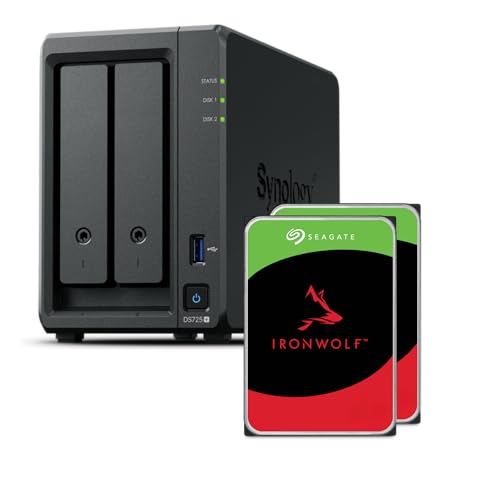
Synology 2-Bay AMD Ryzen NAS
Best for: compact multi-gigabit home office storage
- Network Connectivity
- 5GbE, 2.5GbE, 1GbE (what this guide is about)
- Number of Bays
- 2-Bay
- Processor
- Ryzen R1600
- Processor Cores
- quad-core
- RAM Capacity
- 4GB
- M.2 NVMe Slots
- 2x M.2 NVMe
This Synology unit gives you a compact two-bay network enclosure powered by an AMD Ryzen processor and 4GB of RAM. It features multi-gigabit connectivity spanning 5GbE, 2.5GbE, and 1GbE, along with two M.2 NVMe slots for cache or storage. You can expand capacity up to 140TB by pairing it with a DX525 five-bay unit. It suits home offices needing centralized storage, photo management, and surveillance support.
Pros
- AMD Ryzen quad-core processor with 4GB RAM
- 5GbE, 2.5GbE, and 1GbE network connectivity
- Two M.2 NVMe slots for solid-state storage
- Expands by five extra drive bays via DX525
Cons
- Only two base drive bays without add-on unit
- Sequential throughput rated to 276 MB/s read and 224 MB/s write
Good fit if
- You need 5GbE networking in a compact desktop enclosure.
- You want M.2 NVMe slots alongside two primary drive bays.
- You plan to scale capacity later with a five-bay expansion unit.
Skip if
- You need more than two primary drive bays in a single chassis.
- You require sequential transfer speeds above 276 MB/s.
Verdict: Synology 2-Bay Ryzen Desktop NAS delivers flexible multi-gigabit connectivity and NVMe support in a space-saving two-bay footprint. It gives you reliable file management with an upgrade path up to seven total drives.

Synology 5-Bay 60TB Desktop NAS
Best for: turnkey high-capacity virtualization and multi-gigabit storage
- Network Connectivity
- 5GbE, 2.5GbE (what this guide is about)
- Number of Bays
- 5-Bay
- Processor
- Ryzen V1500B
- RAM Capacity
- 8GB
- Weight
- 4.81 pounds
This 5-bay NAS unit delivers 60TB of pre-installed storage across five 12TB drives, powered by an AMD Ryzen processor and 8GB of RAM. For networking, it features multi-gigabit connectivity supporting 5GbE alongside two 2.5GbE ports. It runs DiskStation Manager for file management, backup, and virtualization. You get a complete system ready for VM storage, container hosting, and high-throughput data tasks across your local network.
Pros
- Includes 60TB of raw storage across five 12TB Seagate IronWolf drives
- Multi-gigabit connectivity supporting 5GbE and dual 2.5GbE ports
- Certified for VMware vSphere, Microsoft Hyper-V, Citrix, and OpenStack
- Expandable up to 300TB with optional DX525 expansion hardware
Cons
- 10GbE networking requires an optional adapter sold separately
- DX525 expansion chassis is not included in the bundle
Good fit if
- You need 60TB of factory-installed drive storage ready out of the box.
- You run certified virtualization environments such as Hyper-V or VMware.
- You want 5GbE and 2.5GbE connectivity without installing network cards.
Skip if
- You require built-in 10GbE ports without purchasing separate add-on modules.
- You prefer a diskless enclosure so you can supply your own drives.
Verdict: Synology 5-Bay 60TB Desktop NAS provides massive bundled capacity, certified virtualization readiness, and multi-gigabit networking right out of the box. It gives you an expansive data platform that scales up to 300TB when your storage requirements grow.

QNAP 4-Bay Desktop NAS with 8GB RAM
Best for: 4-bay multi-gigabit storage and direct 4K playback
- Network Connectivity
- 5GbE, 2.5GbE (what this guide is about)
- Number of Bays
- 4-bay
- Processor
- Intel Pentium Gold G7400
- Processor Cores
- 2-core
- RAM Capacity
- 8GB DDR4
- M.2 NVMe Slots
- 2x M.2
This QNAP 4-bay desktop NAS provides multi-gigabit network connectivity alongside dual M.2 PCIe Gen3x2 NVMe slots for SSD caching or storage pools. Powered by a 2-core Intel Pentium Gold G7400 processor and 8GB DDR4 memory upgradeable to 64GB, it handles high-throughput file transfers and 4K real-time transcoding. HDMI 1.4b and 10Gbps USB 3.2 Gen 2 ports make it suitable if you need localized media playback and flexible local backup expansion.
Pros
- Intel Pentium Gold G7400 2-core processor with 8GB DDR4 RAM expandable to 64GB
- Dual M.2 PCIe Gen3x2 NVMe SSD slots for caching or dedicated storage pools
- USB 3.2 Gen 2 Type-A and Type-C ports supporting speeds up to 10Gbps
- Direct 4K media playback and transcoding via onboard HDMI 1.4b output
Cons
- HDMI output limit caps 4K video playback at 30Hz
- Processor configuration provides only two physical CPU cores
- Built-in network ports default to 2.5GbE base speeds
Good fit if
- You need high-speed USB 3.2 Gen 2 connectivity for direct external drive backups.
- You want M.2 NVMe SSD slots for dedicated caching or high-speed storage pools.
- You plan to expand system memory up to 64GB DDR4 over time.
Skip if
- You require 4K video output at 60Hz rather than the 30Hz HDMI limit.
- You need more than two physical CPU cores for heavy virtualization workloads.
Verdict: QNAP 4-Bay Desktop NAS with Intel Pentium delivers solid multi-gigabit throughput, dual NVMe expansion, and 4K transcoding in a compact four-drive chassis. It works well if you want expandable RAM and versatile USB 3.2 Gen 2 connectivity without stepping up to larger enterprise racks.

QNAP 9-Bay Hybrid NAS with 32GB RAM
Best for: high-memory multi-gigabit hybrid storage setups
- Network Connectivity
- 5GbE, 2.5GbE, 10GbE (what this guide is about)
- Number of Bays
- 9-Bay
- Processor
- AMD Ryzen Embedded V1500B
- Processor Cores
- quad-core
- RAM Capacity
- 32GB DDR4
- Hardware Interface
- USB 3.2 Gen2 Type-C & Type-A
This QNAP 9-bay hybrid desktop enclosure provides high-capacity storage alongside multi-gigabit connectivity. You get 32GB of DDR4 memory pre-installed, an AMD Ryzen Embedded V1500B quad-core processor, and built-in network options covering 10GbE, 5GbE, and 2.5GbE speeds. It also includes USB 3.2 Gen2 Type-C and Type-A ports for external drives. It suits you if you need expansive bay capacity and heavy multitasking capability right out of the box.
Pros
- 32GB DDR4 memory pre-installed, expandable up to 64GB
- Multi-gigabit networking with 10GBASE-T, 5GbE, and two 2.5GbE ports
- AMD Ryzen Embedded V1500B 4-core 8-thread 2.2 GHz processor
- USB 3.2 Gen2 Type-C and Type-A ports included
Cons
- RAM expansion capped at 64GB across two SO-DIMM slots
- Only one built-in 10GBASE-T port
Good fit if
- You want 32GB of pre-installed RAM with optional ECC support.
- You need high-bandwidth networking including 10GbE, 5GbE, and 2.5GbE.
- You require a 9-bay hybrid drive setup for mixed storage drives.
Skip if
- You need more than 64GB of total system memory.
- You require multiple 10GBASE-T network connections.
Verdict: QNAP 9-Bay Hybrid NAS with 32GB RAM delivers ample pre-installed memory and flexible multi-gigabit networking for intensive workloads. It gives you 9 bays and Ryzen processing without requiring immediate hardware upgrades.

QNAP 4-Bay Short-Depth Rackmount NAS with M.2 NVMe
Best for: compact rack setups needing multi-gigabit networking
- Network Connectivity
- 5GbE, 2.5GbE, 10GbE (what this guide is about)
- Number of Bays
- 4 Bay
- Processor
- Marvell OCTEON TX2 CN9130 / CN9131
- Processor Cores
- Quad Core
- RAM Capacity
- 4GB DDR4
- M.2 NVMe Slots
- Dual M.2 PCIe Gen 3 x1 NVMe
View on Amazon: QNAP 4-Bay Short-Depth Rackmount NAS with M.2 NVMe
This 4-bay short-depth rackmount unit provides 5GbE, dual 2.5GbE, and dual 10GbE network connectivity for high-speed file transfers. It runs on a 2.2 GHz quad-core Marvell OCTEON processor with 4GB of DDR4 memory, expandable up to 32GB. You also get two M.2 PCIe Gen 3 x1 NVMe SSD slots for caching or storage pools. It suits you if you need compact rack storage with fast networking.
Pros
- Dual 10GbE, dual 2.5GbE, and 5GbE network connectivity
- Two M.2 PCIe Gen 3 x1 NVMe SSD slots
- Quad-core 2.2 GHz Marvell OCTEON processor
- 4GB DDR4 memory expandable up to 32GB
Cons
- Starts with 4GB base memory
- Limited to 4 primary drive bays
- M.2 slots run at PCIe Gen 3 x1 speed
Good fit if
- You need a compact short-depth rackmount enclosure.
- You want built-in 10GbE, 5GbE, and 2.5GbE networking.
- You plan to add M.2 NVMe SSDs for caching.
Skip if
- You need more than 4 primary drive bays.
- You require more than 4GB of RAM out of the box.
Verdict: QNAP 4-Bay Short-Depth Rackmount NAS delivers versatile multi-gigabit networking and M.2 NVMe expansion in a compact chassis. It gives you flexible connectivity without taking up standard rack depth.

QNAP 8-Bay Rackmount NAS with Redundant Power
Best for: rackmount deployments needing redundant power and 10GbE
- Network Connectivity
- 5GbE, 2.5GbE, 10GbE (what this guide is about)
- Number of Bays
- 8 Bay
- Processor
- AnnapurnaLabs Alpine AL324
- Processor Cores
- quad-core
- RAM Capacity
- 4GB UDIMM DDR4
- Form Factor
- Rackmount
View on Amazon: QNAP 8-Bay Rackmount NAS with Redundant Power
This 8-bay rackmount enclosure offers high-capacity networked storage for your business infrastructure. You get multi-gigabit capability with two 2.5GbE ports, two 10GbE SFP+ ports, and 5GbE support. It runs on an AnnapurnaLabs Alpine AL324 quad-core 1.7GHz processor paired with 4GB of DDR4 memory, expandable to 16GB. The unit holds eight 3.5-inch SATA drives and features redundant power supplies. It suits IT environments that need high throughput and continuous power uptime.
Pros
- Eight 3.5-inch SATA drive bays
- Two 10GbE SFP+ and two 2.5GbE networking ports
- Redundant power supply architecture
- Expandable DDR4 memory up to 16GB
Cons
- Base configuration includes 4GB RAM
- Rackmount form factor requires server rack space
- Comes diskless without pre-installed storage drives
Good fit if
- You need an 8-bay rackmount enclosure with redundant power.
- You require 10GbE SFP+, 5GbE, or 2.5GbE network connections.
- You plan to expand system memory up to 16GB DDR4.
Skip if
- You need a compact desktop enclosure rather than rackmount hardware.
- You prefer a unit that comes with pre-installed hard drives.
Verdict: QNAP 8-Bay Rackmount NAS with Redundant Power delivers multi-gigabit networking and eight storage bays for server racks. Its redundant power design and 16GB memory ceiling provide dependable capacity for busy local networks.

Asustor Lockerstor 10-Bay NAS with 2x 1TB SSD
Best for: high-capacity 5GbE and 10GbE network storage
- Network Connectivity
- 5GbE, 10GbE (what this guide is about)
- Number of Bays
- 10 Bay
- Processor
- AMD Ryzen Embedded V3C14
- Processor Cores
- Quad-Core
- RAM Capacity
- 16GB ECC DDR5
- M.2 NVMe Slots
- 4 M.2 NVMe
View on Amazon: Asustor Lockerstor 10-Bay NAS with 2x 1TB SSD
This Asustor Lockerstor 10-bay enclosure delivers high-speed network connectivity with two 5GbE ports alongside two 10GbE ports. It runs on an AMD Ryzen quad-core processor paired with 16GB of DDR5 ECC memory, upgradable to 64GB. The bundle includes two 1TB NVMe SSDs to populate two of its four PCIe 4.0 M.2 slots. It suits you if you manage intensive network storage workloads and require multi-gigabit throughput.
Pros
- Two 5GbE ports and two 10GbE ports
- 16GB DDR5 ECC memory expandable up to 64GB
- Four M.2 PCIe 4.0 slots with two 1TB NVMe SSDs included
- Two 40 Gbps USB4 ports
Cons
- Heavy base weight of 20.6 pounds
- Large physical footprint measuring 15 by 14 inches
Good fit if
- You need both 5GbE and 10GbE networking interfaces.
- You require server-grade ECC memory expandable to 64GB.
- You want 10 storage bays with pre-installed NVMe caching SSDs.
Skip if
- You need a lightweight enclosure under 20 pounds.
- You do not need speeds beyond standard gigabit networking.
Verdict: Asustor Lockerstor 10-Bay 16GB RAM NAS pairs dual 5GbE and 10GbE connections with server-grade DDR5 ECC RAM. It provides expansive 10-bay capacity alongside high-bandwidth network connectivity.

Asustor Lockerstor 4-Bay NAS with 12TB SSD
Best for: multi-gigabit network setups needing bundled flash storage
- Network Connectivity
- 5GbE (what this guide is about)
- Number of Bays
- 4 Bay
- Processor
- Intel Celeron N5105
- Processor Cores
- Quad-Core
- RAM Capacity
- 4GB DDR4
- M.2 NVMe Slots
- 4x M.2 NVMe
This 4-bay network enclosure gives you dual 5-Gigabit Ethernet ports for high-bandwidth data transfers across your local network. It runs on a quad-core Intel Celeron N5105 processor paired with 4 GB of DDR4 RAM and includes three 4TB NVMe SSDs out of the box. You also get four dedicated M.2 NVMe slots and two 10Gbps USB ports. It suits you if you need bundled fast storage with multi-gigabit networking.
Pros
- Dual 5GbE network connectivity
- Four M.2 NVMe SSD slots
- Includes three 4TB SSDs
- Two 10Gbps USB ports and HDMI interface
Cons
- Base memory capacity is limited to 4 GB
- Lacks native 10GbE network ports
Good fit if
- You need dual 5GbE network interfaces for multi-gigabit data transfers.
- You want pre-packaged flash storage featuring three 4TB NVMe drives.
- You require four dedicated M.2 slots for SSD installation.
Skip if
- You need native 10GbE networking rather than 5GbE.
- You require more than 4 GB of pre-installed RAM out of the box.
Verdict: Asustor Lockerstor 4-Bay 5GbE NAS delivers dual 5GbE connectivity and four M.2 slots alongside bundled NVMe SSD storage. It provides a balanced multi-gigabit setup for environments needing fast local network throughput.

Asustor Lockerstor 6 Gen3 6-Bay NAS with 4TB SSD
Best for: high-throughput multi-gigabit local network backups
- Network Connectivity
- 5GbE, 10GbE (what this guide is about)
- Number of Bays
- 6 Bay
- Processor
- AMD Ryzen Embedded V3C14
- Processor Cores
- Quad-Core
- RAM Capacity
- 16GB ECC DDR5
- M.2 NVMe Slots
- 4x M.2 NVMe
View on Amazon: Asustor Lockerstor 6 Gen3 6-Bay NAS with 4TB SSD
This Asustor 6-bay enclosure combines dual 5GbE and dual 10GbE network ports with a quad-core AMD Ryzen processor. It arrives with 16GB of DDR5 ECC memory and an included 4TB NVMe SSD across four PCIe 4.0 M.2 slots. You also get two 40Gbps USB4 ports for fast external transfers. It suits you if you need multi-gigabit speeds, expandable storage bays, and error-checking system memory for demanding multi-user backup environments.
Pros
- Two 5GbE and two 10GbE network ports
- Four M.2 PCIe 4.0 NVMe slots with one 4TB SSD included
- 16GB DDR5 ECC memory upgradeable to 64GB
- Two 40Gbps USB4 ports
Cons
- Weighs 14.3 pounds before adding 3.5-inch hard drives
- Large physical footprint measuring 13 by 13 inches
- Ships with one SSD, leaving three M.2 slots vacant
Good fit if
- You need both 5GbE and 10GbE connections on the same device.
- You want ECC memory to protect against data corruption.
- You plan to use high-speed 40Gbps USB4 external storage.
Skip if
- You need a compact enclosure for a tight desk workspace.
- You prefer a fully populated drive setup out of the box.
Verdict: Asustor Lockerstor 6-Bay 5GbE NAS with 4TB SSD delivers exceptional network flexibility with paired 5GbE and 10GbE ports alongside ECC DDR5 memory. It is a capable choice if you require high-speed data handling and room for six hard drives.

Asustor Lockerstor 6-Bay NAS with 3TB SSD
Best for: six-bay setups needing pre-installed NVMe storage
- Network Connectivity
- 5GbE, 2.5GbE, 10GbE (what this guide is about)
- Number of Bays
- 6 Bay
- Processor
- Intel Celeron N5105
- Processor Cores
- Quad-Core
- RAM Capacity
- 8GB DDR4
- M.2 NVMe Slots
- 4x M.2 NVMe
This 6-bay NAS enclosure comes bundled with three 1TB NVMe solid-state drives and 8GB of DDR4 memory. It runs on a 2.0 GHz quad-core Intel Celeron N5105 processor and supports 5GbE, 2.5GbE, and 10GbE network connectivity via an expansion PCIe slot. You get four M.2 NVMe slots and 10Gbps USB 3.2 Gen2 ports. It suits you if you need multi-gigabit networking with pre-installed flash storage.
Pros
- Includes three 1TB M.2 NVMe SSDs
- Quad-core Intel Celeron N5105 2.0 GHz processor
- PCIe slot supports 10GbE NICs or additional M.2 SSDs
- USB 3.2 Gen2 ports provide 10Gbps transfer speeds
Cons
- Heavier chassis at 14.9 pounds
- Requires PCIe slot use for 10GbE expansion
Good fit if
- You need a 6-bay enclosure bundled with 3TB of NVMe SSDs.
- You plan to leverage 5GbE networking or expand to 10GbE via PCIe.
Skip if
- You prefer a lightweight enclosure under 14 pounds.
- You want diskless hardware without pre-selected solid-state drives.
Verdict: Asustor Lockerstor 6-Bay NAS with 3TB SSD delivers flexible multi-gigabit networking across six drive bays. Its four M.2 slots and included flash drives provide immediate high-speed storage.

QNAP 8-Bay Short-Depth Rackmount NAS
Best for: compact rack setups needing eight drive bays
- Network Connectivity
- 5GbE, 2.5GbE (what this guide is about)
- Number of Bays
- 8 Bay
- Processor
- Intel Celeron N5105/N5095
- Processor Cores
- 4C/4T
- RAM Capacity
- 8GB DDR4
- M.2 NVMe Slots
- Dual M.2
This rackmount enclosure provides eight drive bays in a short-depth chassis powered by a quad-core Intel Celeron processor. For high-speed networking, it includes 5GbE and dual 2.5GbE connectivity to handle team file transfers. You also get dual M.2 PCIe Gen 3 NVMe SSD slots for caching and multiple 10Gbps USB 3.2 Gen 2 ports. It suits you if you need compact rackmount storage with solid multi-gigabit throughput.
Pros
- Eight drive bays in a short-depth rackmount form factor
- Dual 2.5GbE ports alongside 5GbE network connectivity
- Dual M.2 PCIe Gen 3 x1 NVMe slots for SSD caching or storage pools
- Multiple USB 3.2 Gen 2 Type-A ports reaching up to 10Gb/s
Cons
- 8GB on-board RAM cannot be expanded
- HDMI 1.4b video output is capped at 4K at 30Hz
Good fit if
- You need an eight-bay enclosure designed for shallow or compact server racks.
- You want M.2 NVMe slots dedicated to SSD caching or high-speed pools.
- You require 10Gb/s USB Type-A ports for fast external drive transfers.
Skip if
- You plan to expand your system memory beyond the fixed 8GB capacity.
- You require 4K video display output at refresh rates above 30Hz.
Verdict: QNAP 8-Bay Short-Depth Rackmount NAS offers dense eight-bay capacity and multi-gigabit connectivity for compact server racks. It handles shared team storage effectively, though its memory cannot be upgraded.

QNAP 2-Bay 5GbE Desktop NAS
Best for: compact home storage with high-speed networking
- Network Connectivity
- 5GbE, 2.5GbE (what this guide is about)
- Number of Bays
- 2-Bay
- Processor
- ARM Cortex-A55
- Processor Cores
- Quad-Core
- RAM Capacity
- 4GB DDR4
- Form Factor
- Desktop
This desktop unit provides a 2-bay storage solution with 5GbE and 2.5GbE network connectivity. It runs an ARM Cortex-A55 quad-core 2.0GHz processor paired with 4GB DDR4 RAM and an integrated NPU for AI-accelerated image recognition. You get centralized file management and media streaming for personal backups across local networks. It suits you if you need a compact dual-bay hub for high-speed file transfers.
Pros
- ARM Cortex-A55 quad-core 2.0GHz processor
- 5GbE and 2.5GbE network interfaces
- 4GB DDR4 system memory
- Built-in NPU for AI photo and object recognition
Cons
- Limited to two drive bays
- No internal M.2 SSD slots listed
Good fit if
- You need a compact dual-bay enclosure with multi-gigabit networking.
- You want built-in NPU hardware for photo indexing and face recognition.
Skip if
- You need more than two drive bays for advanced RAID arrays.
- You require an x86 processor for specific application environments.
Verdict: QNAP 2-Bay 5GbE Desktop NAS pairs multi-gigabit networking with quad-core processing and NPU acceleration. It manages central file sharing and media backups across your home network efficiently.
Specifications side by side
| Spec | Asustor 6-Bay NAS with Quad M.2 NVMe Slots | Synology DiskStation 8TB 2-Bay NAS | Synology 4-Bay 16TB NAS | Synology 2-Bay AMD Ryzen NAS | Synology 5-Bay 60TB Desktop NAS | QNAP 4-Bay Desktop NAS with 8GB RAM | QNAP 9-Bay Hybrid NAS with 32GB RAM | QNAP 4-Bay Short-Depth Rackmount NAS with M.2 NVMe | QNAP 8-Bay Rackmount NAS with Redundant Power | Asustor Lockerstor 10-Bay NAS with 2x 1TB SSD | Asustor Lockerstor 4-Bay NAS with 12TB SSD | Asustor Lockerstor 6 Gen3 6-Bay NAS with 4TB SSD | Asustor Lockerstor 6-Bay NAS with 3TB SSD | QNAP 8-Bay Short-Depth Rackmount NAS | QNAP 2-Bay 5GbE Desktop NAS |
|---|---|---|---|---|---|---|---|---|---|---|---|---|---|---|---|
| Number of Bays | 6 Bay | 2-Bay | 4-Bay | 2-Bay | 5-Bay | 4-bay | 9-Bay | 4 Bay | 8 Bay | 10 Bay | 4 Bay | 6 Bay | 6 Bay | 8 Bay | 2-Bay |
| Processor | Intel Celeron N5105 | Intel Celeron J4125 | AMD Ryzen V1500B | Ryzen R1600 | Ryzen V1500B | Intel Pentium Gold G7400 | AMD Ryzen Embedded V1500B | Marvell OCTEON TX2 CN9130 / CN9131 | AnnapurnaLabs Alpine AL324 | AMD Ryzen Embedded V3C14 | Intel Celeron N5105 | AMD Ryzen Embedded V3C14 | Intel Celeron N5105 | Intel Celeron N5105/N5095 | ARM Cortex-A55 |
| Processor Cores | quad-core | Quad-Core | quad-core | quad-core | not specified | 2-core | quad-core | Quad Core | quad-core | Quad-Core | Quad-Core | Quad-Core | Quad-Core | 4C/4T | Quad-Core |
| RAM Capacity | 8GB DDR4 | 2 GB DDR4 | 4 GB DDR4 | 4GB | 8GB | 8GB DDR4 | 32GB DDR4 | 4GB DDR4 | 4GB UDIMM DDR4 | 16GB ECC DDR5 | 4GB DDR4 | 16GB ECC DDR5 | 8GB DDR4 | 8GB DDR4 | 4GB DDR4 |
| Network Connectivity | Dual 2.5GbE | 1 x 2,5 GbE, 1 x 1 GbE | Dual 2.5 GbE | 1x 2.5GbE, 1x 1GbE | 2X 2.5GbE | Dual 2.5GbE | 2 x 2.5GbE, 1 x 10GBASE-T | Dual 2.5GbE, Dual 10GbE | 2x 2.5GbE, 2x 10GbE SFP+ | Dual 5GbE, dual 10GbE | Dual 5GbE | Dual 5GbE, Dual 10GbE | Dual 2.5GbE | Dual 2.5GbE | 2.5GbE |
| M.2 NVMe Slots | 4X M.2 NVMe | not specified | 2x M.2 NVMe | 2x M.2 NVMe | not specified | 2x M.2 | not specified | Dual M.2 PCIe Gen 3 x1 NVMe | not specified | 4 M.2 NVMe | 4x M.2 NVMe | 4x M.2 NVMe | 4x M.2 NVMe | Dual M.2 | not specified |
| Hardware Interface | HDMI | RJ-45 | USB 3.2 Gen1 | not specified | not specified | USB Type-A, USB Type-C, HDMI 1.4b | USB 3.2 Gen2 Type-C & Type-A | not specified | not specified | USB4, USB 3.2 Gen 2 Type-A | USB, HDMI | USB4, USB 3.2 Gen 2 Type-A | USB 3.2 Gen 2 | USB 3.2 Gen 2, HDMI 1.4b | not specified |
| Form Factor | not specified | not specified | not specified | not specified | not specified | Desktop | not specified | Rackmount | Rackmount | not specified | not specified | not specified | not specified | Rackmount | Desktop |
| Size | 6 Bay | 8TB | 16TB | not specified | 60TB | Intel Pentium | 32GB RAM | 4 Bay (Unav.) | 8 Bay | 2X1TB | 3X4TB | 1X4TB | 3X1TB | 8 bay (Unav.) | 2 Bay (Unav.) |
| Target Audience | Content Creators | not specified | not specified | not specified | not specified | not specified | not specified | not specified | not specified | not specified | not specified | not specified | not specified | not specified | not specified |
| Dimensions | 2.76 × 3.61 × 3.57 inches | 11.8 × 11 × 4.72 inches | not specified | not specified | not specified | not specified | not specified | not specified | not specified | 14 × 15 × 13 inches | 10 × 12 × 13 inches | 13 × 10 × 13 inches | 13 × 12 × 13 inches | 17.7 × 6.61 × 9.3 inches | 3.94 × 3.94 × 3.94 inches |
| Weight | 10.8 pounds | 4.41 pounds | 13.2 pounds | 6.61 pounds | 4.81 pounds | not specified | not specified | not specified | not specified | 20.6 pounds | 11.9 pounds | 14.3 pounds | 14.9 pounds | 20.5 pounds | 3.2 pounds |
| Color | black / black | Black | not specified | gray | black | Black | not specified | not specified | not specified | not specified | not specified | not specified | not specified | black | Black |
| Model | AS6706T | DS225+/8TB-IW | DS925+/8TB-IW | DS725+/8TB-IW | DS1525+ | not specified | TS-h973AX-32G-AM-US | not specified | TS-832PXU-RP-4G-AM-US | not specified | not specified | not specified | not specified | 0885022024544 | TS-216G-US |
For portable storage options, see our guide to the best ORICO SSD enclosures.
How to Choose a 5GbE Enclosure
-
Choose Desktop or Rackmount Chassis
Physical deployment dictates enclosure shape. Desktop enclosures fit standard work desks or shelves without dedicated mounting gear. Rackmount enclosures suit server cabinets and structured network closets. Units like the QNAP 4-Bay Short-Depth Rackmount NAS with M.2 NVMe save depth space in compact wall-mount cabinets while keeping multi-gigabit connections accessible. Measure cabinet depth before buying a rack chassis. Desktop units require only flat ventilation space and direct wall power. Select rackmount units when centralizing equipment into existing server racks, or choose desktop units for individual office workspaces.
-
Check Secondary Network Port Speeds
Every model in this guide features 5GbE, but secondary port speeds determine local network flexibility. Many units include secondary 2.5GbE, 1GbE, or 10GbE interfaces alongside the 5GbE port. An enclosure like the Asustor Lockerstor 10-Bay NAS with 2x 1TB SSD pairs 5GbE ports with 10GbE connectivity for faster network backbones. Match these port speeds to your network switch and router hardware. Secondary multi-gigabit ports allow dedicated subnet routing, link failover, or direct workstation links. If your infrastructure lacks 10GbE switches, dual 2.5GbE ports still provide dependable baseline throughput.
-
Evaluate M.2 NVMe Slot Provision
Hardware interfaces define internal data transfer speeds. Dedicated M.2 NVMe slots allow high-speed solid-state storage without occupying mechanical drive bays. The Asustor Lockerstor 4-Bay NAS with 12TB SSD features dedicated M.2 NVMe slots alongside its four standard drive bays. You use these NVMe connections for read-write caching or dedicated high-speed flash pools. If you only move large sequential files occasionally, standard SATA bays provide sufficient bandwidth. Choose models with integrated M.2 NVMe slots if your daily workloads require rapid random read performance across multi-gigabit network transfers.
-
Match Processor to System Workloads
Processor specifications affect throughput under concurrent user requests. Listed models feature quad-core architectures using AMD Ryzen, Intel Celeron, or Intel Pentium processors. The Synology DiskStation 8TB 2-Bay NAS uses an Intel Celeron quad-core processor for handling standard storage operations and Btrfs snapshots. AMD Ryzen processors offer strong computation for heavy multi-user environments and virtualization tasks. Intel chips often include dedicated media decoding logic for direct playback streams. Check the processor specification against your intended software services to avoid compute bottlenecks during intensive multi-gigabit network file tasks.
-
Review Bundled Storage Drive Capacity
Some enclosures ship with pre-installed storage drives, while others arrive as empty enclosures. The Synology 5-Bay 60TB Desktop NAS includes 60TB of storage capacity directly out of the box. Pre-populated units eliminate the need to purchase, verify, and install separate hard drives before deployment. Empty enclosures let you pick specific drive models, capacities, and rotational speeds independently. If you require immediate deployment without sourcing storage components, choose a turnkey capacity bundle. If you prefer staging drive purchases over time, select an unpopulated base enclosure instead.
-
Consider Redundant Power Requirements
Power architecture determines hardware availability during electrical interruptions or power unit failures. Standard desktop enclosures use single external power adapters or internal single power modules. Certain rackmount equipment, such as the QNAP 8-Bay Rackmount NAS with Redundant Power, integrates dual power supply units. Redundant power inputs allow you to connect the enclosure to separate electrical circuits or independent uninterruptible power supplies. Choose redundant power configurations for continuous business uptime where hardware failure causes network downtime. For standard desktop setups, a single power supply remains sufficient.
Frequently asked questions
Will a 5GbE hard drive enclosure work with a standard 1GbE network switch?
Yes, multi-gigabit network ports negotiate down to connect with standard 1GbE network equipment. Units like the Synology DiskStation 8TB 2-Bay NAS also include dedicated 1GbE ports alongside 5GbE connectivity. Connecting your 5GbE enclosure to a standard 1GbE switch limits transfer rates to gigabit speeds until you upgrade your network switch and client adapters.
Do 5GbE storage enclosures include built-in M.2 NVMe slots?
Several 5GbE enclosures include dedicated M.2 NVMe slots directly on the motherboard. For example, the Asustor 6-Bay NAS features four M.2 NVMe slots, while the Synology 2-Bay AMD Ryzen NAS provides integrated NVMe support. These slots allow you to install solid-state storage without using any of the primary 3.5-inch drive bays.
Can you connect a 5GbE enclosure directly to a computer without a switch?
You can connect a 5GbE enclosure straight to a computer using an Ethernet cable if both devices support multi-gigabit connections. You must configure static IP addresses on both the enclosure and the computer network adapter. Models like the Asustor Lockerstor 4-Bay NAS can handle direct transfers while remaining independent from a shared local switch.
How much RAM do 5GbE enclosures typically provide?
Factory memory across these enclosures spans from 4GB up to 32GB of RAM. Compact units like the QNAP 2-Bay 5GbE Desktop NAS arrive with 4GB of RAM, whereas mid-range models commonly include 8GB. High-capacity systems like the QNAP 9-Bay Hybrid NAS feature 32GB of pre-installed RAM to handle memory-intensive file services.
Do 5GbE hard drive enclosures come with pre-installed drives or are they diskless?
Both options exist across the 15 models. Enclosures like the Synology 5-Bay 60TB Desktop NAS and the Asustor Lockerstor 4-Bay NAS ship populated with hard drives or solid-state storage out of the box. Other configurations arrive diskless, which lets you purchase and install your own drives based on your specific capacity needs.
Can a 5GbE enclosure also support 10GbE network connections?
Yes, several 5GbE enclosures include native 10GbE ports alongside their multi-gigabit interfaces. The Asustor Lockerstor 10-Bay NAS and the QNAP 8-Bay Rackmount NAS feature both 5GbE and 10GbE connectivity. This combination allows you to link the enclosure to higher-speed switches or integrate it into multi-tier office networks without adding expansion cards.
Which processor types power 5GbE network enclosures?
Most 5GbE enclosures rely on multi-core desktop or embedded processors to manage multi-gigabit traffic. You can find quad-core Intel Celeron chips inside units like the Synology DiskStation 8TB 2-Bay NAS, as well as quad-core AMD Ryzen processors in options like the Asustor Lockerstor 6 Gen3 NAS. These processors manage data parity calculations and transfers.