QNAP Hard Drive Enclosures: 15 Picks Ranked by Specs
As an Amazon Associate we earn from qualifying purchases. Links on this page are affiliate links.
Choosing the right QNAP hard drive enclosure depends on your capacity and connection needs. The brand provides desktop and rackmount enclosures ranging from 2-bay up to 16-bay capacities. The top-ranked QNAP 4-Bay USB-C Hardware RAID Enclosure leads for direct-attached hardware RAID storage expansion through its dedicated hardware RAID modes and USB connection.
We compared 15 products strictly using the specifications published on their listings. You can review models featuring 2.5GbE, 10GbE, and USB-C connectivity to identify the exact hardware layout for your storage setup.
Quick picks
Our 15 picks

QNAP 4-Bay USB-C Hardware RAID Enclosure
Best for: Direct-attached hardware RAID storage expansion
- Number of Bays
- 4 Bay
- Hardware Interface
- USB Type-C
- Dimensions
- 8.62 × 6.31 × 6.63 inches
- Weight
- 4.08 pounds
This four-bay direct-attached storage unit connects over USB Type-C to expand your QNAP NAS or serve as external storage for Windows, macOS, and Linux systems. It houses four 3.5-inch SATA drives and features built-in hardware RAID supporting modes 0, 1, 5, and JBOD. You will find it well suited if you need direct local capacity with lockable drive bays and independent hardware volume management.
Pros
- Hardware RAID supports RAID 0, 1, 5, JBOD, and individual disks
- Direct USB Type-C connectivity for Windows, macOS, and Linux
- Four lockable 3.5-inch drive bays
- Includes a USB Type-C to Type-A connector cable
Cons
- Drive bays are limited to SATA 3Gb/s transfer speeds
- Storage volume cannot be combined into an existing NAS pool
- Cannot run or install NAS applications directly on the enclosure
Good fit if
- You need hardware-managed RAID storage directly attached via USB.
- You want a dedicated external backup pool for your QNAP NAS.
- You require physical security via key-lockable drive bays.
Skip if
- You want to pool external drives seamlessly into your main NAS volume.
- You own an older QNAP NAS model that cannot update to QTS 4.3.6.
- You require SATA 6Gb/s drive interface speeds.
Verdict: QNAP 4-Bay USB-C Hardware RAID Enclosure provides flexible direct-attached expansion across multiple platforms with dedicated hardware RAID modes. Its lockable bays and plug-and-play USB connection make local storage scaling simple if you do not require network-integrated application hosting.

QNAP 4-Bay 2.5GbE NAS Enclosure
Best for: entry-level 4-bay 2.5GbE local network storage
- Number of Bays
- 4BAYS
- Processor
- Cortex-A55 ARM
- Processor Cores
- 4-core
- RAM Capacity
- 4GB
- Network Connectivity
- 1x 2.5Gigabit Ethernet Port
- Dimensions
- 2.48 × 3.39 × 2.62 inches
This QNAP 4-bay tower NAS gives you centralized network storage powered by a 2.0GHz quad-core ARM Cortex-A55 processor and 4GB of built-in memory. It includes one 2.5GbE network port alongside support for up to 80TB of raw capacity across four drive bays. This setup suits you if you need entry-level multi-drive network backup, everyday file sharing, and faster-than-gigabit transfer speeds on your local network without enterprise-grade hardware.
Pros
- Four drive bays supporting up to 80TB total storage
- 2.0GHz quad-core Cortex-A55 ARM processor
- Built-in 2.5GbE Ethernet port
- 4GB built-in memory
Cons
- Hard drives are not included
- Single network port provides no multi-LAN failover
Good fit if
- You need a 4-bay tower NAS supporting up to 80TB of storage.
- You want 2.5GbE wired network connectivity out of the box.
- You need a quad-core ARM processor with 4GB built-in memory.
Skip if
- You want hard drives included in the box.
- You require dual network ports for link aggregation.
Verdict: QNAP 4-Bay Quad-Core ARM Desktop NAS provides an accessible 4-bay storage foundation with 2.5GbE networking and 80TB maximum capacity. It delivers capable quad-core processing for standard multi-bay local network backups.
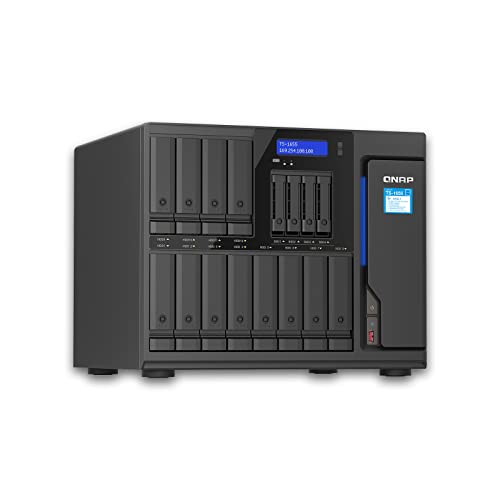
QNAP 12-Bay 8-Core Tower NAS
Best for: high-capacity multi-drive network storage
- Number of Bays
- 12BAYS
- Processor
- Atom C5125
- Processor Cores
- 8-core
- RAM Capacity
- 128GB (4×32GB)
- Network Connectivity
- 2X 2.5Gigabit Ethernet Port
- Dimensions
- 19.7 × 19.7 × 11 inches
The QNAP 12-Bay 8-Core Tower NAS is a high-capacity desktop enclosure designed for data-heavy setups. It features an Atom C5125 8-core processor running at 2.8GHz, 12 drive bays, and dual 2.5 Gigabit Ethernet ports. The hardware supports up to 128GB of memory across four 32GB modules. This tower suits you if you need extensive drive capacity and multi-gigabit network speeds for demanding central storage.
Pros
- Atom C5125 8-core 2.8GHz processor
- 12 drive bays for extensive capacity
- Two 2.5GbE Ethernet ports
- Supports up to 128GB RAM across four slots
Cons
- Hard drives are not included
- Large footprint measuring over 19 inches wide and long
Good fit if
- You need 12 drive bays for massive local data storage.
- You require an 8-core processor with dual 2.5GbE network links.
- You want support for memory configurations up to 128GB.
Skip if
- You want an enclosure that comes with pre-installed hard drives.
- You have tight desk space that cannot fit a 19-inch deep tower.
Verdict: QNAP 12-Bay 8-Core Tower NAS delivers extensive drive capacity and fast multi-gigabit throughput via its 8-core processor and dual 2.5GbE ports. It serves as a dependable, highly scalable storage centerpiece for demanding multi-drive environments.

QNAP 4-Bay Desktop NAS with 8GB RAM
Best for: 4-bay network storage with 8GB expandable RAM
- Number of Bays
- 4-bay
- Processor
- Intel Pentium Gold G7400
- Processor Cores
- 2-core
- RAM Capacity
- 8GB DDR4
- Network Connectivity
- Dual 2.5GbE
- M.2 NVMe Slots
- 2x M.2
This 4-bay desktop NAS runs on an Intel Pentium Gold 2-core processor and includes 8GB of DDR4 memory expandable to 64GB. You get dual 2.5GbE network ports for fast transfers, dual M.2 NVMe SSD slots for caching or storage pools, and an HDMI 1.4b port for 4K media playback. It suits you if you need expandable memory and dedicated SSD slots in a compact 4-bay setup.
Pros
- 8GB DDR4 RAM expandable up to 64GB
- Dual M.2 PCIe Gen3x2 NVMe SSD slots for cache or storage pools
- Dual 2.5GbE network ports
- USB 3.2 Gen 2 Type-A and Type-C ports up to 10Gb/s
Cons
- HDMI 1.4b output is limited to 4K at 30Hz
- Dual-core processor provides only two physical CPU cores
- Limited to 4 primary hard drive bays
Good fit if
- You need 8GB of stock memory with support for up to 64GB.
- You want dual M.2 NVMe slots for SSD caching or dedicated SSD pools.
- You use 2.5GbE infrastructure for multi-gigabit local file transfers.
Skip if
- You need more than 4 drive bays for mass storage expansion.
- You require 4K display output at 60Hz instead of 30Hz.
- You run compute-heavy applications needing more than two CPU cores.
Verdict: QNAP 4-Bay Desktop NAS with 8GB RAM pairs solid base memory and expansion up to 64GB with dual 2.5GbE connectivity and M.2 SSD slots. It delivers a balanced spec sheet for users who want desktop network storage with room for hardware upgrades.

QNAP 6-Bay Desktop NAS with Dual 2.5GbE
Best for: multi-drive setups needing 2.5GbE and NVMe caching
- Number of Bays
- 6 Bay
- Processor
- Intel Celeron N5105/N5095
- Processor Cores
- 4-Core
- RAM Capacity
- 8GB DDR4
- Network Connectivity
- Dual 2.5GbE
- M.2 NVMe Slots
- Dual M.2 PCIe Gen3x2 NVMe
This desktop unit gives you six drive bays powered by a quad-core Intel Celeron processor. It features dual 2.5GbE ports for local networking, along with two M.2 PCIe Gen3x2 NVMe slots dedicated to SSD caching or storage pools. With 8GB of onboard memory and multiple 10Gb/s USB 3.2 Gen 2 ports, it suits you if you need multi-drive capacity and solid local transfer speeds.
Pros
- Dual 2.5GbE network ports
- Two M.2 PCIe Gen3x2 NVMe SSD slots
- Quad-core Intel Celeron processor with burst up to 2.9GHz
- USB 3.2 Gen 2 Type-A ports reaching up to 10Gb/s
Cons
- 8GB DDR4 RAM is onboard and non-expandable
- Lacks built-in 10GbE network ports
Good fit if
- You need six drive bays combined with dual 2.5GbE connectivity.
- You want M.2 NVMe slots for SSD caching or dedicated flash pools.
- You frequently transfer large media files using 10Gb/s USB 3.2 Gen 2 ports.
Skip if
- You require more than 8GB of system memory for heavier workloads.
- You want native 10GbE networking out of the box.
Verdict: QNAP 6-Bay Desktop NAS with Dual 2.5GbE delivers balanced multi-drive storage with dedicated M.2 NVMe slots and 2.5GbE connections. Its non-expandable 8GB memory limits future memory upgrades, but the quad-core setup handles multi-drive media and backup tasks cleanly.

QNAP 6-Bay 10GbE Desktop NAS
Best for: high-speed 10GbE SFP+ network storage
- Number of Bays
- 6 Bay
- Processor
- AnnapurnaLabs Alpine AL524
- Processor Cores
- Quad-core
- RAM Capacity
- 4 GB
- Network Connectivity
- Single-port 10GbE SFP+, Dual 2.5GbE
- Hardware Interface
- Dual USB 3.2 Gen 1
This QNAP 6-bay desktop enclosure is built for high-throughput local networks. It features an AnnapurnaLabs quad-core 2.0GHz processor, a single 10GbE SFP+ port, and two 2.5GbE connections. You get 4 GB of base memory expandable to 16 GB with ECC support, plus an open PCIe Gen 3 x4 slot for adding M.2 storage or extra networking. It suits you if you need multi-drive capacity with fast 10GbE connectivity.
Pros
- Built-in 10GbE SFP+ port and dual 2.5GbE ports
- PCIe Gen 3 x4 expansion slot for M.2 SSDs or network cards
- Supports up to 16 GB RAM with ECC support
- Dual USB 3.2 Gen 1 ports with One Touch Copy
Cons
- Ships with 4 GB non-ECC RAM
- 10GbE port requires an SFP+ connection rather than RJ-45
- M.2 SSD installation requires using the PCIe expansion slot
Good fit if
- You need 10GbE SFP+ transfer speeds across a six-bay enclosure.
- You plan to upgrade to ECC memory up to 16 GB.
- You want a PCIe Gen 3 x4 slot to add M.2 storage or additional connectivity.
Skip if
- You require native RJ-45 10GBASE-T networking out of the box.
- You need dedicated onboard M.2 slots without occupying the PCIe slot.
Verdict: QNAP 6-Bay 10GbE Desktop NAS delivers six drive bays alongside 10GbE SFP+ and dual 2.5GbE connectivity. Its quad-core processor, ECC memory support, and PCIe expansion provide a fast, configurable storage base for your local network.
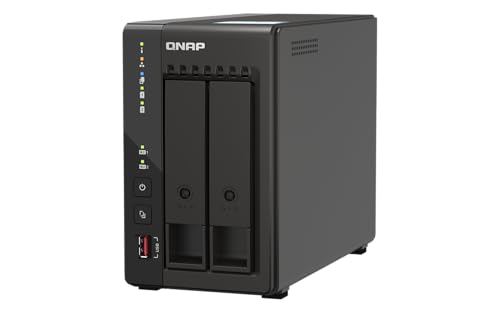
QNAP 2-Bay Desktop NAS with Dual 2.5GbE
Best for: compact two-bay setups needing 2.5GbE networking
- Number of Bays
- 2 Bay
- Processor Cores
- Quad-core
- RAM Capacity
- 8GB
- Network Connectivity
- Dual 2.5GbE
- M.2 NVMe Slots
- Dual M.2 PCIe Gen3x2 NVMe
- Hardware Interface
- USB 3.2 Gen 2 (type-A)
This two-bay desktop NAS brings Intel quad-core processing and 8GB of RAM to compact storage setups. You get dual 2.5GbE networking ports for faster transfers across local devices, alongside dual M.2 PCIe Gen3x2 NVMe slots for cache acceleration or SSD storage pools. USB 3.2 Gen 2 Type-A ports deliver external connectivity up to 10Gb/s. It suits you if you need fast multi-gigabit connections and NVMe caching in a compact two-drive unit.
Pros
- Intel quad-core CPU with burst speeds up to 2.9 GHz and 8GB RAM
- Dual 2.5GbE ports supporting 2.5G, 1G, and 100M speeds
- Dual M.2 PCIe Gen3x2 NVMe SSD slots for caching or storage pools
- Multiple USB 3.2 Gen 2 Type-A ports offering transfer rates up to 10Gb/s
Cons
- Limited to two primary drive bays
- Lacks native 10GbE network ports
Good fit if
- You need dual 2.5GbE network ports for faster local data transfer.
- You want dual M.2 NVMe SSD slots for caching or dedicated flash storage.
- You want a desktop NAS with 8GB RAM pre-installed.
Skip if
- You require more than two SATA hard drive bays.
- You need 10GbE network connectivity out of the box.
Verdict: QNAP 2-Bay Desktop NAS with Dual 2.5GbE provides high-speed multi-gigabit networking, dual NVMe slots, and 8GB of memory in a compact desktop enclosure. It delivers responsive local data sharing if two primary drive bays meet your capacity requirements.

QNAP 8-Bay AMD Ryzen Quad-Core NAS
Best for: high-capacity eight-bay multi-gigabit network storage
- Number of Bays
- 8 Bay
- Processor
- AMD Ryzen Embedded V1500B
- Processor Cores
- quad-core
- RAM Capacity
- 8GB DDR4
- Network Connectivity
- 2 x 2.5 Gigabit Ethernet
This 8-bay network storage enclosure gives you ample drive capacity powered by an AMD Ryzen Embedded V1500B quad-core 2.2 GHz processor. It comes with 8GB DDR4 RAM, upgradeable to 64GB, and dual 2.5GbE networking ports for local data transfer. Three 10Gbps USB Type-A ports connect fast external peripherals. It suits your setup if you need large eight-drive storage capacity paired with multi-gigabit networking and expandable memory for data management.
Pros
- AMD Ryzen Embedded V1500B quad-core 2.2 GHz processor
- Dual 2.5GbE ports supporting 2.5G, 1G, and 100M speeds
- 8GB DDR4 memory expandable up to 64GB
- Three 10Gbps USB 3.2 Gen 2 Type-A ports
Cons
- Lacks native 10GbE network ports
- USB Type-C port operates at 5Gbps Gen 1 speeds
- Hard drives are not included
Good fit if
- You need eight drive bays for large local storage capacity.
- You plan to upgrade system memory beyond the included 8GB DDR4 up to 64GB.
- You want multi-gigabit transfer speeds using dual 2.5GbE ports.
Skip if
- You require out-of-the-box 10GbE network connectivity.
- You need hard drives pre-installed with the enclosure.
Verdict: QNAP 8-Bay AMD Ryzen Quad-Core NAS delivers flexible storage with eight bays, expandable memory up to 64GB, and dual 2.5GbE network connectivity. It offers dependable hardware specs for users needing multi-drive capacity and 10Gbps USB expansion.
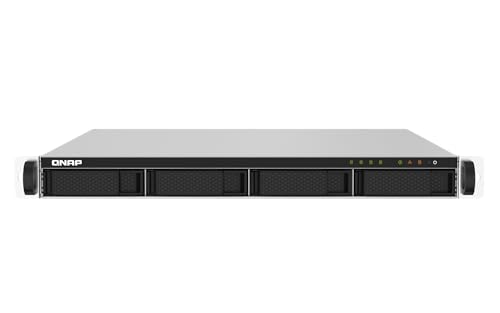
QNAP 4-Bay 10GbE Rackmount NAS
Best for: rackmount deployments requiring dual 10GbE connectivity
- Number of Bays
- 4 Bay
- Processor
- AnnapurnaLabs Alpine AL324
- Processor Cores
- quad-core
- RAM Capacity
- 2GB UDIMM DDR4
- Network Connectivity
- Two 10GbE SFP+, Two 2.5 GbE RJ45
- Hardware Interface
- USB 3.2 Gen 1
This 4-bay rackmount enclosure gives you high-speed networking through two 10GbE SFP+ ports and two 2.5GbE RJ45 ports. An AnnapurnaLabs Alpine AL324 quad-core 1.7GHz processor powers the unit alongside 2GB of DDR4 memory that you can expand up to 16GB. You also get redundant power and four USB 3.2 Gen 1 ports. It suits you if your server rack needs dual 10GbE connectivity for network storage.
Pros
- Dual 10GbE SFP+ and dual 2.5GbE RJ45 ports
- Redundant power supply configuration
- RAM expandable up to 16GB DDR4
- Includes four USB 3.2 Gen 1 ports
Cons
- Ships with only 2GB of base memory
- PCIe slot is limited to Gen 2 x2 speeds
Good fit if
- You need high-speed SFP+ 10GbE connections in a rackmount setup.
- You require redundant power supplies to prevent hardware downtime.
- You want four drive bays with room to expand memory up to 16GB.
Skip if
- You need more than 2GB of base memory installed from the factory.
- You prefer a desktop form factor instead of a rackmount chassis.
Verdict: QNAP 4-Bay 10GbE Rackmount NAS delivers dual 10GbE SFP+ interfaces, dual 2.5GbE ports, and redundant power in a compact rack unit. It provides reliable network throughput for environments that already run dedicated 10GbE infrastructure.

QNAP 9-Bay Hybrid NAS with 32GB RAM
Best for: memory-intensive multi-gigabit networking environments
- Number of Bays
- 9-Bay
- Processor
- AMD Ryzen Embedded V1500B
- Processor Cores
- quad-core
- RAM Capacity
- 32GB DDR4
- Network Connectivity
- 2 x 2.5GbE, 1 x 10GBASE-T
- Hardware Interface
- USB 3.2 Gen2 Type-C & Type-A
This 9-bay hybrid network-attached storage enclosure features an AMD Ryzen Embedded V1500B quad-core processor and 32GB DDR4 memory out of the box. You get one 10GBASE-T port alongside two 2.5GbE network connections, plus USB 3.2 Gen 2 Type-C and Type-A interfaces. The memory architecture supports up to 64GB across two SO-DIMM slots with optional ECC RAM support. It suits you if you handle heavy multi-gigabit data transfers and memory-intensive file systems.
Pros
- 32GB DDR4 RAM preinstalled, expandable up to 64GB with optional ECC support
- Built-in 10GBASE-T port and two 2.5GbE LAN ports
- AMD Ryzen Embedded V1500B 4-core, 8-thread 2.2 GHz processor
- USB 3.2 Gen 2 Type-C and Type-A connectivity
Cons
- Maximum memory capacity is limited to 64GB across two slots
- Desktop tower format offers no native rackmount support
Good fit if
- You need 32GB of preinstalled memory for demanding workloads.
- You require 10GbE and 2.5GbE networking without buying add-in cards.
- You want a 9-bay hybrid drive layout.
Skip if
- You need a rackmount enclosure format.
- You require more than 64GB of maximum system RAM.
Verdict: QNAP 9-Bay Hybrid NAS with 32GB RAM delivers multi-gigabit throughput and generous memory capacity for virtualization and fast file serving. Its AMD Ryzen processor and built-in 10GBASE-T connection handle demanding multi-user storage without extra network expansion cards.
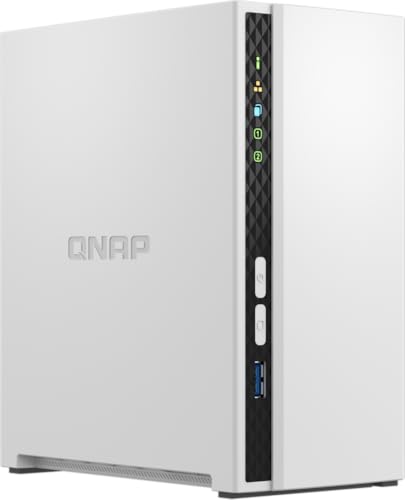
QNAP 2-Bay Quad-Core Desktop NAS
Best for: Home file storage and multimedia streaming
- Number of Bays
- 2 Bay
- Processor
- ARM Cortex-A55
- Processor Cores
- quad-core
- RAM Capacity
- 2 GB DDR4
- Form Factor
- Desktop
The QNAP TS-233 is a 2-bay desktop NAS designed for home file storage and multimedia streaming. It uses an ARM Cortex-A55 quad-core processor running at 2.0GHz paired with 2 GB of DDR4 RAM. This configuration supports snapshot technology for ransomware protection and includes backup software for Windows and Mac systems. It suits users needing a compact, budget-friendly solution for personal data organization.
Pros
- ARM Cortex-A55 quad-core 2.0GHz processor
- 2 GB DDR4 RAM
- 2 Bay desktop form factor
- Snapshot technology for ransomware protection
Cons
- Only 2 drive bays limit storage expansion
- 2 GB RAM is lower than many competitors
- No 10GbE or 2.5GbE network ports listed
Good fit if
- You need a compact NAS for family photos and videos
- You want basic ransomware protection via snapshots
- You prefer a budget-friendly home storage solution
Skip if
- You require high-speed 10GbE networking
- You need more than 2 drive bays
- You want a rackmount form factor
Verdict: QNAP TS-233 2 Bay Desktop NAS fits home users who prioritize compact size and basic data protection over high performance. It is ideal for small personal libraries rather than heavy business workloads.

QNAP 4-Bay 2.5GbE Desktop NAS
Best for: four-bay home backups and media storage
- Number of Bays
- 4 Bay
- Processor
- ARM Cortex-A55
- Processor Cores
- quad-core
- RAM Capacity
- 4 GB DDR4
- Network Connectivity
- 1 x 2.5GbE, 1 x 1GbE
This unit is a 4-bay network attached storage enclosure powered by a quad-core 2.0GHz ARM Cortex-A55 processor and 4 GB of DDR4 memory. It offers one 2.5GbE network port alongside a standard 1GbE port for local connectivity. If you need centralized media storage or automated backups for Windows and Mac computers with hardware-accelerated encryption, this enclosure provides the core multi-bay foundation for your home network.
Pros
- ARM Cortex-A55 quad-core 2.0GHz processor with 4 GB DDR4 RAM
- Dual Ethernet ports with one 2.5GbE and one 1GbE connection
- AES-NI 256 hardware-accelerated encryption support
- Works with NetBak Replicator and Apple Time Machine
Cons
- Secondary network port limited to 1GbE speeds
- ARM-based processor rather than x86 hardware
Good fit if
- You need four drive bays with 2.5GbE network throughput.
- You want automated backup support for Windows or Mac computers.
- You require AES-NI 256 hardware-accelerated data encryption.
Skip if
- You need an x86 processor architecture.
- You require 10GbE network interfaces.
Verdict: QNAP 4-Bay 2.5GbE Desktop NAS delivers quad-core ARM processing and 2.5GbE networking for local backups and central storage.

QNAP 4-Bay Short-Depth Rackmount NAS with M.2 NVMe
Best for: shallow racks needing 10GbE and NVMe caching
- Number of Bays
- 4 Bay
- Processor
- Marvell OCTEON TX2 CN9130 / CN9131
- Processor Cores
- Quad Core
- RAM Capacity
- 4GB DDR4
- Network Connectivity
- Dual 2.5GbE, Dual 10GbE
- M.2 NVMe Slots
- Dual M.2 PCIe Gen 3 x1 NVMe
View on Amazon: QNAP 4-Bay Short-Depth Rackmount NAS with M.2 NVMe
This short-depth 4-bay rackmount enclosure gives you dual M.2 PCIe Gen 3 x1 NVMe slots alongside four primary drive bays. It features a quad-core 2.2 GHz processor, 4 GB of DDR4 memory expandable to 32 GB, and built-in high-speed networking with dual 10GbE and dual 2.5GbE ports. It suits you if you need compact rack-mounted storage with dedicated high-speed SSD caching, cloud backup tools, and multi-gigabit transfer speeds.
Pros
- Dual M.2 PCIe Gen 3 x1 NVMe slots for cache or SSD storage pools
- Dual 10GbE and dual 2.5GbE network interfaces
- Quad-core 2.2 GHz Marvell processor
- Memory expandable from 4 GB up to 32 GB DDR4
Cons
- Base configuration includes only 4 GB of RAM
- M.2 slots run at PCIe Gen 3 x1 bus speeds
- Rackmount form factor requires a server cabinet
Good fit if
- You need dual M.2 NVMe SSD slots for caching or flash storage pools.
- You want built-in 10GbE and 2.5GbE networking without expansion cards.
- You need a short-depth rackmount unit with four SATA drive bays.
Skip if
- You prefer a standalone desktop tower instead of a rackmount chassis.
- You require more than four primary drive bays for high-capacity storage.
- You need more than 4 GB of RAM installed out of the box.
Verdict: QNAP 4-Bay Short-Depth Rackmount NAS with M.2 NVMe delivers built-in 10GbE networking and dedicated high-speed SSD caching in a compact shallow rack profile. It gives you flexible SSD storage pools and fast data transfers for business file sharing.

QNAP 4-Bay 1U Short Depth Rackmount NAS
Best for: shallow rack setups needing multi-gigabit speeds
- Number of Bays
- 4 Bay
- Processor
- Intel
- Processor Cores
- Quad-core
- RAM Capacity
- 8GB
- Network Connectivity
- Dual 2.5GbE
- M.2 NVMe Slots
- Dual M.2 PCIe Gen 3 x1 NVMe
This QNAP rackmount NAS gives you four drive bays in a compact 1U short-depth chassis. It features an Intel quad-core processor bursting up to 2.9 GHz, 8GB of system memory, and dual 2.5GbE networking ports. Dual M.2 PCIe Gen 3 NVMe SSD slots provide cache acceleration or SSD pools. It suits you if you need rack-installed storage with multi-gigabit network speeds and media transcoding.
Pros
- Intel quad-core processor with burst speeds up to 2.9 GHz
- Dual 2.5GbE network ports for faster data transfer
- Dual M.2 PCIe Gen 3 x1 NVMe SSD slots for caching or storage pools
- USB 3.2 Gen 2 Type-A ports reaching up to 10Gb/s
- HDMI 1.4b port with 4K media playback at 30Hz
Cons
- HDMI video output is limited to 30Hz at 4K resolution
- M.2 slots run at PCIe Gen 3 x1 speeds
Good fit if
- You need a 1U short-depth chassis for compact server racks.
- You want dual 2.5GbE connectivity without adding expansion cards.
- You plan to utilize M.2 NVMe SSDs for storage pools or caching.
Skip if
- You require 4K video output at a 60Hz refresh rate.
- You need an enclosure with more than four primary drive bays.
Verdict: QNAP 4-Bay 1U Short Depth Rackmount NAS delivers quad-core performance, dual 2.5GbE ports, and M.2 caching support in a space-saving chassis. It offers a capable rack-mounted option for multi-gigabit local networks.

QNAP 16-Bay Hybrid Desktop NAS
Best for: High-capacity hybrid storage and virtualization
- Number of Bays
- 16 Bay
- Processor
- Intel Atom C-5125
- Processor Cores
- 8C
- RAM Capacity
- 8GB UDIMM DDR4
- Network Connectivity
- Dual 2.5GbE RJ45
- M.2 NVMe Slots
- Dual M.2 NVMe PCIe Gen 3
This desktop hybrid enclosure combines twelve 3.5-inch and four 2.5-inch SATA drive bays with an eight-core Intel Atom C-5125 processor. You get 8GB of DDR4 memory expandable to 128GB with ECC support, dual 2.5GbE ports, and two M.2 NVMe PCIe Gen 3 slots for solid-state drive caching. It suits you if you need massive local capacity alongside solid-state acceleration for virtualization and demanding multi-user file transfers.
Pros
- Twelve 3.5-inch plus four 2.5-inch SATA drive bays
- Memory expands up to 128GB with ECC support
- Dual M.2 NVMe PCIe Gen 3 slots for caching or storage pools
- Eight-core Intel Atom C-5125 processor up to 2.8GHz
Cons
- Network connectivity tops out at 2.5GbE out of the box
- Large desktop footprint requires dedicated desk space
Good fit if
- You need high-density desktop storage across sixteen total drive bays.
- You plan to run ECC memory configurations up to 128GB.
- You want dedicated 2.5-inch bays and M.2 NVMe slots for solid-state caching.
Skip if
- You require factory-installed 10GbE networking.
- You need a rackmount chassis instead of a desktop enclosure.
Verdict: QNAP 16-Bay Hybrid Desktop NAS delivers vast mixed-drive capacity and memory expansion up to 128GB. It serves intensive file storage and virtualization workloads requiring onboard NVMe caching.
Specifications side by side
| Spec | QNAP 4-Bay USB-C Hardware RAID Enclosure | QNAP 4-Bay 2.5GbE NAS Enclosure | QNAP 12-Bay 8-Core Tower NAS | QNAP 4-Bay Desktop NAS with 8GB RAM | QNAP 6-Bay Desktop NAS with Dual 2.5GbE | QNAP 6-Bay 10GbE Desktop NAS | QNAP 2-Bay Desktop NAS with Dual 2.5GbE | QNAP 8-Bay AMD Ryzen Quad-Core NAS | QNAP 4-Bay 10GbE Rackmount NAS | QNAP 9-Bay Hybrid NAS with 32GB RAM | QNAP 2-Bay Quad-Core Desktop NAS | QNAP 4-Bay 2.5GbE Desktop NAS | QNAP 4-Bay Short-Depth Rackmount NAS with M.2 NVMe | QNAP 4-Bay 1U Short Depth Rackmount NAS | QNAP 16-Bay Hybrid Desktop NAS |
|---|---|---|---|---|---|---|---|---|---|---|---|---|---|---|---|
| Number of Bays | 4 Bay | 4BAYS | 12BAYS | 4-bay | 6 Bay | 6 Bay | 2 Bay | 8 Bay | 4 Bay | 9-Bay | 2 Bay | 4 Bay | 4 Bay | 4 Bay | 16 Bay |
| Processor | not specified | Cortex-A55 ARM | Atom C5125 | Intel Pentium Gold G7400 | Intel Celeron N5105/N5095 | AnnapurnaLabs Alpine AL524 | not specified | AMD Ryzen Embedded V1500B | AnnapurnaLabs Alpine AL324 | AMD Ryzen Embedded V1500B | ARM Cortex-A55 | ARM Cortex-A55 | Marvell OCTEON TX2 CN9130 / CN9131 | Intel | Intel Atom C-5125 |
| Processor Cores | not specified | 4-core | 8-core | 2-core | 4-Core | Quad-core | Quad-core | quad-core | quad-core | quad-core | quad-core | quad-core | Quad Core | Quad-core | 8C |
| RAM Capacity | not specified | 4GB | 128GB (4×32GB) | 8GB DDR4 | 8GB DDR4 | 4 GB | 8GB | 8GB DDR4 | 2GB UDIMM DDR4 | 32GB DDR4 | 2 GB DDR4 | 4 GB DDR4 | 4GB DDR4 | 8GB | 8GB UDIMM DDR4 |
| Network Connectivity | not specified | 1x 2.5Gigabit Ethernet Port | 2X 2.5Gigabit Ethernet Port | Dual 2.5GbE | Dual 2.5GbE | Single-port 10GbE SFP+, Dual 2.5GbE | Dual 2.5GbE | 2 x 2.5 Gigabit Ethernet | Two 10GbE SFP+, Two 2.5 GbE RJ45 | 2 x 2.5GbE, 1 x 10GBASE-T | not specified | 1 x 2.5GbE, 1 x 1GbE | Dual 2.5GbE, Dual 10GbE | Dual 2.5GbE | Dual 2.5GbE RJ45 |
| M.2 NVMe Slots | not specified | not specified | not specified | 2x M.2 | Dual M.2 PCIe Gen3x2 NVMe | not specified | Dual M.2 PCIe Gen3x2 NVMe | not specified | not specified | not specified | not specified | not specified | Dual M.2 PCIe Gen 3 x1 NVMe | Dual M.2 PCIe Gen 3 x1 NVMe | Dual M.2 NVMe PCIe Gen 3 |
| Hardware Interface | USB Type-C | not specified | not specified | USB Type-A, USB Type-C, HDMI 1.4b | USB 3.2 Gen 2 (type-A) | Dual USB 3.2 Gen 1 | USB 3.2 Gen 2 (type-A) | not specified | USB 3.2 Gen 1 | USB 3.2 Gen2 Type-C & Type-A | not specified | not specified | not specified | USB 3.2 Gen 2 Type-A, HDMI 1.4b | not specified |
| Form Factor | not specified | not specified | not specified | Desktop | Desktop | Desktop | Desktop | not specified | Rackmount | not specified | Desktop | not specified | Rackmount | Rackmount | Desktop |
| Dimensions | 8.62 × 6.31 × 6.63 inches | 2.48 × 3.39 × 2.62 inches | 19.7 × 19.7 × 11 inches | not specified | not specified | not specified | not specified | not specified | not specified | not specified | not specified | not specified | not specified | not specified | not specified |
| Weight | 4.08 pounds | 4.56 pounds | 9.92 pounds | not specified | 10 pounds | 9.22 pounds | not specified | not specified | not specified | not specified | not specified | not specified | not specified | not specified | not specified |
| Size | 4 Bay | not specified | not specified | Intel Pentium | 6 Bay | 6 Bay | 2 Bay | NAS Only | 4 Bay | 32GB RAM | 2 Bay | 4 Bay | 4 Bay (Unav.) | 4 Bay | 16 bay Desktop |
| Color | Diskless | White | not specified | Black | Black | Black | Black | Black | Black | not specified | not specified | not specified | not specified | not specified | not specified |
| Model | TR-004-US | TS-433-4G | TS-1655-8G | not specified | TS-664-8G-US | not specified | not specified | not specified | TS-432PXU-RP-2G-AM-US | TS-h973AX-32G-AM-US | not specified | not specified | not specified | not specified | not specified |
Comparing the QNAP Enclosure Lineup
You can split the lineup by hardware interface and form factor. Direct-attached options like the QNAP 8-Bay USB-C Desktop DAS Enclosure connect via USB for local expansion without network configuration. Desktop units like the QNAP 2-Bay Desktop NAS with Dual 2.5GbE provide compact network storage for shared access. Rackmount models like the QNAP 4-Bay 10GbE Rackmount NAS suit server racks requiring 10GbE SFP+ ports.
Number of bays and RAM capacity define the remaining tiers. High-capacity options like the QNAP 9-Bay Hybrid NAS with 32GB RAM provide 10GbE throughput for memory-heavy virtualization. Pick a desktop DAS if you need direct plug-and-play drives. Choose multi-bay NAS enclosures with 2.5GbE or 10GbE networking if you require shared file access across multiple systems.
Where the QNAP Range Fits Best
QNAP fits multi-drive environments needing scalable local storage or high-bandwidth networking. The catalog spans compact two-bay desktop boxes up to high-capacity 16-bay hybrid enclosures, alongside 1U short-depth rackmount profiles. Hardware choices scale from quad-core ARM chips with 2.5GbE ports to eight-core processors featuring 10GbE connectivity and 128GB RAM expansion. This lineup lacks ultra-compact single-bay drives for solo backup tasks. You will not find deep multi-U enterprise server racks, internal Wi-Fi radios, or decorative lighting features. Physical designs stay strictly functional in black or white finishes, targeting data capacity and network throughput over desktop aesthetics.
You can also review the best MAIWO SSD enclosures on the linked page for further comparison options.
Key Specs for Selecting QNAP Enclosures
-
Calculate Drive Bay Capacity
You must match bay count to your current storage volume and planned expansion. A two-bay unit handles entry-level mirroring, but four bays or more allow flexible RAID configurations that balance storage space with disk failure protection. Higher bay counts let you add individual hard drives over time without replacing active drives. If you need substantial long-term storage pools across a high volume of mechanical disks, units like the QNAP 12-Bay 8-Core Tower NAS provide room for dense multi-drive deployments.
-
Evaluate Network Transfer Speeds
Network interface bandwidth determines how fast files move across your local network. Standard gigabit limits file throughput, while 2.5GbE ports double that rate over basic copper cabling. For environments with multi-gigabit switches or multiple concurrent users transferring large files, 10GbE interfaces provide the necessary bandwidth headroom. Review whether your switches support RJ-45 10GBASE-T or fiber SFP+ connections before buying. The QNAP 6-Bay 10GbE Desktop NAS includes native 10GbE SFP+ networking alongside standard multi-gigabit ports to fit high-speed network backbones.
-
Select Adequate System Memory
System memory influences how smoothly the operating system manages background tasks, multiple client requests, and heavy applications. Basic file serving and automated backup jobs run adequately on 2GB to 4GB of RAM. If you plan to run virtualization environments or handle heavy simultaneous read-write operations, target at least 8GB or higher base memory. Check whether the memory is soldered or upgradeable. The QNAP 4-Bay Desktop NAS with 8GB RAM provides an 8GB base configuration while supporting memory expansion up to 64GB for growing workloads.
-
Check M.2 NVMe SSD Caching
Mechanical hard drives deliver bulk storage capacity, but flash storage accelerates input and output performance. Models with onboard M.2 NVMe slots let you configure high-speed SSD caching or dedicated flash storage pools without consuming standard 3.5-inch drive bays. SSD caching reduces access latency during repetitive file operations and database tasks. If your storage setup requires fast data access alongside high-capacity hard drives, look for integrated NVMe slots. The QNAP 4-Bay Short-Depth Rackmount NAS with M.2 NVMe integrates dedicated M.2 NVMe interfaces directly into its chassis architecture.
-
Select Form Factor for Environment
Your installation environment dictates whether a desktop tower or a rackmount chassis fits best. Desktop enclosures sit on desks or shelves with simple placement and accessible drive trays. Rackmount enclosures fit standard server cabinets and integrate cleanly into structured IT closets. If you operate a shallow network cabinet with restricted rear clearance, standard-depth rack servers will not fit. Choosing a compact rack unit like the QNAP 4-Bay 1U Short Depth Rackmount NAS allows you to install server-grade hardware in wall-mount or compact equipment racks without blocking cabling pathways.
-
Choose Processor Cores by Workload
The onboard processor handles filesystem tasks, encryption, RAID parity calculations, and data transfers. Quad-core ARM processors run efficiently for dedicated local backups, basic media streaming, and low-power operations. Multi-user office environments, frequent multi-gigabit transfers, and virtualization require higher computational performance from quad-core or 8-core x86 processors like AMD Ryzen chips. Checking the processor type ensures the unit does not bottleneck your transfer rates during active RAID parity rebuilds. The QNAP 8-Bay AMD Ryzen Quad-Core NAS delivers dedicated multi-core x86 processing to maintain sustained transfer speeds under heavy continuous multi-drive loads.
Frequently asked questions
What is the difference between a QNAP DAS enclosure and a QNAP NAS?
A QNAP DAS enclosure connects directly to your computer using USB, whereas a NAS connects to your local network. The QNAP 4-Bay USB-C Hardware RAID Enclosure operates as a direct-attached system with dedicated hardware RAID modes. Network-attached models like the QNAP 4-Bay 2.5GbE NAS Enclosure include quad-core processors and Ethernet ports to share files across network clients.
What network speeds do QNAP enclosures provide?
QNAP network enclosures offer speeds ranging from multi-gigabit 2.5GbE up to 10GbE. Models like the QNAP 4-Bay 2.5GbE Desktop NAS provide standard 2.5GbE connectivity. Higher-bandwidth options, such as the QNAP 6-Bay 10GbE Desktop NAS, include 10GbE SFP+ ports, while the QNAP 9-Bay Hybrid NAS features built-in 10GBASE-T alongside 5GbE and 2.5GbE network connections.
Can you upgrade the RAM in QNAP enclosures?
Memory expandability depends entirely on the specific QNAP model you select. The QNAP 4-Bay Desktop NAS with 8GB RAM allows expansion up to 64GB, and the QNAP 16-Bay Hybrid Desktop NAS supports up to 128GB. Conversely, other options feature fixed configurations, such as the QNAP 6-Bay Desktop NAS with Dual 2.5GbE, which carries non-expandable 8GB system memory.
Which QNAP enclosures support M.2 NVMe SSDs?
Several QNAP desktop and rackmount enclosures provide dedicated M.2 NVMe slots for caching or dedicated storage pools. The QNAP 4-Bay Short-Depth Rackmount NAS with M.2 NVMe includes built-in NVMe support alongside 10GbE networking. Desktop options like the QNAP 2-Bay Desktop NAS with Dual 2.5GbE and the QNAP 6-Bay Desktop NAS also integrate dual M.2 NVMe slots.
Does QNAP offer rackmount enclosures for server cabinets?
Yes, QNAP manufactures dedicated rackmount units designed for standard server racks and shallow cabinets. The QNAP 4-Bay 10GbE Rackmount NAS provides dual 10GbE SFP+ interfaces and redundant power supplies. For space-limited installations, the QNAP 4-Bay 1U Short Depth Rackmount NAS fits shallow racks while providing dual 2.5GbE ports, quad-core processing, and M.2 SSD caching capabilities.
How many drive bays can you get in a QNAP enclosure?
The QNAP lineup covers a range from 2-bay desktop units up to 16-bay enclosures. Compact units include the QNAP 2-Bay Desktop NAS for modest footprints. For high-density storage environments, tower options like the QNAP 12-Bay 8-Core Tower NAS and desktop units like the QNAP 16-Bay Hybrid Desktop NAS provide substantially larger multi-drive capacities.
Do QNAP enclosures include pre-installed hard drives?
Most QNAP enclosures are diskless units, meaning they ship without pre-installed storage drives. For example, the QNAP 4-Bay USB-C Hardware RAID Enclosure comes diskless out of the box. This allows you to choose your own drives, decide your preferred capacity per bay, and select the specific drive configuration that matches your storage workflow.