15 Best NAS Devices with HDMI, Compared
As an Amazon Associate we earn from qualifying purchases. Links on this page are affiliate links.
Finding the best network attached storages with HDMI simplifies local media streaming. The Asustor 6-Bay NAS leads this list because its quad M.2 NVMe slots and 8GB RAM support high-speed caching and 4K output. We compared 15 models strictly by their published specifications. This approach ensures you select hardware that matches your storage and display needs. The guide helps you decide which device fits your workflow, from compact two-bay setups to high-performance desktop enclosures.
Our top pick: Asustor 6-Bay NAS with Quad M.2 NVMe Slots.
Quick picks
The best fit for you
- You need the best overall NAS with HDMI Asustor 6-Bay NAS with Quad M.2 NVMe Slots It features 8GB RAM and dual 2.5GbE ports for robust media streaming.
- You want the most compact model on the list LincPlus LincStation 6-Bay Hybrid 2.5-Inch NAS The LincPlus weighs only 1.8 pounds and fits 2.5-inch drives.
- You need high-speed networking for media libraries UGREEN NASync 6-Bay NAS with 8K HDMI The UGREEN DXP6800 Pro includes 10GbE speeds and HDMI output.
- You want a low-power Intel N100 NAS Yxk 4-Bay Intel N100 NAS This Yxk model uses an Intel N100 processor for efficient 4K streaming.
Our 15 picks

Asustor 6-Bay NAS with Quad M.2 NVMe Slots
Best for: local 4K media streaming and NVMe caching
- Hardware Interface
- M.2 NVMe, HDMI (what this guide is about)
- Drive Bays
- 6-Bay
- Network Connectivity
- Dual 2.5GbE
- Processor
- Intel Celeron N5105
- RAM Capacity
- 8GB DDR4
- M.2 NVMe Slots
- 4 slots
The Asustor Lockerstor 6 Gen2 is a 6-bay NAS featuring an Intel Celeron N5105 processor and dual 2.5GbE ports. It includes an HDMI output for direct 4K media playback and four M.2 NVMe slots for high-speed caching. With 8GB of expandable RAM, it handles virtualization and heavy workloads. This device suits creators who need local 4K streaming alongside robust network storage capabilities.
Pros
- HDMI output for 4K media server playback
- Four M.2 NVMe slots for caching
- Dual 2.5GbE network connectivity
- Intel Celeron N5105 quad-core processor
- Expandable RAM up to 16GB
Cons
- Sold diskless with no included drives
- Larger physical footprint than 2-bay models
- Base RAM is 8GB, not 16GB
Good fit if
- You need direct HDMI video output for a TV
- You require fast NVMe caching for performance
- You want dual 2.5GbE network ports
Skip if
- You need pre-installed hard drives
- You prefer a compact 2-bay form factor
- You require 10GbE networking without upgrades
Verdict: Asustor 6-Bay NAS with HDMI delivers local 4K streaming via HDMI and high-speed NVMe caching. It fits creators who need dedicated media output alongside expandable storage and dual 2.5GbE networking.
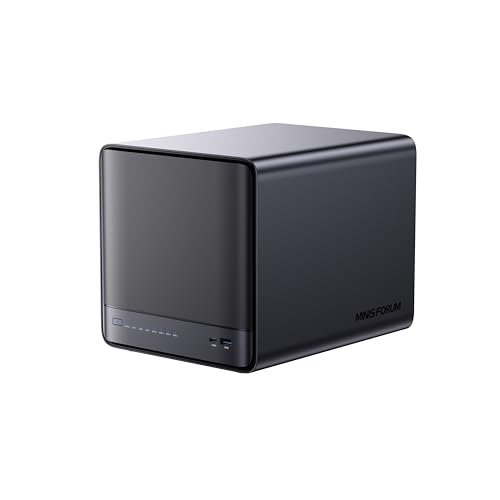
MINISFORUM N5 Pro 5-Bay Desktop NAS
Best for: high-performance AI and media playback
- Hardware Interface
- M.2 NVMe, HDMI (what this guide is about)
- Drive Bays
- 5-Bay
- Network Connectivity
- 1 x 10GbE, 1 x 5GbE
- Processor
- AMD Ryzen AI 9 HX PRO 370
- M.2 NVMe Slots
- 3 slots
- Included Storage
- 128GB SSD
This 5-bay desktop NAS uses an AMD Ryzen AI 9 HX PRO 370 processor for high-speed decoding and AI tasks. It features an HDMI output for direct display connections and includes 10GbE and 5GbE network ports. The unit comes with 128GB of internal storage and supports up to 188TB of total capacity. It suits users needing strong processing power for media and data management.
Pros
- AMD Ryzen AI 9 HX PRO 370 12-core processor
- HDMI output for direct display connections
- 10GbE and 5GbE dual network ports
- Supports up to 188TB total storage capacity
Cons
- Built-in 128GB system drive occupies one M.2 slot
- No external hard drives included in the package
- Proprietary MinisCloud operating system limits third-party app support
Good fit if
- You need direct HDMI video output for a home theater setup
- You want high-end CPU performance for AI and transcoding tasks
- You require 10GbE network connectivity for fast data transfers
Skip if
- You prefer standard Linux-based NAS operating systems
- You need all M.2 slots available for storage expansion
- You are looking for a budget-friendly entry-level device
Verdict: MINISFORUM N5 Pro 5-Bay Desktop NAS fits users who prioritize raw processing power and direct HDMI display capabilities over traditional NAS software ecosystems.

MINISFORUM N5 Pro Desktop NAS
Best for: High-performance AI and 8K media playback
- Hardware Interface
- M.2 NVMe, HDMI (what this guide is about)
- Drive Bays
- 5-Bay
- Network Connectivity
- 1 x 10GbE, 1 x 5GbE
- Processor
- AMD Ryzen AI 9 HX PRO 370
- RAM Capacity
- Expandable up to 96GB DDR5 ECC
- M.2 NVMe Slots
- 3 slots
The MINISFORUM N5 Pro is a 5-bay desktop NAS featuring an AMD Ryzen AI 9 HX PRO 370 processor. It includes HDMI and USB4 outputs for 8K video playback on up to three displays. The unit offers 128GB of built-in SSD storage and supports up to 188TB across its drive bays. You will appreciate the 10GbE and 5GbE network ports for fast data transfers. This system suits users needing high performance and direct video output capabilities.
Pros
- AMD Ryzen AI 9 HX PRO 370 CPU with up to 5.1GHz speed
- HDMI and dual USB4 ports support 8K@60Hz video output
- 10GbE and 5GbE network ports with link aggregation support
- Expandable DDR5 ECC memory up to 96GB
- Slide-out motherboard design simplifies RAM and SSD upgrades
Cons
- OCuLink port does not support hot-swapping
- No mention of built-in wireless connectivity options
- Compact frame holds 5 drives in a 4-bay space
Good fit if
- You need direct 8K video output via HDMI for media playback
- You require high-performance AI processing for local tasks
- You want expandable ECC memory for data reliability
Skip if
- You need a silent operation without active cooling fans
- You prefer a compact 2-bay form factor for small spaces
- You require hot-swappable external storage expansion via OCuLink
Verdict: The MINISFORUM N5 Pro 5-Bay Desktop NAS delivers high-end AI processing and versatile 8K video outputs for media-heavy workflows. It fits users who prioritize raw computational power and direct display connectivity over compact size.
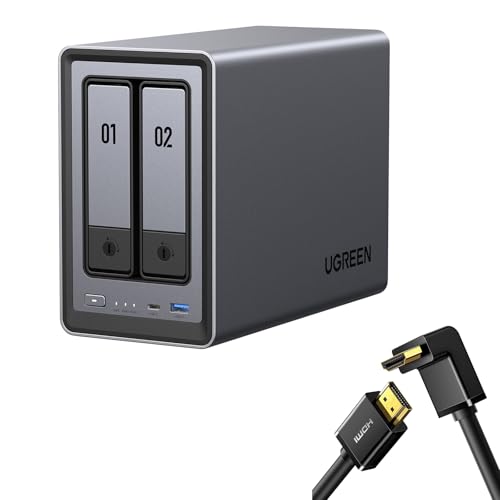
UGREEN NASync 2-Bay Desktop NAS
Best for: compact two-bay setups needing direct HDMI output
- Hardware Interface
- HDMI (what this guide is about)
- Drive Bays
- 2-Bay
- Network Connectivity
- 1x 2.5GbE
- Processor
- Intel N100
- Included Storage
- Diskless
- Form Factor
- Desktop
This two-bay desktop unit pairs a 12th Gen Intel N100 processor with a 2.5GbE network port and an included right-angle HDMI cable. You get room for up to 80TB across two drive bays to store media and run local apps. It supports file access across computers, phones, and smart TVs, making it a compact pick if you need direct video output alongside high-speed local network transfers.
Pros
- 12th Gen Intel N100 processor
- 2.5GbE network port
- Includes a right-angle HDMI cable
- Supports up to 80TB total capacity across two bays
Cons
- Limited to two drive bays
- Diskless unit requires purchasing drives separately
Good fit if
- You need a compact two-bay unit with an included right-angle HDMI cable.
- You want 2.5GbE networking backed by an Intel N100 processor.
- You plan to connect your storage directly to smart TVs or displays.
Skip if
- You need more than two drive bays for expanded storage configurations.
- You want storage that comes pre-populated with drives.
Verdict: UGREEN 2-Bay Desktop NAS with HDMI Cable delivers Intel N100 processing and 2.5GbE networking in a compact desktop enclosure. It provides direct video connectivity alongside 80TB total capacity for multi-device setups.

UGREEN 2-Bay Desktop NAS with HDMI Cable
Best for: compact two-bay media setups using direct HDMI
- Hardware Interface
- HDMI (what this guide is about)
- Drive Bays
- 2-Bay
- Included Storage
- Diskless
- Form Factor
- Desktop
This diskless two-bay desktop NAS connects directly to your display using the bundled 6.6-foot right-angle 4K HDMI cable. It supports up to 80TB of total storage for your backups and media files. Built-in software includes AI photo organization and multi-platform access across Windows, macOS, Android, iOS, web browsers, and smart TVs. It suits you if you want a compact local media center without recurring fees.
Pros
- Includes a 6.6-foot 4K 90-degree right-angle HDMI cable
- Supports up to 80TB of total storage capacity
- Cross-platform app support for desktop, mobile, and smart TVs
- Built-in AI photo management organizes files and deletes duplicates
Cons
- Shipped diskless without internal storage drives included
- Limited to two drive bays for physical storage expansion
Good fit if
- You need a compact 2-bay enclosure bundled with a right-angle 4K HDMI cable.
- You want local AI photo sorting to organize scenes and eliminate duplicate photos.
- You plan to access and share data across smart TVs, desktop systems, and phones.
Skip if
- You require more than two physical drive bays for storage expansion.
- You want pre-installed drives included directly in the box.
Verdict: UGREEN 2-Bay Desktop NAS with Right-Angle HDMI Cable provides a compact two-bay storage hub equipped with direct 4K video connectivity and automated photo sorting. It serves as a dedicated local server for users who want to supply their own hard drives.

UGREEN 2-Bay Desktop NAS with HDMI Cable
Best for: compact two-bay HDMI media setups
- Hardware Interface
- HDMI (what this guide is about)
- Drive Bays
- 2-Bay
- Included Storage
- Diskless
- Form Factor
- Desktop
This UGREEN 2-bay desktop unit gives you direct multimedia output through an integrated HDMI interface and comes bundled with an HDMI cable. The diskless enclosure supports up to 80TB of storage capacity across two drive bays. You can access stored media across smart TVs, computers, and mobile operating systems. It suits you if you need a compact media hub for local video playback and automated photo organization without complex hardware.
Pros
- Integrated HDMI hardware interface bundled with an HDMI cable
- Supports up to 80TB of total storage capacity
- Compact two-bay desktop form factor
- Multi-platform app support for smart TVs, mobile, and desktop OS
Cons
- Ships diskless without pre-installed storage drives
- Limited to two drive bays for internal storage expansion
Good fit if
- You need direct HDMI connectivity bundled with an included cable.
- You want a two-bay desktop enclosure supporting up to 80TB.
- You plan to stream media directly to smart TVs and cross-platform devices.
Skip if
- You need more than two drive bays for extensive RAID arrays.
- You require a system with factory-installed hard drives ready to run.
Verdict: UGREEN 2-Bay Desktop NAS with HDMI Cable delivers compact two-bay storage with direct display output for home media setups. It provides an efficient way to manage up to 80TB of local files with broad device compatibility.

UGREEN NASync 6-Bay NAS with 8K HDMI
Best for: High-speed local media storage and playback
- Hardware Interface
- HDMI (what this guide is about)
- Drive Bays
- 6-Bay
- Network Connectivity
- Dual 10GbE
- Processor
- 12th Gen Intel Core i5
- Form Factor
- Desktop
The UGREEN DXP6800 Pro is a 6-bay desktop NAS featuring an Intel Core i5 processor and dual 10GbE ports. It includes an HDMI interface for direct display output. The unit supports up to 208TB of storage across SATA and NVMe bays. This device suits users needing high network throughput and local media playback capabilities without relying on external streaming devices.
Pros
- 12th Gen Intel Core i5 processor
- Dual 10GbE network ports
- 6-bay SATA and 2 M.2 NVMe slots
- HDMI hardware interface
Cons
- Desktop form factor requires dedicated desk space
- No Thunderbolt or USB-C connectivity listed
- Higher power consumption due to powerful CPU
Good fit if
- You need 10GbE network speeds for large file transfers
- You want to output media directly to a TV via HDMI
- You require high storage capacity up to 208TB
Skip if
- You prefer a compact or rackmount design
- You need Thunderbolt 3 connectivity for high-speed external drives
- You are on a tight budget for entry-level storage
Verdict: UGREEN DXP6800 Pro 6-Bay Desktop NAS delivers robust processing and networking for users who need HDMI output and 10GbE speeds. It fits professionals managing large media libraries who prioritize local storage and direct display capabilities.
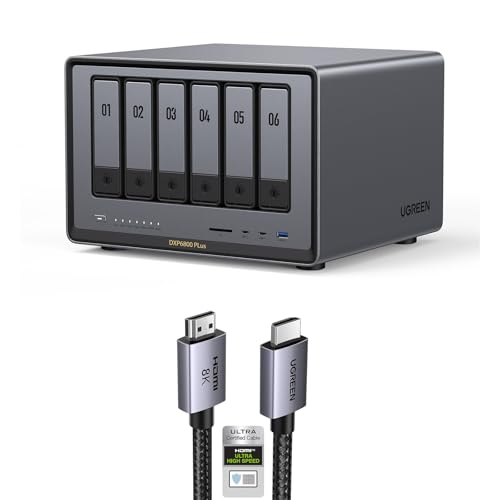
UGREEN 6-Bay Core i3 Desktop NAS
Best for: high-capacity media libraries and 10GbE local networks
- Hardware Interface
- HDMI (what this guide is about)
- Drive Bays
- 6-Bay
- Network Connectivity
- 1x 10GbE, 1x 2.5GbE
- Processor
- 12th Gen Intel Core i3
- M.2 NVMe Slots
- 2 slots
- Form Factor
- Desktop
The UGREEN 6-Bay Core i3 Desktop NAS provides high-capacity local storage with direct display output via an included 8K HDMI cable. Powered by a 12th Gen 6-core Intel Core i3 processor, it holds up to six SATA drives and two M.2 NVMe drives for up to 208TB of space. With 10GbE and 2.5GbE networking, you get fast file transfers, making it a capable central hub for your media library.
Pros
- 12th Gen 6-core Intel Core i3 processor
- 10GbE port paired with a 2.5GbE port for high-speed networking
- Six SATA bays plus two M.2 NVMe slots supporting up to 208TB
- Bundled 6.6-foot 8K HDMI cable for video connection
Cons
- Mismatched Ethernet port speeds rather than dual 10GbE connections
- Instructions specify updating firmware after setup for optimal experience
Good fit if
- You need both 10GbE network speeds and direct HDMI video output.
- You want up to 208TB of capacity across six SATA bays and two NVMe slots.
- You plan to manage files, photos, and drives using a single unified application.
Skip if
- You require identical dual 10GbE network ports for your local network.
- You want hardware ready for immediate deployment without a mandatory initial firmware upgrade.
Verdict: UGREEN 6-Bay Core i3 Desktop NAS delivers fast 10GbE networking, bundled 8K HDMI connectivity, and generous multi-drive expansion. It provides the processing power and throughput needed for a capable local media hub.

UGREEN NASync DXP480T Plus 4-Bay All-Flash NAS
Best for: All-flash media servers with HDMI output
- Hardware Interface
- HDMI (what this guide is about)
- Network Connectivity
- 10GbE, Wi-Fi 6
- Processor
- Intel Core i5 12th Gen
- M.2 NVMe Slots
- 4 slots
- Included Storage
- 32TB
- Number of Bays
- 4-Bay
View on Amazon: UGREEN NASync DXP480T Plus 4-Bay All-Flash NAS
This is a 4-bay all-flash NAS with an Intel Core i5 processor and HDMI output. It uses four M.2 NVMe SSD slots for up to 32TB of storage. The device includes a 10GbE port for fast wired transfers and Wi-Fi 6 for wireless connectivity. You get a single app for storage management, photos, and files. It suits users who want high-speed local storage with direct video output.
Pros
- Intel Core i5 12th Gen 10-core processor
- Four M.2 NVMe SSD slots for all-flash storage
- 10GbE network port for high-speed transfers
- Built-in Wi-Fi 6 connectivity
- Single unified NAS app for all functions
Cons
- Requires separate purchase of M.2 NVMe SSDs
- Higher cost due to all-flash architecture
- No mention of traditional 3.5-inch SATA drive bays
Good fit if
- You need fast read/write speeds for large media files
- You want to connect the NAS directly to a TV via HDMI
- You prefer wireless connectivity with Wi-Fi 6
Skip if
- You need to use existing 3.5-inch HDDs
- You are on a tight budget for storage hardware
- You require more than 32TB of total capacity
Verdict: UGREEN NASync DXP480T Plus 4-Bay All-Flash NAS is a high-performance option for users who prioritize speed and HDMI connectivity over traditional HDD storage. It fits those who want a compact, all-SSD solution for media libraries.

UGREEN DH4300 Plus 4-Bay Desktop NAS
Best for: Direct HDMI display and AI photo management
- Hardware Interface
- HDMI (what this guide is about)
- Drive Bays
- 4-Bay
- Included Storage
- Diskless
- Form Factor
- Desktop
The UGREEN DH4300 Plus is a 4-bay desktop NAS featuring an HDMI interface for direct display output. It supports up to 128TB of storage capacity and includes NFC connectivity for quick setup. The device offers AI-powered photo classification and local data encryption. It suits users who want a compact, all-in-one storage solution with smart media features.
Pros
- 4-bay desktop form factor
- HDMI hardware interface
- NFC quick connection
- 128TB max capacity
- AI photo classification
Cons
- Diskless bundle requires separate drive purchase
- Large physical footprint at 17x8.5x9 inches
- No mention of multiple Ethernet ports
Good fit if
- You need direct HDMI display output
- You want NFC setup convenience
- You prefer local AI photo management
Skip if
- You require pre-installed drives
- You need a compact footprint
- You want multiple network ports
Verdict: UGREEN DH4300 Plus 4-Bay Desktop NAS is a solid choice for users needing HDMI output and AI photo tools in a 4-bay desktop enclosure.

Yxk 4-Bay Intel N100 NAS
Best for: low-power 4K home media streaming
- Hardware Interface
- HDMI (what this guide is about)
- Drive Bays
- 4-Bay
- Network Connectivity
- 2 x 2.5GbE
- Processor
- Intel N100
- RAM Capacity
- 8GB DDR4
- M.2 NVMe Slots
- 2 slots
The Yxk 4-Bay Intel N100 HDMI NAS is a diskless network storage enclosure built for media streaming and local backups. It combines an Intel N100 processor and 8GB of RAM with a 4K HDMI output, allowing direct video playback to a TV or monitor. Featuring four SATA bays, two M.2 NVMe slots, and dual 2.5GbE ports, this unit suits you if you want a customizable home media server.
Pros
- Dedicated 4K HDMI output for direct display connectivity
- Intel N100 processor with 6 W base power and 8GB RAM
- Dual 2.5GbE network ports with link aggregation support
- Four SATA bays plus two M.2 NVMe slots for up to 144TB raw storage
Cons
- Ships diskless with no internal drives included
- Limited to RAID 0, 1, and 5 with no RAID 6 or 10 support listed
Good fit if
- You want direct 4K HDMI video output to a TV or monitor.
- You plan to run Docker containers or third-party operating systems like TrueNAS.
- You need dual 2.5GbE networking alongside NVMe caching or flash storage.
Skip if
- You want a turnkey NAS that includes pre-installed storage drives.
- You require RAID 6 or RAID 10 configurations for drive redundancy.
Verdict: Yxk 4-Bay Intel N100 HDMI NAS provides low-power hardware transcoding, 4K display connectivity, and versatile drive expansion for local media setups. It is an adaptable foundation if you prefer selecting your own drives and running containerized services.
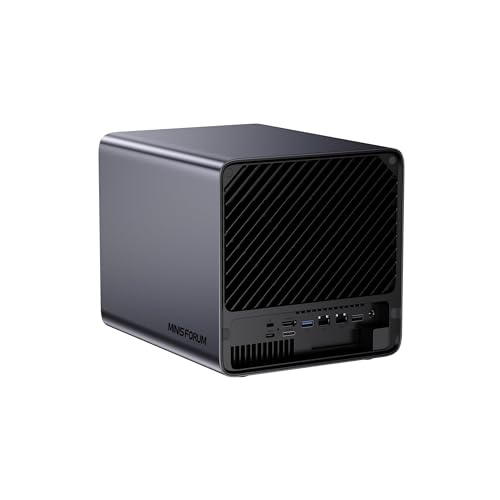
MINISFORUM N5 Pro Desktop NAS
Best for: High-performance AI and media workloads
- Hardware Interface
- M.2 NVMe, HDMI (what this guide is about)
- Drive Bays
- 5-Bay
- Network Connectivity
- 10GbE+5GbE
- Processor
- AMD Ryzen AI 9 HX Pro 370
- RAM Capacity
- Supports DDR5 ECC up to 96 GB
- M.2 NVMe Slots
- 3× M.2/U.2
The MINISFORUM N5 Pro is a desktop NAS featuring an AMD Ryzen AI 9 HX PRO 370 processor and HDMI output. It supports up to 188 TB of storage across five HDD bays and three M.2 slots. The device includes 10GbE and 5GbE networking, DDR5 ECC RAM support, and a 50 TOPS NPU for AI tasks. It suits users needing high-speed data access and local media playback.
Pros
- AMD Ryzen AI 9 HX PRO 370 CPU with 50 TOPS NPU
- HDMI output for direct video playback
- Dual 10GbE and single 5GbE network ports
- Supports up to 188 TB total storage capacity
- DDR5 ECC RAM support for stability
Cons
- RAM and hard drives are not included
- Built-in 128 GB drive occupies one M.2 slot
- MinisCloud OS features unavailable if using third-party OS
Good fit if
- You need high-performance AI processing for local tasks
- You require 10GbE connectivity for fast network transfers
- You want to connect the NAS directly to a display via HDMI
Skip if
- You prefer a fully pre-configured system with drives included
- You need a standard consumer operating system without restrictions
- You require more than five drive bays for storage
Verdict: The MINISFORUM N5 Pro Desktop NAS offers robust AI acceleration and high-speed networking for users who prioritize performance and direct HDMI connectivity. It is ideal for technical users comfortable managing separate component purchases.
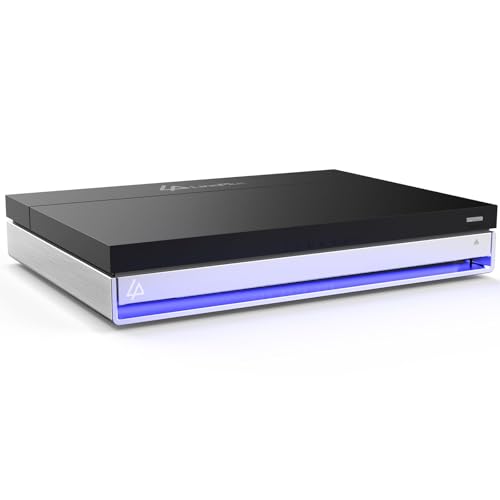
LincPlus LincStation 6-Bay Hybrid 2.5-Inch NAS
Best for: compact 2.5-inch and NVMe media setups
- Hardware Interface
- SATA, HDMI (what this guide is about)
- Drive Bays
- 6-Bay
- Network Connectivity
- 2.5GbE
- Processor
- Intel N5105
- RAM Capacity
- 16GB
- M.2 NVMe Slots
- 4 slots
View on Amazon: LincPlus LincStation 6-Bay Hybrid 2.5-Inch NAS
The LincPlus LincStation 6-Bay Hybrid NAS pairs an HDMI 2.0 port for 4K video output with a compact hybrid drive layout. It provides two 2.5-inch SATA bays alongside four M.2 NVMe slots, powered by an Intel Celeron quad-core processor and 16GB of RAM. If you need a low-profile media hub running Unraid OS that connects directly to a TV or monitor, this compact unit fits small desks.
Pros
- HDMI 2.0 port provides direct 4K video output
- Hybrid layout with 2 SATA 2.5-inch bays and 4 M.2 NVMe slots
- Intel Celeron quad-core processor paired with 16GB RAM and 128GB eMMC
- Equipped with 2.5GbE Ethernet and USB-C connectivity
Cons
- Does not accommodate full-size 3.5-inch hard drives
- 2.5-inch drive bays are limited to 9.5mm thickness
Good fit if
- You want direct 4K display output via HDMI 2.0 for local media viewing.
- You plan to run an all-flash or 2.5-inch solid-state and hard drive setup.
- You need an Unraid-ready system with pre-installed memory and flash storage.
Skip if
- You plan to use high-capacity 3.5-inch mechanical drives.
- You own 2.5-inch drives that exceed the 9.5mm thickness limit.
Verdict: LincPlus LincStation 6-Bay Hybrid NAS delivers dedicated 4K HDMI video output inside an ultra-compact chassis designed for 2.5-inch drives and NVMe SSDs. It offers a capable Unraid platform for users who prioritize a small footprint over large 3.5-inch disks.

LincPlus LincStation E1 4-Bay NAS
Best for: 4K HDMI media playback and hybrid storage
- Hardware Interface
- SATA, M.2 NVMe, HDMI (what this guide is about)
- Drive Bays
- 4-Bay
- Network Connectivity
- 2.5GbE
- Processor
- Quad-Core Cortex-A55
- RAM Capacity
- 4GB DDR4
- M.2 NVMe Slots
- 2 slots
The LincPlus LincStation E1 is a 4-bay NAS with an HDMI 2.0 port for 4K media playback. It uses a Quad-Core 2.0GHz processor, 4GB RAM, and 64GB eMMC storage. The unit combines two SATA bays for capacity with two M.2 NVMe slots for speed. A single 2.5GbE port connects it to your network. This compact device suits users who want local 4K streaming without extra hardware.
Pros
- HDMI 2.0 port supports native 4K video decoding
- Hybrid storage with 2 SATA and 2 M.2 NVMe slots
- Quad-Core 2.0GHz processor with 4GB DDR4 RAM
- Single 2.5GbE network port for faster transfers
Cons
- Only one 2.5GbE port limits multi-Gigabit throughput
- 4GB RAM is lower than many competing 4-bay models
- No mention of dual LAN or 10GbE connectivity
Good fit if
- You want to connect a TV directly to your NAS
- You need a mix of high-speed NVMe and large SATA drives
- You prefer a compact desktop device with tool-free drive installation
Skip if
- You require dual network ports for link aggregation or redundancy
- You need more than 4GB of RAM for heavy multitasking
- You want a 10GbE connection for maximum network speed
Verdict: LincPlus LincStation E1 4-Bay NAS is a solid choice for users who want direct 4K HDMI output and hybrid storage in a small form factor. It fits those who prioritize media playback and flexible drive types over high-end networking specs.

Asustor Lockerstor 4-Bay NAS with 12TB SSD
Best for: Local NVMe storage and HDMI media
- Hardware Interface
- M.2 NVMe, HDMI (what this guide is about)
- Drive Bays
- 4 Bay
- Network Connectivity
- Dual 5GbE
- Processor
- Intel Celeron N5105
- RAM Capacity
- 4GB DDR4
- M.2 NVMe Slots
- 4 slots
This Asustor NAS includes an Intel Celeron N5105 quad-core processor and 4 GB of DDR4 RAM. It features four M.2 NVMe slots and dual 5GbE ports. The unit comes with three 4TB SSDs. It supports HDMI output for direct display connection. This setup suits users needing fast local storage and multimedia playback capabilities.
Pros
- Intel Celeron N5105 quad-core CPU
- 4 GB DDR4-2933 RAM
- Four M.2 NVMe slots
- Dual 5GbE network ports
- Includes three 4TB SSDs
Cons
- Only 4 GB of RAM limits heavy multitasking
- No 10GbE network connectivity
- Heavier build at 11.9 pounds
Good fit if
- You need fast NVMe caching or storage
- You want dual 5GbE network redundancy
- You require HDMI display output
Skip if
- You need more than 4 GB of RAM
- You require 10GbE network speeds
- You prefer a lighter portable device
Verdict: Asustor AS6704T v2 4-Bay NAS offers strong local storage performance with its NVMe slots and included SSDs. It fits users who need HDMI output and dual 5GbE ports for reliable media streaming.
Specifications side by side
| Spec | Asustor 6-Bay NAS with Quad M.2 NVMe Slots | MINISFORUM N5 Pro 5-Bay Desktop NAS | MINISFORUM N5 Pro Desktop NAS | UGREEN NASync 2-Bay Desktop NAS | UGREEN 2-Bay Desktop NAS with HDMI Cable | UGREEN 2-Bay Desktop NAS with HDMI Cable | UGREEN NASync 6-Bay NAS with 8K HDMI | UGREEN 6-Bay Core i3 Desktop NAS | UGREEN NASync DXP480T Plus 4-Bay All-Flash NAS | UGREEN DH4300 Plus 4-Bay Desktop NAS | Yxk 4-Bay Intel N100 NAS | MINISFORUM N5 Pro Desktop NAS | LincPlus LincStation 6-Bay Hybrid 2.5-Inch NAS | LincPlus LincStation E1 4-Bay NAS | Asustor Lockerstor 4-Bay NAS with 12TB SSD |
|---|---|---|---|---|---|---|---|---|---|---|---|---|---|---|---|
| Drive Bays | 6-Bay | 5-Bay | 5-Bay | 2-Bay | 2-Bay | 2-Bay | 6-Bay | 6-Bay | not specified | 4-Bay | 4-Bay | 5-Bay | 6-Bay | 4-Bay | 4 Bay |
| Network Connectivity | Dual 2.5GbE | 1 x 10GbE, 1 x 5GbE | 1 x 10GbE, 1 x 5GbE | 1x 2.5GbE | not specified | not specified | Dual 10GbE | 1x 10GbE, 1x 2.5GbE | 10GbE, Wi-Fi 6 | not specified | 2 x 2.5GbE | 10GbE+5GbE | 2.5GbE | 2.5GbE | Dual 5GbE |
| Processor | Intel Celeron N5105 | AMD Ryzen AI 9 HX PRO 370 | AMD Ryzen AI 9 HX PRO 370 | Intel N100 | not specified | not specified | 12th Gen Intel Core i5 | 12th Gen Intel Core i3 | Intel Core i5 12th Gen | not specified | Intel N100 | AMD Ryzen AI 9 HX Pro 370 | Intel N5105 | Quad-Core Cortex-A55 | Intel Celeron N5105 |
| RAM Capacity | 8GB DDR4 | not specified | Expandable up to 96GB DDR5 ECC | not specified | not specified | not specified | not specified | not specified | not specified | not specified | 8GB DDR4 | Supports DDR5 ECC up to 96 GB | 16GB | 4GB DDR4 | 4GB DDR4 |
| M.2 NVMe Slots | 4 slots | 3 slots | 3 slots | not specified | not specified | not specified | not specified | 2 slots | 4 slots | not specified | 2 slots | 3× M.2/U.2 | 4 slots | 2 slots | 4 slots |
| Included Storage | Diskless | 128GB SSD | 128GB SSD | Diskless | Diskless | Diskless | not specified | not specified | 32TB | Diskless | Diskless | 128GB system drive | Diskless | Diskless | 3 x 4TB SSD |
| RAID Support | not specified | not specified | 0, 1, 5, 6 | not specified | not specified | not specified | not specified | not specified | not specified | not specified | RAID 0, 1, 5 | 0/1/5/6/RAIDZ | not specified | not specified | not specified |
| Form Factor | not specified | Desktop | Desktop | Desktop | Desktop | Desktop | Desktop | Desktop | not specified | Desktop | not specified | Desktop | 2.5 Inch | not specified | not specified |
| Hardware Interface | M.2 NVMe, HDMI | M.2 NVMe, HDMI | M.2 NVMe, HDMI | HDMI | HDMI | HDMI | HDMI | HDMI | HDMI | HDMI | HDMI | M.2 NVMe, HDMI | SATA, HDMI | SATA, M.2 NVMe, HDMI | M.2 NVMe, HDMI |
| Number of Bays | 6-Bay | not specified | not specified | 2-Bay | 2-Bay | 2-Bay | 6-Bay | 6-Bay | 4-Bay | 4-Bay | 4-Bay | not specified | 6-Bay | 4-Bay | 4-Bay |
| Target Audience | Content Creators | not specified | not specified | not specified | not specified | not specified | not specified | not specified | not specified | not specified | not specified | not specified | not specified | not specified | not specified |
| Processor Cores | Quad-Core | not specified | not specified | not specified | not specified | not specified | not specified | not specified | not specified | not specified | not specified | not specified | not specified | Quad-Core | Quad-Core |
| Dimensions | 2.76 × 3.61 × 3.57 inches | not specified | 7.95 × 7.83 × 9.92 inches | not specified | not specified | not specified | not specified | not specified | not specified | not specified | 9.2 × 7.9 × 6.3 inches | not specified | 5.9 × 8.2 × 1.5 inches | not specified | 10 × 12 × 13 inches |
| Weight | 10.8 pounds | not specified | not specified | not specified | not specified | not specified | not specified | not specified | not specified | not specified | 7.84 pounds | not specified | 1.8 pounds | 2 pounds | 11.9 pounds |
| Size | 6 Bay | N5 Pro(0+128G) | N5 Pro(0+128G) | not specified | not specified | not specified | not specified | not specified | not specified | 17" x 8.5" x 9" | 4-Bay | N5-PRO-P370(0+128) | not specified | not specified | 3X4TB |
| Color | black / black | Black | Black | gray | Black | black | not specified | not specified | not specified | Grey | Black | not specified | not specified | not specified | not specified |
| Model | AS6706T | N5-Pro-P370(0+128) | N5-PRO-P370 | DXP2800 | DXP2800 | DXP2800 | DXP6800 Pro | not specified | not specified | DH4300 Plus | not specified | N5 Pro | LincStation N1 | not specified | not specified |
If you need outdoor utility space rather than digital capacity, compare dimensions across the best storage sheds for garden.
How to choose the right one
-
Check form factor needs
Decide between desktop enclosures and compact 2.5-inch chassis based on your drive preferences. The LincPlus LincStation N1 supports 2.5-inch drives in a tiny 1.8-pound frame, ideal for small spaces. Most other options, like the MINISFORUM N5 Pro, are larger desktop units. Choose a 2.5-inch model if you prioritize portability or have limited desk space. Select a desktop form factor if you need standard 3.5-inch drive capacity and easier maintenance access for your storage setup.
-
Evaluate RAM capacity
Sufficient RAM ensures smooth media transcoding and multitasking. The Asustor 6-Bay NAS includes 8GB of RAM, which helps handle multiple simultaneous streams and caching tasks efficiently. Other models, like the Asustor AS6704T v2, offer 4GB, which may suffice for lighter workloads. More RAM allows the system to cache data effectively, reducing latency during playback. If you plan to run containerized services alongside media streaming, prioritize models with higher memory specifications to maintain consistent performance.
-
Assess network connectivity
Network speed affects how quickly you can transfer large media files. The UGREEN DXP6800 Pro and MINISFORUM N5 Pro feature 10GbE ports, providing high throughput for large libraries. The Asustor 6-Bay NAS offers dual 2.5GbE ports, which are sufficient for most 4K streaming needs. Check if your router supports these speeds. Faster networking reduces buffering and allows multiple users to access content simultaneously without bottlenecking the connection, ensuring a seamless viewing experience.
-
Consider NVMe caching
NVMe slots can significantly boost read and write speeds. The Asustor 6-Bay NAS includes four M.2 NVMe slots, allowing for dedicated caching or all-flash storage. This is useful for improving access times to frequently used media files. The MINISFORUM N5 Pro also supports NVMe drives. If you rely on large datasets or want faster application loading, look for models with NVMe support. This hardware interface enhances overall system responsiveness compared to systems relying solely on traditional hard drives.
-
Match HDMI resolution
Verify that the HDMI output matches your display capabilities. The UGREEN DXP6800 Pro and LincPlus LincStation support 8K output, catering to high-end televisions. Most other devices, such as the UGREEN DXP2800, are limited to 4K. Ensure your TV or monitor supports the resolution the NAS outputs. If you have a 4K display, a 4K-capable NAS is sufficient. Choosing a model with higher resolution support future-proofs your setup for newer displays without needing an upgrade soon.
Frequently asked questions
Can a NAS with HDMI replace a media player?
Yes, these devices output video directly to your display. The Asustor 6-Bay NAS supports local 4K streaming via its HDMI port. The MINISFORUM N5 Pro also handles high-performance media playback. This setup lets you connect your television directly to the storage unit.
Which NAS supports 8K video output?
Several models on this list support 8K resolution. The UGREEN DXP6800 Pro includes 8K HDMI connectivity for high-end displays. The MINISFORUM N5 Pro Desktop NAS also delivers versatile 8K video outputs. These units are ideal if you have an 8K television and need robust processing power.
Do these devices require hard drives to be purchased separately?
Most models on this list require you to supply your own drives. The UGREEN 2-Bay Desktop NAS serves as a hub for users who want to supply their own hard drives. However, the Asustor AS6704T v2 comes with included SSDs. Check the specific model details before buying.
Which NAS is best for small spaces?
The LincPlus LincStation N1 is the most compact option. It weighs only 1.8 pounds and fits into a tiny chassis. This unit supports 2.5-inch drives and NVMe SSDs. It is designed for users who prioritize a small footprint over large 3.5-inch disk capacity.
Can I use NVMe SSDs for caching with HDMI output?
Yes, many of these units include M.2 NVMe slots. The Asustor 6-Bay NAS features quad M.2 NVMe slots for high-speed caching. The MINISFORUM N5 Pro also supports M.2 NVMe interfaces. These slots help improve performance while you stream media through the HDMI connection.
What networking speeds do these NAS drives offer?
Networking speeds vary by model. The MINISFORUM N5 Pro offers 10GbE connectivity for high throughput. The UGREEN DXP6800 Pro also provides 10GbE speeds. Other options, like the Yxk 4-Bay, feature 5GbE and 2.5GbE ports. Choose based on your local network infrastructure.