Best UGREEN 4-Bay NAS Devices in 2026: 12 Picks
As an Amazon Associate we earn from qualifying purchases. Links on this page are affiliate links.
Finding the best UGREEN 4-Bay network attached storages requires looking at specific hardware details. We compared 12 models based strictly on the specifications published on their listings. Our top pick is the UGREEN 4-Bay All-Flash NVMe SSD NAS. It leads because its all-flash design delivers the high-speed storage video editors need for large files. This guide helps you decide which NAS matches your workflow. You can choose between all-flash SSD units for speed or traditional desktop models for budget-friendly home storage. Each option offers distinct connectivity and processing power for your private cloud.
Quick picks
The best fit for you
- You need the fastest all-flash storage for video editing UGREEN 4-Bay All-Flash NVMe SSD NAS The DXP480T Plus features a powerful processor and 10GbE port for large file handling.
- You want a budget-friendly option for private home storage UGREEN 4-Bay 2.5GbE Media NAS Enclosure The DH4300 Plus offers strong RAM and fast 2.5GbE networking for secure local data.
- You require virtualization support for development and IT work UGREEN 4-Bay Core i3 10GbE NAS The DXP4800 Pro includes a Core i3 processor and RAM expansion for serious processing power.
- You need power protection for your NAS against outages UGREEN US3000 UPS for 4-Bay NAS The US3000 UPS provides essential power backup to safeguard your data during failures.
Our 12 picks

UGREEN 4-Bay All-Flash NVMe SSD NAS
Best for: video editors needing fast all-flash storage
- Number of Bays
- 4-Bay (what this guide is about)
- Drive Bays
- 4-Bay
- Network Connectivity
- 10GbE, Wi-Fi 6
- Processor
- 12th Gen Intel Core i5
- M.2 NVMe Slots
- 4 slots
- Included Storage
- Diskless
This is a 4-bay all-flash NAS designed for creators who edit video. It uses four M.2 NVMe slots for SSDs, offering up to 32TB of storage. The unit features a 12th Gen Intel Core i5 processor and a 10GbE port for fast transfers. It also includes Wi-Fi 6 connectivity, which is rare for this category. You get comprehensive RAID support and a single app for management.
Pros
- 12th Gen Intel Core i5 10-core processor
- 10GbE network port with Wi-Fi 6 support
- Four M.2 NVMe slots for all-flash storage
- Supports RAID 0, 1, 5, 6, and 10
- Single app for storage, files, and photos
Cons
- Diskless design requires separate SSD purchase
- Wi-Fi 6 may be slower than wired 10GbE
- No included storage media
Good fit if
- You edit video and need fast read/write speeds
- You want wireless connectivity alongside wired ports
- You prefer all-flash SSD storage over HDDs
Skip if
- You need pre-installed hard drives
- You only have Gigabit Ethernet networks
- You prefer traditional HDD-based storage
Verdict: UGREEN DXP480T Plus 4-Bay All-Flash NAS is ideal for video editors who need high-speed SSD storage and flexible connectivity. Its powerful processor and 10GbE port handle large files efficiently.

UGREEN 4-Bay 2.5GbE Media NAS Enclosure
Best for: beginners seeking private home storage
- Number of Bays
- 4-Bay (what this guide is about)
- Drive Bays
- 4-Bay
- Network Connectivity
- 1x 2.5GbE
- RAM Capacity
- 8GB LPDDR4X
- Included Storage
- Diskless
- RAID Support
- RAID 0
The UGREEN DH4300 Plus is a 4-bay NAS built for home users and beginners. It features an 8GB LPDDR4X RAM module and a 2.5GbE network port for fast local transfers. The device supports Docker containers and includes 4K HDMI output. You get AI-powered photo backup and semantic search tools. It offers a one-time hardware cost instead of recurring cloud fees, making it a practical private storage solution for families.
Pros
- 8GB LPDDR4X RAM for running multiple apps
- 2.5GbE network port for high-speed transfers
- 4K HDMI video output support
- AI-powered photo backup and semantic search
- ETSI EN 303 645 security certification
Cons
- No Wi-Fi support; wired Ethernet only
- Does not support virtual machines
- Diskless; storage drives not included
Good fit if
- You need a simple setup for home media
- You want AI photo organization features
- You prefer local storage over cloud subscriptions
Skip if
- You require virtual machine support
- You need wireless connectivity
- You want pre-installed storage drives
Verdict: UGREEN DH4300 Plus 4-Bay NAS suits beginners who want a private, secure home storage solution with strong RAM and fast wired networking. It is ideal for users who prioritize photo management and local data control over advanced virtualization or wireless flexibility.

UGREEN NASync DXP480T Plus 4-Bay All-Flash NAS
Best for: Fast local storage and media editing workflows
- Number of Bays
- 4-Bay (what this guide is about)
- Network Connectivity
- 10GbE, Wi-Fi 6
- Processor
- Intel Core i5 12th Gen
- M.2 NVMe Slots
- 4 slots
- Included Storage
- 32TB
- Hardware Interface
- HDMI
View on Amazon: UGREEN NASync DXP480T Plus 4-Bay All-Flash NAS
This UGREEN NASync DXP480T Plus is a 4-bay all-flash SSD NAS designed for high-performance storage. It features a 12th Gen Intel Core i5 processor and a 10GbE network port reaching 1250MB/s. The unit supports up to 32TB of storage across four M.2 NVMe slots. It includes built-in Wi-Fi 6 and an HDMI interface. This device suits users needing fast local data access and robust processing power for media or file management.
Pros
- 12th Gen Intel Core i5 10-core processor
- 10GbE port with 1250MB/s peak speeds
- Supports up to 32TB across four M.2 NVMe SSDs
- Built-in Wi-Fi 6 connectivity
Cons
- Requires separate SSDs as it is an all-flash system
- Limited to four storage bays
- No mention of included hard drives
Good fit if
- You need fast read/write speeds for large video files
- You prefer SSD storage for maximum performance
- You want a powerful processor for local data tasks
Skip if
- You need pre-installed hard drives
- You require more than four storage bays
- You are looking for a budget-friendly spinning disk solution
Verdict: UGREEN NASync DXP480T Plus 4-Bay All-Flash SSD NAS delivers high-speed performance for users prioritizing SSD storage and processing power. It is ideal for creators handling large media files who need local, fast access to their data.

UGREEN DH4300 Plus 4-Bay Desktop NAS
Best for: Beginners seeking easy setup and AI photo tools
- Number of Bays
- 4-Bay (what this guide is about)
- Drive Bays
- 4-Bay
- Included Storage
- Diskless
- Form Factor
- Desktop
- Hardware Interface
- HDMI
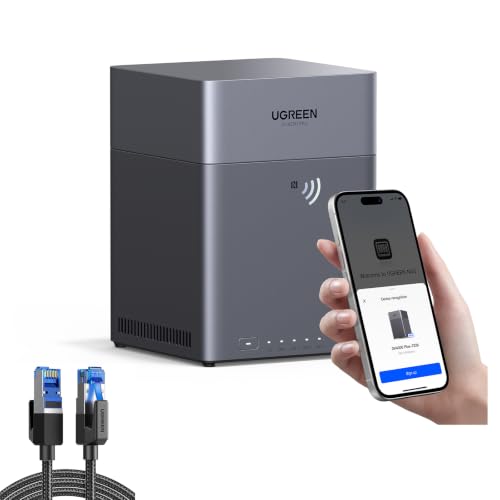
The UGREEN DH4300 Plus is a 4-bay desktop NAS designed for home users and beginners. It features a grey enclosure measuring 17 by 8.5 by 9 inches. You get NFC connectivity for quick setup and an app that supports AI photo classification. It includes an HDMI cable bundle. This device suits those wanting local storage control without recurring cloud fees.
Pros
- 4-bay capacity supports up to 128TB total storage
- NFC connectivity for rapid device pairing
- AI album recognition with semantic search
- ETSI EN 303 645 security certification
Cons
- Desktop form factor requires significant desk space
- Diskless design requires separate hard drive purchase
- HDMI interface limits direct display output options
Good fit if
- You need a simple setup for mixed operating systems
- You want AI-powered photo organization features
- You prefer local data control over cloud subscriptions
Skip if
- You require pre-installed storage drives
- You need a compact rack-mountable form factor
- You prioritize high-speed network ports over HDMI
Verdict: UGREEN DH4300 Plus 4-Bay Desktop NAS is a practical choice for beginners who value easy setup and smart photo management. It fits home users who want privacy and do not mind buying drives separately.
UGREEN DH4300 Plus 4-Bay Desktop NAS
Best for: Beginners seeking simple home media storage
- Number of Bays
- 4-Bay (what this guide is about)
- Drive Bays
- 4-Bay
- Included Storage
- Diskless
- Form Factor
- Desktop
The UGREEN DH4300 Plus is a 4-bay desktop NAS designed for home users and beginners. It offers entry-level storage with support for Docker containers, though it does not support virtual machines. The device features NFC connectivity for quick setup and includes an AI photo management system for album classification. It is a diskless unit, meaning you must provide your own drives. This model is ideal for those seeking a straightforward private cloud solution.
Pros
- 4-bay desktop form factor for flexible drive configurations
- Supports Docker containers for extended functionality
- NFC connectivity for rapid initial setup and connection
- AI-powered photo recognition and album management
Cons
- Does not support virtual machines, limiting advanced use cases
- Sold as a diskless unit requiring separate drive purchases
- Entry-level hardware may lack performance for heavy workloads
Good fit if
- You are a beginner moving from cloud storage to private storage
- You need a simple NAS for home media and file backups
- You want AI-driven photo organization without complex setup
Skip if
- You require virtual machine support for your applications
- You need a pre-loaded storage solution with drives included
- You are an IT professional needing advanced enterprise features
Verdict: UGREEN DH4300 Plus 4-Bay Desktop NAS is a practical entry-level choice for home users who value easy setup and AI photo tools over advanced virtualization capabilities.

UGREEN 4-Bay All-Flash SSD NAS Bundle
Best for: Creators needing fast all-flash storage
- Number of Bays
- 4-Bay (what this guide is about)
- Drive Bays
- 4-Bay
- Network Connectivity
- 10GbE
- Processor
- 12th Gen Intel Core i5
- M.2 NVMe Slots
- 4 slots
- Included Storage
- Diskless
This all-flash NAS uses four M.2 NVMe slots for SSDs, offering a maximum capacity of 32TB. It features a 12th Gen Intel Core i5 processor and a 10GbE port for high-speed data transfer. You get Wi-Fi 6 connectivity and a unified app for storage management. This model is diskless, so you must supply your own drives. It suits users who need fast, reliable local storage for media and files.
Pros
- 12th Gen Intel Core i5 processor
- 10GbE network port with up to 1250MB/s speeds
- Four M.2 NVMe slots for all-flash storage
- Built-in Wi-Fi 6 connectivity
- Supports multiple RAID levels including RAID 5 and 6
Cons
- Diskless design requires separate SSD purchase
- Maximum capacity limited to 32TB
- No mention of USB 3.2 ports for external backup
Good fit if
- You need fast read/write speeds for video editing
- You want a single app for all NAS functions
- You prefer all-Flash SSD storage over HDDs
Skip if
- You want a NAS with pre-installed hard drives
- You need more than 32TB of storage
- You require a budget option without 10GbE
Verdict: UGREEN DXP480T Plus 4-Bay All-Flash NAS is a high-performance choice for creators who need fast SSD speeds and a powerful processor. It fits users who prioritize speed and modern connectivity over included storage.

UGREEN DH4300 Plus 4-Bay NAS
Best for: home users needing simple storage
- Number of Bays
- 4-Bay (what this guide is about)
- Drive Bays
- 4-Bay
The UGREEN DH4300 Plus is an entry-level 4-bay NAS designed for home users and beginners. This bundle includes a 12000mAh UPS for power backup. It supports Docker containers but does not support virtual machines. The system features AI album recognition for photos and NFC connectivity for quick setup. It allows remote access across Windows, macOS, Android, and iOS devices.
Pros
- Includes 12000mAh UPS for uninterrupted power
- Supports Docker container applications
- Features AI photo recognition and classification
- Enables NFC connection for easy setup
Cons
- Does not support virtual machines
- Requires separate purchase of storage disks
- Entry-level performance for heavy workloads
Good fit if
- You need basic home media storage
- You want simple file sharing across devices
- You value automatic photo backup and organization
Skip if
- You require virtual machine support
- You need enterprise-grade performance
- You want pre-installed storage drives
Verdict: UGREEN DH4300 Plus NAS Bundle is a practical solution for home users seeking simple storage with backup power. It suits those who prioritize photo management and basic Docker apps over complex virtualization.

UGREEN 4-Bay Core i3 10GbE NAS
Best for: developers and IT professionals needing virtualization
- Number of Bays
- 4-Bay (what this guide is about)
- Drive Bays
- 4-Bay
- Network Connectivity
- 10GbE + 2.5GbE
- Processor
- Intel Core i3-1315U
- RAM Capacity
- 8GB DDR5
- M.2 NVMe Slots
- Dual M.2 PCIe 4.0
The UGREEN DXP4800 Pro is a 4-bay NAS built for heavy workloads. It uses an Intel Core i3-1315U processor and 8GB DDR5 RAM. Dual M.2 PCIe 4.0 slots allow for fast SSD caching or storage. Network speeds reach 1.25GB/s via 10GbE and 2.5GbE ports. This diskless unit suits developers and IT pros needing virtualization and Docker support.
Pros
- Intel Core i3-1315U processor with 6 cores
- 8GB DDR5 RAM expandable to 96GB
- Dual M.2 PCIe 4.0 SSD slots
- 10GbE and 2.5GbE network ports
Cons
- Sold without included storage drives
- Heavier build at 8.77 pounds
- Larger footprint than 2-bay alternatives
Good fit if
- You need to run virtual machines or Docker containers
- You require high-speed 10GbE network transfers
- You want expandable DDR5 RAM for multitasking
Skip if
- You want a pre-loaded NAS with drives included
- You only need basic file storage for home photos
- You prefer a lighter and more compact device
Verdict: UGREEN DXP4800 Pro 4-Bay NAS is a powerful workstation for developers and IT professionals who need virtualization support and fast network speeds. It fits users who prioritize processing power and RAM expansion over a compact, plug-and-play design.

UGREEN 4-Bay Dual 10GbE NAS
Best for: Creators needing high-speed media processing
- Number of Bays
- 4-Bay (what this guide is about)
- Drive Bays
- 4-Bay
- Network Connectivity
- Dual 10GbE
- Processor
- AMD Ryzen Embedded R2514
- RAM Capacity
- 8GB DDR4
- M.2 NVMe Slots
- 2 slots
The UGREEN DXP4800 GT is a 4-bay NAS built for creators and office teams. It uses an AMD Ryzen Embedded R2514 processor and 8GB of DDR4 RAM. Dual 10GbE ports provide high-speed networking for large files. You get 2 M.2 NVMe slots and 4 SATA bays for up to 144TB of storage. It includes an SD card slot and HDMI output for direct media use.
Pros
- AMD Ryzen Embedded R2514 processor for strong multitasking
- Dual 10GbE ports for up to 2.5GB/s throughput
- 2 M.2 NVMe slots for fast SSD expansion
- Built-in SD card slot for instant photo imports
- Supports Docker and virtual machines for app flexibility
Cons
- Pre-installed RAM is non-ECC, requiring an upgrade for error correction
- No included hard drives or SSDs
- Plex requires manual Docker setup
Good fit if
- You need fast transfers for 4K/8K video editing
- You want to run Docker apps or virtual machines
- You require dual 10GbE networking for heavy workloads
Skip if
- You prefer a plug-and-play Plex installation without manual setup
- You need ECC memory included out of the box
- You want a NAS with pre-installed storage drives
Verdict: UGREEN DXP4800 GT 4-Bay NAS suits creators who need raw processing power and dual 10GbE connectivity for media workflows. It is a strong option for teams managing large files and self-hosted apps.

UGREEN DXP4800 Pro 4-Bay Desktop NAS
Best for: developers and video editors
- Number of Bays
- 4-Bay (what this guide is about)
- Drive Bays
- 4-Bay
- Network Connectivity
- 10GbE + 2.5GbE
- Processor
- Intel Core i3-1315U
- RAM Capacity
- 8GB DDR5
- M.2 NVMe Slots
- 2 slots
This UGREEN 4-bay NAS targets power users with an Intel Core i3-1315U processor and 8GB DDR5 RAM. It supports Docker and virtual machines for advanced workflows. The device includes dual M.2 SSD slots and 10GbE networking for high-speed transfers. You get 144TB of total storage capacity across four HDD bays and two SSD slots. It runs UGOS Pro for media and file management.
Pros
- Intel Core i3-1315U processor with 8GB DDR5 RAM
- Dual M.2 PCIe 4.0 SSD slots for cache or storage
- 10GbE and 2.5GbE network ports for fast transfers
- Supports Docker, VMs, and local AI photo recognition
- 144TB total capacity with RAID 0, 1, 5, and 10
Cons
- Heavier desktop build compared to compact alternatives
- Higher power consumption due to pro-grade hardware
- Complex setup for users unfamiliar with virtualization
Good fit if
- You need to run Docker containers or virtual machines
- You require 10GbE networking for fast data transfers
- You want local AI photo management features
Skip if
- You prefer a quiet, low-power home media server
- You only need basic file sharing without virtualization
- You want a plug-and-play device with minimal setup
Verdict: UGREEN DXP4800 Pro 4-Bay Desktop NAS suits developers and video editors who need serious processing power and virtualization support for their private cloud.

UGREEN US3000 UPS for 4-Bay NAS
Best for: protecting UGREEN 4-bay NAS from power outages
- Number of Bays
- 4-Bay (what this guide is about)
The UGREEN US3000 is a 12000mAh uninterruptible power supply designed for UGREEN 4-bay NAS models like the DXP4800 and DH4300 Plus. It provides battery backup to prevent data loss during power outages. The unit features surge protection and automatic restart capabilities. Its compact design fits neatly next to your storage device. This bundle ensures your NAS remains safe and operational during unexpected power interruptions.
Pros
- 12000mAh Li-ion battery capacity
- Surge and over-charge protection
- Automatic NAS restart after power return
- Quiet operation with compact size
Cons
- Limited to specific UGREEN NAS models only
- No mention of runtime duration under load
- Requires app configuration for shutdown policies
Good fit if
- You need backup power for a UGREEN 4-bay NAS
- You want to prevent data loss during outages
- You value a compact and quiet power solution
Skip if
- You use a NAS brand other than UGREEN
- You need a UPS for devices outside the supported list
- You require extensive runtime beyond battery backup
Verdict: UGREEN US3000 UPS for 4-Bay NAS provides essential power protection for compatible UGREEN storage devices. It is ideal for users seeking to safeguard their data against sudden power failures with a compact and quiet design.

UGREEN DH4300 Plus 4-Bay NAS with UPS
Best for: Beginners needing home storage with power backup
- Number of Bays
- 4-Bay (what this guide is about)
- Drive Bays
- 4-Bay
The UGREEN DH4300 Plus is an entry-level 4-bay NAS designed for home users and beginners. It includes a 6000mAh UPS battery for power protection. The device supports Docker containers but does not support virtual machines. You get AI photo classification and NFC setup. It allows remote access across Windows, macOS, Android, and iOS. This bundle offers a practical way to build a private cloud without recurring fees.
Pros
- Includes 6000mAh UPS battery for power backup
- Supports Docker container applications
- Features AI photo recognition and semantic search
- Allows NFC connection for quick setup
Cons
- Does not support virtual machines
- Entry-level performance for heavy workloads
- Storage disks are not included in the bundle
Good fit if
- You want a simple NAS for home media storage
- You need basic power protection for your data
- You prefer Docker apps over virtual machines
Skip if
- You require virtual machine support for complex tasks
- You need a high-performance device for professional video editing
- You want to avoid additional hardware purchases
Verdict: UGREEN DH4300 Plus 4-Bay NAS with UPS suits beginners who need reliable home storage with basic power backup. It is a solid choice for users who prioritize simplicity and Docker support over advanced virtualization features.
Specifications side by side
| Spec | UGREEN 4-Bay All-Flash NVMe SSD NAS | UGREEN 4-Bay 2.5GbE Media NAS Enclosure | UGREEN NASync DXP480T Plus 4-Bay All-Flash NAS | UGREEN DH4300 Plus 4-Bay Desktop NAS | UGREEN DH4300 Plus 4-Bay Desktop NAS | UGREEN 4-Bay All-Flash SSD NAS Bundle | UGREEN DH4300 Plus 4-Bay NAS | UGREEN 4-Bay Core i3 10GbE NAS | UGREEN 4-Bay Dual 10GbE NAS | UGREEN DXP4800 Pro 4-Bay Desktop NAS | UGREEN US3000 UPS for 4-Bay NAS | UGREEN DH4300 Plus 4-Bay NAS with UPS |
|---|---|---|---|---|---|---|---|---|---|---|---|---|
| Drive Bays | 4-Bay | 4-Bay | not specified | 4-Bay | 4-Bay | 4-Bay | 4-Bay | 4-Bay | 4-Bay | 4-Bay | not specified | 4-Bay |
| Network Connectivity | 10GbE, Wi-Fi 6 | 1x 2.5GbE | 10GbE, Wi-Fi 6 | not specified | not specified | 10GbE | not specified | 10GbE + 2.5GbE | Dual 10GbE | 10GbE + 2.5GbE | not specified | not specified |
| Processor | 12th Gen Intel Core i5 | not specified | Intel Core i5 12th Gen | not specified | not specified | 12th Gen Intel Core i5 | not specified | Intel Core i3-1315U | AMD Ryzen Embedded R2514 | Intel Core i3-1315U | not specified | not specified |
| RAM Capacity | not specified | 8GB LPDDR4X | not specified | not specified | not specified | not specified | not specified | 8GB DDR5 | 8GB DDR4 | 8GB DDR5 | not specified | not specified |
| M.2 NVMe Slots | 4 slots | not specified | 4 slots | not specified | not specified | 4 slots | not specified | Dual M.2 PCIe 4.0 | 2 slots | 2 slots | not specified | not specified |
| Included Storage | Diskless | Diskless | 32TB | Diskless | Diskless | Diskless | not specified | Diskless | Diskless | 144TB | not specified | not specified |
| RAID Support | JBOD, Basic, RAID 0/1/5/6/10 | RAID 0 | not specified | not specified | not specified | not specified | not specified | RAID 0, 1, 5, 10 | not specified | RAID 0, 1, 5, 10 | not specified | not specified |
| Form Factor | not specified | not specified | not specified | Desktop | Desktop | not specified | not specified | not specified | not specified | Desktop | not specified | not specified |
| Hardware Interface | not specified | not specified | HDMI | HDMI | not specified | not specified | not specified | not specified | not specified | not specified | not specified | not specified |
| Number of Bays | 4-Bay | 4-Bay | 4-Bay | 4-Bay | 4-Bay | 4-Bay | 4-Bay | 4-Bay | 4-Bay | 4-Bay | 4-Bay | 4-Bay |
| Target Audience | Content Creators | not specified | not specified | not specified | not specified | not specified | not specified | not specified | Content Creators | not specified | not specified | not specified |
| Intended Use | Video Editors | Home Users | not specified | not specified | not specified | not specified | not specified | not specified | not specified | not specified | not specified | not specified |
| Dimensions | not specified | not specified | not specified | not specified | not specified | not specified | not specified | 10.1 × 7.01 × 7.01 inches | 10.1 × 7.01 × 7.01 inches | not specified | not specified | not specified |
| Weight | not specified | not specified | not specified | not specified | not specified | not specified | not specified | 8.77 pounds | 14.6 pounds | not specified | not specified | not specified |
| Size | DXP480T Plus 4-Bay (Diskless) | 4-Bay | not specified | 17" x 8.5" x 9" | 17x7x12 | not specified | not specified | DXP4800 Pro,4-Bay | DXP4800 GT,4-Bay | not specified | not specified | not specified |
| Color | Grey | Dark Grey | not specified | Grey | Black | not specified | black | Grey | Grey | not specified | not specified | not specified |
| Model | DXP480T Plus,4-Bay (Diskless) | DH4300 Plus,4-Bay (Diskless) | not specified | DH4300 Plus | DH4300 Plus | not specified | B0FPD93QC6 | DXP4800 Pro,4-Bay (Diskless) | DXP4800 GT (Diskless) | not specified | US3000 | DH4300 Plus |
If you need outdoor physical capacity, specs for the best storage sheds for garden detail dimensions, framing materials, and volume.
How to choose the right one
-
Check storage type first
You must decide between all-flash NVMe SSDs and traditional hard drives. The UGREEN DXP480T Plus uses an all-flash design for high-speed video editing. This setup handles large files efficiently but requires you to buy drives separately. Other models like the DH4300 Plus support HDDs for larger capacity at a lower cost. Your choice depends on whether you prioritize raw speed for media workflows or maximum storage space for archives. Always verify if the unit includes drives or is diskless before purchasing.
-
Match network speed to needs
Networking speed dictates how fast you can transfer files across your local area network. The DXP480T Plus and DXP4800 GT feature 10GbE ports for rapid data movement. This is critical for creators editing large media files directly from the NAS. If you only need basic file sharing, the DH4300 Plus offers a 2.5GbE port which is sufficient for most home users. Check the specific interface specifications to ensure your router and computer support the required speed to avoid bottlenecks during heavy data transfers.
-
Consider form factor for space
The physical dimensions of the NAS determine where you can place it in your home or office. The DXP4800 Pro measures 10.1 inches in length and weighs 8.77 pounds. This desktop form factor requires a sturdy surface and adequate ventilation space. Smaller units like the DH4300 Plus in black may fit better in tight spaces. Measure your available area before buying. Ensure the device has enough clearance around it for airflow to prevent overheating during continuous operation, especially if you plan to run virtualization tasks.
-
Verify hardware interfaces
Available ports determine what peripherals and displays you can connect directly to the NAS. Several models, including the DH4300 Plus and DXP480T Plus, include HDMI outputs. This allows you to connect the NAS directly to a monitor or TV for local media playback without a separate computer. Check the specifications for HDMI availability if you plan to use the device as a media center. Other ports like USB may also be present for external storage expansion or backup purposes, so review the full port list carefully.
-
Plan for power protection
Sudden power outages can corrupt data on your NAS drives. The UGREEN US3000 UPS provides essential power protection for compatible 4-bay models. It offers a compact and quiet design to safeguard your data during unexpected failures. Some bundles, like the DH4300 Plus with UPS, include this protection directly. If you do not buy a bundle, check if the NAS supports external UPS connections. Adding a UPS is a practical step for anyone storing critical photos or documents that need to remain safe from power surges or outages.
Frequently asked questions
Which UGREEN 4-bay NAS is best for video editors?
The UGREEN DXP480T Plus is the best choice for video editors. It features an all-flash NVMe SSD design for high-speed storage. This model includes a powerful processor and a 10GbE port. These specs handle large media files efficiently. It is ideal for creators needing fast local access to data.
Does the UGREEN DH4300 Plus support HDMI output?
Yes, the UGREEN DH4300 Plus supports HDMI output. You can connect it directly to a display. This feature aids in easy setup and local media management. The model is designed for beginners seeking private home storage. It prioritizes photo management and local data control over advanced virtualization.
Can I use the UGREEN DXP4800 Pro for virtualization?
Yes, the UGREEN DXP4800 Pro is suitable for virtualization. It is a powerful workstation for developers and IT professionals. The device supports RAM expansion for demanding tasks. It offers fast network speeds and serious processing power. It fits users who prioritize virtualization support over a compact design.
What networking speed does the UGREEN DXP4800 GT have?
The UGREEN DXP4800 GT features dual 10GbE connectivity. This setup provides high-speed network performance for media workflows. It delivers raw processing power for teams managing large files. The model is ideal for content creators needing fast data transfer. It supports self-hosted apps and modern connectivity requirements.
Is the UGREEN DH4300 Plus good for beginners?
The UGREEN DH4300 Plus is a practical entry-level choice for beginners. It offers easy setup and smart photo management tools. The device includes strong RAM and fast 2.5GbE networking. It suits users who want privacy and simple home media storage. You can buy drives separately to customize your storage capacity.
Does UGREEN offer a UPS for their 4-bay NAS devices?
Yes, UGREEN offers the US3000 UPS for their 4-bay NAS devices. It provides essential power protection against sudden power failures. The unit is designed to be compact and quiet. It safeguards your data by keeping the NAS running during outages. It is ideal for users seeking reliable power backup.
What is the difference between the DXP480T Plus and DXP4800 Pro?
The DXP480T Plus uses an all-flash NVMe SSD design for speed. It targets video editors needing fast local storage. The DXP4800 Pro is a workstation for developers and IT professionals. It focuses on virtualization support and RAM expansion. Choose the Plus for media speed, or the Pro for processing power.