14 Best Quad-Core Network Attached Storages, Compared
As an Amazon Associate we earn from qualifying purchases. Links on this page are affiliate links.
Choosing the best quad core network attached storages depends on balancing drive capacity, system memory, and network throughput. We compared 14 models using only the specifications published on their product listings. The Asustor Lockerstor 8-Bay Dual 10GbE NAS takes the top spot because it combines an Intel Atom C3538 quad-core processor with dual 10GbE connectivity and eight drive bays.
This guide helps you decide which quad-core NAS fits your specific setup based on drive bays, RAM capacity, and networking speeds.
Quick picks
The best fit for you
- You need high capacity with multi-gigabit network speeds Asustor Lockerstor 8-Bay Dual 10GbE NAS Its eight drive bays pair with dual 10GbE and dual 2.5GbE ports for fast multi-gigabit throughput.
- You need rackmount hardware for large enterprise setups Asustor Lockerstor 12-Bay Rackmount NAS The 12-bay rackmount form factor supports quad-core processing and memory expansion up to 128GB.
- You want compact and silent all-flash desktop storage TERRAMASTER 4-Bay All-SSD NAS The compact four-bay chassis weighs 1.32 pounds and utilizes an all-SSD footprint for quiet desktop operation.
- You want pre-installed storage without buying separate drives Synology 2-Bay Quad-Core NAS 24TB It includes 24TB of pre-configured storage capacity alongside 5GbE and 1GbE network ports.
Our 14 picks

Asustor Lockerstor 8-Bay Dual 10GbE NAS
Best for: eight-bay multi-gigabit network storage setups
- Processor Cores
- Quad-Core (what this guide is about)
- Drive Bays
- 8-Bay
- Network Connectivity
- 2x 10GbE, 2x 2.5GbE
- Processor
- Intel Atom C3538
- RAM Capacity
- 8GB DDR4
- Hardware Interface
- M.2 NVMe
The Asustor 8-Bay Quad-Core NAS provides large storage capacity and multi-gigabit network connectivity for demanding setups. Powered by an Intel Atom C3538 quad-core 2.1GHz processor and 8GB of DDR4 memory, it supports eight 3.5-inch SATA drives and M.2 NVMe hardware. With two 10GbE and two 2.5GbE interfaces, it suits you if you need high data transfer speeds and extensive drive bays in a single desktop enclosure.
Pros
- Intel Atom C3538 quad-core 2.1GHz processor
- Two 10GbE and two 2.5GbE network interfaces
- Eight 3.5-inch SATA drive bays and M.2 NVMe support
- 8GB DDR4-2133 memory included
Cons
- Enclosure weighs 13.7 pounds without drives
- Requires 11.5 inches of desk width and 9.06 inches of depth
Good fit if
- You need two 10GbE and two 2.5GbE ports for high-bandwidth networking.
- You want eight 3.5-inch SATA bays paired with M.2 NVMe hardware interface.
- You require an Intel Atom quad-core processor with 8GB DDR4 memory.
Skip if
- You need a lighter enclosure that weighs under 13.7 pounds.
- You have desk space that cannot fit an 11.5-inch wide chassis.
Verdict: Asustor 8-Bay Quad-Core NAS combines an Intel Atom C3538 quad-core processor with dual 10GbE and dual 2.5GbE connections. It delivers expansive eight-bay storage capacity and multi-gigabit throughput for your local network.
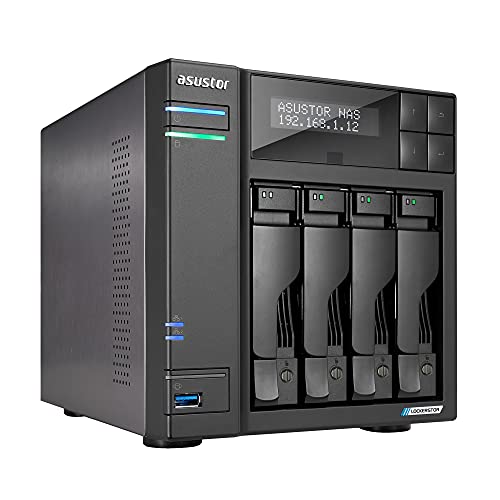
Asustor Lockerstor 4-Bay Quad-Core NAS
Best for: 4-bay multi-gigabit networking and SSD caching
- Processor Cores
- Quad-Core (what this guide is about)
- Drive Bays
- 4-Bay
- Network Connectivity
- 2x 2.5GbE
- Processor
- Quad-Core 2.0GHz
- RAM Capacity
- 4GB DDR4
- M.2 NVMe Slots
- 2 slots
This diskless 4-bay network attached storage enclosure runs on a 2.0GHz quad-core processor with 4GB of DDR4 memory. It features two 2.5GbE network ports, three USB 3.2 ports, and two M.2 NVMe slots for dedicated SSD caching or fast storage. It suits you if you need multi-gigabit networking, flexible drive configurations, and centralized backup or media streaming across your local network.
Pros
- Dual 2.5GbE Ethernet ports
- Two M.2 NVMe slots for SSD caching
- Three USB 3.2 ports for external connectivity
- Includes four free IP camera surveillance licenses
Cons
- Ships diskless without pre-installed storage drives
- Base configuration includes 4GB of RAM
Good fit if
- You need dual 2.5GbE network connections for high-speed file transfers.
- You want M.2 NVMe caching slots alongside four standard drive bays.
- You plan to connect IP cameras using the included four free licenses.
Skip if
- You want a turnkey NAS with storage drives already installed.
- You require more than 4GB of pre-installed system memory.
Verdict: Asustor Lockerstor 4-Bay Quad-Core NAS delivers dual 2.5GbE connectivity and dual M.2 NVMe slots alongside a 2.0GHz processor. It provides capable four-bay performance for network backups, media streaming, and local file storage.

Asustor Lockerstor 12-Bay Rackmount NAS
Best for: large-scale rackmount virtualization and business storage
- Processor Cores
- Quad-Core (what this guide is about)
- Drive Bays
- 12 Bay
- Processor
- Intel Atom C3538
- RAM Capacity
- 8 GB DDR4-2133
- Included Storage
- Diskless
- Form Factor
- Rackmount
The Asustor Lockerstor 12-Bay Rackmount NAS provides high-density storage powered by an Intel Atom C3538 quad-core 2.1GHz processor. It comes with 8GB of DDR4 memory expandable to 128GB across four slots. You get two 2.5GbE and two Gigabit Ethernet ports with link aggregation up to 5Gbps, plus a PCIe slot for 10GbE expansion. This 2U unit suits enterprise virtualization and large-scale backup environments requiring extensive drive capacity.
Pros
- 12 drive bays in a 2U rackmount chassis
- Memory expands up to 128GB DDR4 across four slots
- Dual 2.5GbE and dual Gigabit Ethernet ports with link aggregation
- PCIe slot supports 10GbE network expansion cards
Cons
- Ships diskless without included storage drives
- Requires a 2U rack enclosure and weighs 25.8 pounds
- 10GbE connectivity requires a separate PCIe adapter card
Good fit if
- You need 12 drive bays inside a standard 2U rack setup.
- You plan to scale memory up to 128GB for virtual machines and containers.
- You want multi-gigabit network ports with expansion options for 10GbE.
Skip if
- You require a compact desktop NAS rather than a rackmount chassis.
- You need native 10GbE ports pre-installed out of the box.
Verdict: Asustor Lockerstor 12-Bay Rackmount NAS delivers expansive 12-bay capacity, flexible quad-core networking, and memory scaling up to 128GB for demanding rack infrastructure. It provides enterprise-ready storage with room to expand into 10GbE networks via PCIe.

QNAP 4-Bay 2.5GbE Desktop NAS
Best for: four-bay home backups and 2.5GbE media streaming
- Processor Cores
- Quad-Core (what this guide is about)
- Drive Bays
- 4 Bay
- Network Connectivity
- 1 x 2.5GbE, 1 x 1GbE
- Processor
- ARM Cortex-A55 quad-core 2.0GHz
- RAM Capacity
- 4 GB DDR4
- Included Storage
- Diskless
This diskless four-bay network attached storage enclosure runs on an ARM Cortex-A55 quad-core 2.0GHz processor paired with 4 GB of DDR4 RAM. It includes one 2.5GbE port and one 1GbE port for local networking. You can centralize personal multimedia collections and automate backups for Windows systems using NetBak Replicator and Mac systems using Time Machine. It suits you if you want multi-bay capacity with multi-gigabit networking for home backups and media streaming.
Pros
- ARM Cortex-A55 quad-core 2.0GHz processor
- Dedicated 2.5GbE port alongside a standard 1GbE port
- Four drive bays for expanded storage capacity
- Support for Windows NetBak Replicator and Mac Time Machine backups
Cons
- Ships diskless without pre-installed storage drives
- Only one of the two network ports supports 2.5GbE speeds
Good fit if
- You need four drive bays paired with a 2.5GbE network connection.
- You want built-in backup tools for both Windows and Mac computers.
Skip if
- You need a NAS that includes pre-installed hard drives.
- You require dual 2.5GbE ports or 10GbE network connectivity.
Verdict: QNAP 4-Bay Quad-Core NAS provides four drive bays and 2.5GbE connectivity powered by an ARM Cortex-A55 processor. It delivers capable multi-drive network storage for centralizing home files, streaming media, and managing regular desktop backups.

Synology 2-Bay 8TB NAS
Best for: entry-level 2GB quad-core network backups
- Processor Cores
- Quad-Core (what this guide is about)
- Drive Bays
- 2-Bay
- Network Connectivity
- 1 x RJ-45 1GbE
- Processor
- Realtek RTD1619B
- RAM Capacity
- 2 GB DDR4
- Included Storage
- 8TB
This two-bay network storage enclosure comes equipped with a 1.7 GHz Realtek RTD1619B quad-core processor and 2 GB of DDR4 non-ECC system memory. You get 8TB of pre-installed storage across hot-swappable drive bays, along with one 1GbE network port and three USB 3.2 Gen 1 ports. It suits you if you need a pre-configured quad-core setup for centralized data backups and basic file sharing across your local network.
Pros
- Realtek RTD1619B 4-core 1.7 GHz processor
- Bundled 8TB storage capacity
- Three USB 3.2 Gen 1 ports
- Hot-swappable drive bays
Cons
- Single 1GbE network port
- System memory limited to 2 GB non-ECC RAM
- Two drive bays limit expansion
Good fit if
- You want an 8TB storage bundle ready to deploy immediately.
- You need hot-swappable drive bays for convenient disk maintenance.
- You require multiple USB 3.2 Gen 1 ports to connect external storage.
Skip if
- You need multi-gigabit networking or multi-port link aggregation.
- You require more than two drive bays for expansion.
- You need ECC memory or more than 2 GB of RAM.
Verdict: Synology 2-Bay Quad-Core 8TB NAS provides an integrated 8TB storage setup powered by a 1.7 GHz quad-core processor and 2 GB of memory. It delivers straightforward file management and data backups for baseline dual-bay network storage needs.

TERRAMASTER 6-Bay Quad-Core NAS
Best for: six-bay setups needing fast DDR5 memory
- Processor Cores
- Quad-Core (what this guide is about)
- Drive Bays
- 6-Bay
- Processor
- Quad-Core
- RAM Capacity
- 8GB DDR5
- Included Storage
- Diskless
- Dimensions
- 9.06 × 5.91 × 6.69 inches
This TerraMaster 6-Bay Quad-Core NAS provides six drive bays for high-capacity storage configurations. It pairs a quad-core processor with 8GB of DDR5 RAM to handle multitasking and data transfers. Because it ships diskless, you choose your own hard drives or solid-state drives. It suits you if you need a multi-bay network storage enclosure that combines modern DDR5 memory with ample room for multiple storage drives across your local network.
Pros
- Six drive bays for high storage capacity
- Quad-core processing power
- 8GB DDR5 system memory
- Compact footprint measuring 9.06 by 5.91 inches
Cons
- Ships diskless with no pre-installed hard drives
- Weighs 7.5 pounds before adding drives
Good fit if
- You need six drive bays for expandable network storage.
- You want 8GB of fast DDR5 memory paired with a quad-core processor.
- You prefer supplying your own storage drives to a diskless enclosure.
Skip if
- You want a system that includes pre-installed storage drives out of the box.
- You only need a smaller two-bay or four-bay unit for light storage duties.
Verdict: TerraMaster 6-Bay Quad-Core NAS delivers six drive bays and modern 8GB DDR5 memory powered by a quad-core CPU. It serves as an expandable diskless foundation for your personal or office network storage.

TERRAMASTER 4-Bay All-SSD NAS
Best for: silent, compact all-flash desktop network storage
- Processor Cores
- Quad-Core (what this guide is about)
- Drive Bays
- 4-Bay
- Network Connectivity
- 1x 5Gbps
- Processor
- Intel N95
- RAM Capacity
- 8GB DDR5-4800MHz
- Dimensions
- 2.36 × 5.51 × 5.43 inches
This compact unit is an all-flash network attached storage enclosure powered by a quad-core Intel N95 processor. You get four M.2 2280 NVMe slots supporting up to 32TB of total storage, paired with 8GB of DDR5 memory and a 5Gbps Ethernet connection. Its palm-sized design fits small workspaces, making it practical if you need fast, silent local backups and centralized data sync without the bulk of traditional mechanical drive bays.
Pros
- Quad-core Intel N95 processor reaching up to 3.4GHz
- Four M.2 2280 NVMe slots supporting up to 32TB total
- Single 5Gbps Ethernet port for fast local transfers
- 8GB of DDR5-4800MHz memory installed
- Silent operation with standby noise levels below 19dB
Cons
- Lacks standard 3.5-inch and 2.5-inch SATA drive bays
- Provides only one network port without link aggregation support
- Total raw capacity capped at 32TB across four SSD slots
Good fit if
- You want an all-flash NVMe NAS with standby noise under 19dB.
- You need 5Gbps transfer speeds and quad-core Intel N95 processing.
- You have limited workspace and want a compact 1.32-pound chassis.
Skip if
- You need high-capacity 3.5-inch spinning hard drives for large archives.
- You require dual Ethernet ports for network failover or redundancy.
Verdict: TerraMaster 4-Bay All-SSD NAS pairs quad-core processing and 5Gbps throughput in a whisper-quiet, palm-sized chassis. It offers a capable all-flash storage footprint if you prioritize silent desktop operation over standard hard drive capacity.

Synology 2-Bay Quad-Core NAS 24TB
Best for: compact two-bay home and personal backups
- Processor Cores
- Quad-Core (what this guide is about)
- Drive Bays
- 2-Bay
- Processor
- Intel Celeron J4125 Quad-Core
- RAM Capacity
- 2 GB DDR4 non-ECC SODIMM
- Included Storage
- 24TB
- RAID Support
- Synology Hybrid RAID (SHR)
The Synology DS225+ is a compact desktop network attached storage enclosure powered by an Intel Celeron J4125 quad-core processor. It features two drive bays, 2 GB of DDR4 SODIMM memory, and preinstalled 24TB storage. It supports Synology Hybrid RAID and Btrfs snapshot protection for reliable data integrity. This setup suits you if you need a low-footprint quad-core system for home backups, file sharing, and personal cloud storage.
Pros
- Intel Celeron J4125 quad-core processor
- Preinstalled 24TB total storage capacity
- Btrfs file system with snapshot technology
- RAM expandable up to 6 GB
- Compatible with third-party drives since DSM 7.3
Cons
- Limited to two physical drive bays
- Comes with only 2 GB of base memory
- Uses non-ECC memory
Good fit if
- You want a preconfigured two-bay unit with 24TB of included storage.
- You need Btrfs snapshot support and Synology Hybrid RAID.
- You want an Intel quad-core processor for personal data backups.
Skip if
- You require more than two drive bays for expansion.
- You need error-correcting ECC memory for enterprise tasks.
- You want more than 6 GB of total RAM.
Verdict: Synology DS225+ 2-Bay NAS pairs an Intel Celeron quad-core chip with 24TB of storage and Btrfs snapshot protection. It delivers dependable two-bay data management without requiring separate drive installation.
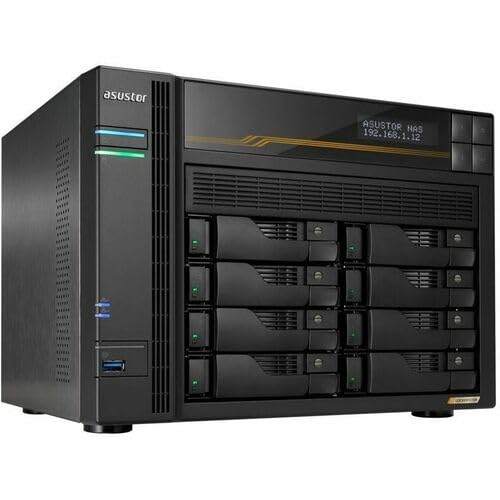
Asustor Lockerstor 8-Bay 10GbE NAS
Best for: high-bandwidth eight-bay multi-gigabit storage deployments
- Processor Cores
- Quad-Core (what this guide is about)
- Drive Bays
- 8-Bay
- Network Connectivity
- Dual 5GbE, Dual 10GbE
- Processor
- AMD Ryzen Quad-Core 2.3 GHz
- RAM Capacity
- 16GB ECC DDR5
- M.2 NVMe Slots
- 4 slots
This eight-bay network attached storage enclosure runs on an AMD Ryzen quad-core 2.3 GHz processor paired with 16GB of ECC DDR5 memory. You get high-speed networking via dual 10GbE and dual 5GbE ports, along with four M.2 NVMe slots for solid-state storage. It suits you if you need dense local storage capacity, high networking bandwidth, and error-correcting memory for data-intensive quad-core server tasks.
Pros
- AMD Ryzen quad-core 2.3 GHz processor
- 16GB ECC DDR5 memory pre-installed
- Dual 10GbE and dual 5GbE network ports
- Four dedicated M.2 NVMe slots
- Supports eight 3.5-inch or 2.5-inch drives
Cons
- Ships diskless with zero storage drives pre-installed
- Large 42U rack-depth physical footprint
Good fit if
- You require high-bandwidth transfers with built-in 10GbE and 5GbE ports.
- You need error-correcting ECC DDR5 RAM for file integrity.
- You want four internal M.2 NVMe slots alongside eight drive bays.
Skip if
- You want a turnkey setup that includes hard drives in the box.
- You prefer a small desktop enclosure with a minimal footprint.
Verdict: Asustor Lockerstor 8-Bay Quad-Core NAS delivers high throughput with dual 10GbE interfaces and four M.2 NVMe slots. It suits environments that require dense capacity across eight drive bays.

Asustor Lockerstor 6-Bay AMD Ryzen NAS
Best for: multi-gigabit networks needing heavy NVMe expansion
- Processor Cores
- Quad-Core (what this guide is about)
- Drive Bays
- 6 Bay
- Network Connectivity
- Dual 5GbE, Dual 10GbE
- Processor
- AMD Ryzen Quad-Core 2.3 GHz
- RAM Capacity
- 16GB ECC DDR5
- M.2 NVMe Slots
- 4 M.2 NVMe Slots
The Asustor Lockerstor 6 Gen3 6-Bay NAS pairs a quad-core 2.3 GHz AMD Ryzen processor with 16GB of ECC DDR5 memory. Its chassis includes six drive bays, four M.2 NVMe slots, dual 5GbE ports, and dual 10GbE ports. This diskless desktop unit fits you if you require multi-gigabit transfer speeds and expandable solid-state storage for high-demand file sharing.
Pros
- Quad-core 2.3 GHz AMD Ryzen processor
- Dual 10GbE and dual 5GbE network connections
- 16GB ECC DDR5 system memory
- Four M.2 NVMe slots for expansion
- Six drive bays supporting hard drives or SSDs
Cons
- Ships diskless with zero storage drives installed
- Footprint measures 12 by 13 by 13 inches
Good fit if
- You need dual 10GbE and dual 5GbE ports for high-bandwidth local networking.
- You want error-correcting ECC DDR5 memory with a quad-core processor.
- You plan to utilize up to four M.2 NVMe solid-state drives.
Skip if
- You prefer a turnkey NAS that includes pre-installed storage drives.
- You need a smaller desktop unit with fewer drive bays.
Verdict: Asustor Lockerstor 6 Gen3 6-Bay NAS provides fast quad-core performance alongside high-speed 10GbE interfaces and four dedicated M.2 NVMe slots. It serves as a versatile network storage base when you want multi-gigabit throughput.
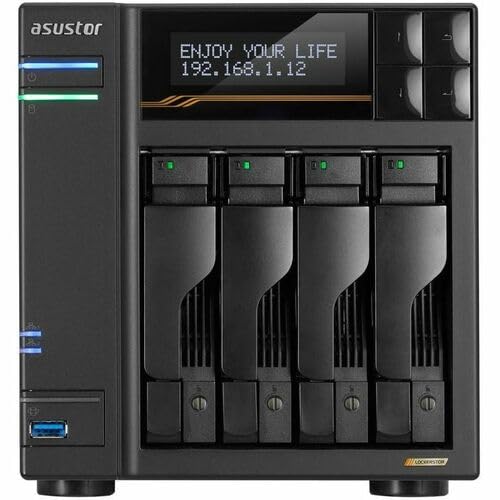
Asustor Lockerstor 4-Bay 10GbE NAS
Best for: high-speed multi-gigabit networking and NVMe caching
- Processor Cores
- Quad-Core (what this guide is about)
- Drive Bays
- 4 Bay
- Network Connectivity
- Dual 5GbE, Dual 10GbE
- Processor
- AMD Ryzen Quad-Core 2.3 GHz
- RAM Capacity
- 16GB ECC DDR5
- M.2 NVMe Slots
- 4 M.2 NVMe Slots
The Asustor Lockerstor 4 Gen3 4-Bay NAS provides high-speed data handling for your local network. It runs on an AMD Ryzen quad-core 2.3 GHz processor paired with 16GB of ECC DDR5 memory. You get four drive bays alongside four M.2 NVMe slots for solid-state storage. Built-in dual 10GbE and dual 5GbE networking suit teams requiring fast data transfers.
Pros
- AMD Ryzen quad-core 2.3 GHz processor
- 16GB of ECC DDR5 memory
- Four M.2 NVMe slots
- Dual 10GbE and dual 5GbE network ports
Cons
- Ships diskless with zero storage installed
- Chassis limited to four main drive bays
Good fit if
- You need dual 10GbE and dual 5GbE network interfaces.
- You want ECC DDR5 memory for error-checking reliability.
- You plan to add up to four M.2 NVMe solid-state drives.
Skip if
- You require more than four standard drive bays.
- You prefer a NAS that arrives with hard drives pre-installed.
Verdict: Asustor Lockerstor 4 Gen3 4-Bay NAS delivers multi-gigabit throughput and ECC DDR5 memory in a compact four-bay chassis. It gives you flexible connectivity and four NVMe slots for fast shared storage.
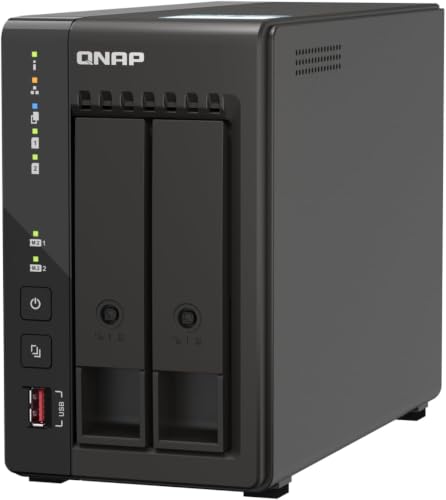
QNAP 2-Bay Desktop NAS with Dual M.2 Slots
Best for: high-speed two-bay storage with NVMe caching
- Processor Cores
- Quad-Core (what this guide is about)
- Drive Bays
- 2 Bay
- Network Connectivity
- Dual 2.5GbE
- Processor
- Intel Celeron J6412
- RAM Capacity
- 8 GB DDR4
- M.2 NVMe Slots
- Dual M.2 PCIe Gen3x2 NVMe
The QNAP 2-Bay Intel Quad-Core NAS is a compact desktop network storage enclosure built around an Intel Celeron J6412 processor. It comes standard with 8 GB of onboard DDR4 RAM, two 2.5GbE networking ports, and dual M.2 NVMe slots for cache acceleration or dedicated SSD pools. This enclosure suits you if you need fast local network transfers, external 10Gb/s USB connectivity, and reliable performance across two drive bays without buying excess capacity.
Pros
- Intel Celeron J6412 quad-core processor bursting up to 2.9 GHz
- Dual 2.5GbE ports for accelerated multi-gigabit file transfers
- Dual M.2 PCIe Gen3x2 NVMe SSD slots for caching or pools
- USB 3.2 Gen 2 Type-A ports supporting up to 10Gb/s
Cons
- Provides only two main drive bays
- 8 GB DDR4 system memory is onboard
- Diskless configuration requires buying storage drives separately
Good fit if
- You want multi-gigabit local file transfers using dual 2.5GbE interfaces.
- You plan to leverage M.2 NVMe SSDs for caching or high-speed storage pools.
- You need fast external backups via 10Gb/s USB 3.2 Gen 2 ports.
Skip if
- You need more than two primary hard drive bays for mass storage.
- You want a turnkey unit that includes pre-installed hard drives.
Verdict: QNAP 2-Bay Intel Quad-Core NAS delivers balanced performance with its Celeron J6412 processor, dual 2.5GbE networking, and dual NVMe expansion. It is a capable choice if your storage requirements fit within a two-bay desktop footprint.

Synology 2-Bay 12TB NAS
Best for: turnkey 12TB home and personal storage
- Processor Cores
- Quad-Core (what this guide is about)
- Drive Bays
- 2-Bay
- Network Connectivity
- 1x RJ-45 1GbE
- Processor
- Realtek RTD1619B
- RAM Capacity
- 1 GB DDR4 non-ECC
- Included Storage
- 12TB
This Synology 2-bay network attached storage unit arrives configured with 12TB of total storage using two 6TB drives. It runs on a 1.7 GHz quad-core Realtek RTD1619B processor paired with 1GB of non-ECC DDR4 system memory. You get single 1GbE network connectivity alongside two USB 3.2 Gen 1 ports for external drives. It suits you if you need a pre-populated personal cloud for document sharing, media access, or video surveillance.
Pros
- Includes 12TB of storage via two 6TB WD Red Plus drives
- 1.7 GHz quad-core Realtek RTD1619B processor
- Two USB 3.2 Gen 1 ports for external peripherals
- Compact enclosure measuring 3.94 inches wide
Cons
- Equipped with 1GB DDR4 memory
- Single 1GbE network port provides standard gigabit throughput
- Two bays limit internal drive expansion
Good fit if
- You want an out-of-the-box system with 12TB of storage included.
- You need a quad-core personal cloud for backups, file sharing, and surveillance.
- You prefer a compact two-bay unit for desktop placement.
Skip if
- You require multi-gigabit network speeds beyond 1GbE.
- You need more than 1GB of RAM for intensive multitasking.
- You want an enclosure with more than two drive bays.
Verdict: Synology 2-Bay 12TB Desktop NAS delivers ready-to-use storage paired with a 1.7 GHz quad-core processor for centralized backups and media handling. Its 1GB memory and single 1GbE port provide standard performance for basic home and personal duties.

QNAP 4-Bay 10GbE Desktop NAS
Best for: high-speed 10GbE network environments and backups
- Processor Cores
- Quad-Core (what this guide is about)
- Drive Bays
- 4 Bay
- Network Connectivity
- Single-port 10GbE SFP+, Dual 2.5GbE
- Processor
- Alpine AL524 Quad-core 2.0GHz
- RAM Capacity
- 4 GB DDR4
- Included Storage
- Diskless
This 4-bay desktop NAS runs on an AnnapurnaLabs Alpine AL524 quad-core 2.0GHz processor paired with 4 GB of DDR4 memory. It offers high-speed connectivity straight out of the box with one 10GbE SFP+ port and two 2.5GbE ports, plus a PCIe Gen 3 x4 slot for further expansion. It suits you if you need fast network throughput for multi-user file backups and transfers.
Pros
- AnnapurnaLabs Alpine AL524 quad-core 2.0GHz processor
- Built-in 10GbE SFP+ port and dual 2.5GbE ports
- PCIe Gen 3 x4 slot for M.2 SSD or network expansion cards
- RAM expandable up to 16 GB with ECC support
Cons
- Ships diskless without pre-installed storage drives
- 10GbE port requires an SFP+ connection rather than RJ-45
- Requires PCIe expansion card to add M.2 SSD slots
Good fit if
- You need built-in 10GbE SFP+ networking alongside dual 2.5GbE ports.
- You want PCIe Gen 3 x4 expansion to add M.2 SSDs or extra network cards.
- You plan to upgrade system memory up to 16 GB with ECC RAM.
Skip if
- You prefer ready-to-use storage drives included in the enclosure.
- You need native 10GBASE-T RJ-45 copper ports instead of an SFP+ cage.
Verdict: QNAP 4-Bay Quad-Core 10GbE Desktop NAS delivers quad-core throughput with native 10GbE SFP+ and dual 2.5GbE ports. It provides reliable expansion potential through a PCIe Gen 3 x4 slot and up to 16 GB of memory support.
Specifications side by side
| Spec | Asustor Lockerstor 8-Bay Dual 10GbE NAS | Asustor Lockerstor 4-Bay Quad-Core NAS | Asustor Lockerstor 12-Bay Rackmount NAS | QNAP 4-Bay 2.5GbE Desktop NAS | Synology 2-Bay 8TB NAS | TERRAMASTER 6-Bay Quad-Core NAS | TERRAMASTER 4-Bay All-SSD NAS | Synology 2-Bay Quad-Core NAS 24TB | Asustor Lockerstor 8-Bay 10GbE NAS | Asustor Lockerstor 6-Bay AMD Ryzen NAS | Asustor Lockerstor 4-Bay 10GbE NAS | QNAP 2-Bay Desktop NAS with Dual M.2 Slots | Synology 2-Bay 12TB NAS | QNAP 4-Bay 10GbE Desktop NAS |
|---|---|---|---|---|---|---|---|---|---|---|---|---|---|---|
| Drive Bays | 8-Bay | 4-Bay | 12 Bay | 4 Bay | 2-Bay | 6-Bay | 4-Bay | 2-Bay | 8-Bay | 6 Bay | 4 Bay | 2 Bay | 2-Bay | 4 Bay |
| Network Connectivity | 2x 10GbE, 2x 2.5GbE | 2x 2.5GbE | not specified | 1 x 2.5GbE, 1 x 1GbE | 1 x RJ-45 1GbE | not specified | 1x 5Gbps | not specified | Dual 5GbE, Dual 10GbE | Dual 5GbE, Dual 10GbE | Dual 5GbE, Dual 10GbE | Dual 2.5GbE | 1x RJ-45 1GbE | Single-port 10GbE SFP+, Dual 2.5GbE |
| Processor | Intel Atom C3538 | Quad-Core 2.0GHz | Intel Atom C3538 | ARM Cortex-A55 quad-core 2.0GHz | Realtek RTD1619B | Quad-Core | Intel N95 | Intel Celeron J4125 Quad-Core | AMD Ryzen Quad-Core 2.3 GHz | AMD Ryzen Quad-Core 2.3 GHz | AMD Ryzen Quad-Core 2.3 GHz | Intel Celeron J6412 | Realtek RTD1619B | Alpine AL524 Quad-core 2.0GHz |
| RAM Capacity | 8GB DDR4 | 4GB DDR4 | 8 GB DDR4-2133 | 4 GB DDR4 | 2 GB DDR4 | 8GB DDR5 | 8GB DDR5-4800MHz | 2 GB DDR4 non-ECC SODIMM | 16GB ECC DDR5 | 16GB ECC DDR5 | 16GB ECC DDR5 | 8 GB DDR4 | 1 GB DDR4 non-ECC | 4 GB DDR4 |
| M.2 NVMe Slots | not specified | 2 slots | not specified | not specified | not specified | not specified | not specified | not specified | 4 slots | 4 M.2 NVMe Slots | 4 M.2 NVMe Slots | Dual M.2 PCIe Gen3x2 NVMe | not specified | not specified |
| Included Storage | not specified | Diskless | Diskless | Diskless | 8TB | Diskless | not specified | 24TB | Diskless | Diskless | Diskless | Diskless | 12TB | Diskless |
| RAID Support | not specified | not specified | not specified | not specified | not specified | not specified | not specified | Synology Hybrid RAID (SHR) | not specified | not specified | not specified | not specified | not specified | not specified |
| Form Factor | not specified | not specified | Rackmount | not specified | not specified | not specified | not specified | not specified | not specified | not specified | not specified | Desktop | not specified | Desktop |
| Hardware Interface | M.2 NVMe | M.2 NVMe | not specified | not specified | not specified | not specified | not specified | not specified | M.2 NVMe | M.2 NVMe | M.2 NVMe | not specified | not specified | not specified |
| Number of Bays | 8-Bay | 4-Bay | 12-Bay | 4-Bay | 2-Bay | 6-Bay | 4-Bay | 2-Bay | 8-Bay | 6-Bay | 4-Bay | 2-Bay | 2-Bay | 4-Bay |
| Size | 8 Bay | 4 Bay | 5.5"(W) x 7.5"(H) x 9.1"(D) | 4 Bay | 8TB | 34cm x 28cm x 19cm | 5.5 inches x 5.4 inches x 2.4 inches | 24TB | 42U x 19" x 24" (106.68cm x 48.26cm x 60.96cm) | not specified | not specified | 2 Bay (Unav.) | 12TB | 4 Bay (Unav.) |
| Processor Cores | Quad-Core | Quad-Core | Quad-Core | Quad-Core | Quad-Core | Quad-Core | Quad-Core | Quad-Core | Quad-Core | Quad-Core | Quad-Core | Quad-Core | Quad-Core | Quad-Core |
| Dimensions | 9.06 × 11.5 × 8.5 inches | 9.06 × 6.69 × 7.3 inches | 21.1 × 17.3 × 3.46 inches | 6.3 × 8.62 × 6.65 inches | 9.17 × 4.25 × 6.5 inches | 9.06 × 5.91 × 6.69 inches | 2.36 × 5.51 × 5.43 inches | not specified | not specified | 13 × 12 × 13 inches | 13 × 12 × 10 inches | 17 × 23 × 11 inches | 8.86 × 3.94 × 6.5 inches | 5.91 × 5.91 × 7.87 inches |
| Weight | 13.7 pounds | 6.53 pounds | 25.8 pounds | 4.56 pounds | 6.68 pounds | 7.5 pounds | 1.32 pounds | 4.41 pounds | not specified | not specified | not specified | not specified | 6.85 pounds | 6.61 pounds |
| Color | Lockerstor | AS6604T | AS6512RD | black | Seagate IronWolf | BlackS. | Black | black | Black | not specified | not specified | Black | WD Red Plus | Gray or Black |
| Model | AS6508T | AS6604T | AS6512RD | TS-433-4G-US | not specified | F6-424 | F4 SSD | DS225+/24TB-IW | not specified | AS6806T | AS6804T | TS-253E-8G | DS223j | TS-432X-4G-PE |
For quad-core storage setups using link aggregation, you can route data through the best managed network switches.
How to Choose a Quad-Core NAS
-
Check Ethernet Connection Speeds
You need to check the network connectivity speeds on the enclosure to prevent data bottlenecks across your local network. Standard 1GbE ports suit simple personal backups and single-user file transfers. If you regularly transfer large video files or support multiple concurrent users, look for 2.5GbE, 5GbE, or native 10GbE ports. The QNAP 4-Bay 10GbE Desktop NAS features a dedicated 10GbE SFP+ port along with dual 2.5GbE connections, which gives you high data transfer ceilings when connected to compatible multi-gigabit network switches and routers.
-
Look for Dedicated M.2 Slots
Review whether an enclosure includes dedicated M.2 NVMe slots alongside its main hard drive bays. These dedicated slots allow you to install fast flash storage for read and write caching without sacrificing a 3.5-inch drive bay. Caching accelerates random read and write operations for database access, multi-user file sharing, and indexing. The Asustor Lockerstor 6-Bay AMD Ryzen NAS includes four dedicated M.2 NVMe slots, making it suitable if your workload demands heavy flash acceleration while keeping all six main drive bays available for raw storage capacity.
-
Verify Included Drive Capacity
Pay attention to whether a quad-core NAS ships diskless or pre-populated with hard drives. Diskless units require you to select, buy, and install separate drives before you can configure storage pools. In contrast, pre-configured models include drives already installed out of the box, simplifying your initial deployment. For example, the Synology 2-Bay 12TB NAS includes 12TB of pre-installed capacity across its two bays. If you prefer immediate setup without handling drive mounting or drive compatibility verification yourself, choose a model that lists a factory-installed terabyte capacity.
-
Consider All-SSD Form Factors
Examine the drive type supported by the chassis if physical size and operating noise matter to your workspace. Standard enclosures use mechanical hard drives that require cooling fans and produce mechanical vibration. All-SSD enclosures accept flash drives exclusively, resulting in significantly smaller dimensions and quiet operation. The TERRAMASTER 4-Bay All-SSD NAS measures only 5.51 inches by 5.43 inches by 2.36 inches and weighs 1.32 pounds. If you need a silent desktop device with low power draw, an all-flash quad-core unit fits compact desks better than standard multi-bay enclosures.
-
Evaluate Processor Architecture
Look at the processor family powering the NAS to ensure it matches your intended applications. Entry-level units use energy-efficient quad-core processors such as the ARM Cortex-A55 found in the QNAP 4-Bay 2.5GbE Desktop NAS, which handle everyday local backups and streaming with low power consumption. If you plan to run virtualization, containerized applications, or software demanding x86 instruction sets, choose quad-core systems equipped with Intel Celeron, Intel Atom, or AMD Ryzen processors. Matching processor capability to your software tasks ensures steady performance without overtaxing CPU resources.
Frequently asked questions
Why choose a quad-core processor for a NAS?
A quad-core processor handles multiple concurrent network tasks without slowing down your system. You get enough computing power to run background backups, manage media services, and handle data transfers simultaneously. Models like the QNAP TS-253E use an Intel Celeron quad-core chip, while the Asustor AS6804T runs an AMD Ryzen quad-core processor. Extra cores prevent bottlenecks when multiple users access the storage enclosure at the same time.
What is the benefit of M.2 NVMe slots in a quad-core NAS?
M.2 NVMe slots provide high-speed caching or dedicated flash storage without consuming standard 3.5-inch drive bays. You can improve random read and write speeds for active network tasks. For example, the Asustor Lockerstor 4-Bay includes dual M.2 NVMe slots, while the Lockerstor 6-Bay and 8-Bay units offer four dedicated M.2 slots alongside their AMD Ryzen quad-core processors. This setup accelerates file operations and system responsiveness.
Do quad-core NAS units come with pre-installed hard drives?
Most quad-core units arrive diskless, but certain models include pre-installed drives for immediate deployment. If you want a turnkey storage system, options like the Synology DS225+ arrive configured with 24TB of storage, and other two-bay Synology options include 8TB or 12TB setups. In contrast, models like the TerraMaster F6-424 ship as diskless enclosures, letting you choose and install your own drives based on capacity requirements.
What memory types do quad-core network attached storages use?
Quad-core enclosures use different generations of system memory depending on the architecture. Basic two-bay units often feature 1GB or 2GB of onboard memory, while modern desktop models expand capabilities with 8GB or 16GB configurations. Advanced systems like the TerraMaster F6-424 integrate DDR5 memory, and the Asustor Lockerstor 4 Gen3 supports ECC DDR5. Enterprise rackmounts like the Asustor AS6512RD scale memory capacity up to 128GB for demanding infrastructure.
When should you consider an all-SSD quad-core NAS over a standard model?
You should select an all-SSD model if you require silent desktop operation and a compact physical footprint. Standard multi-bay enclosures house mechanical hard drives that generate vibration and fan noise. In comparison, an all-flash model like the TerraMaster F4 SSD weighs just 1.32 pounds and fits within palm-sized dimensions of 5.51 by 5.43 by 2.36 inches, making it suitable for quiet workspaces requiring solid-state reliability.
What expansion options exist for multi-gigabit quad-core NAS units?
Expansion options include dedicated PCIe slots and built-in multi-gigabit Ethernet interfaces. Certain models provide native 10GbE connectivity directly out of the box, such as the Asustor AS6508T with dual 10GbE ports. If your enclosure lacks standard 10GbE, systems like the QNAP TS-432X include a PCIe Gen 3 x4 slot to add network adapter cards, while rackmount units like the Asustor AS6512RD offer PCIe expansion for 10GbE upgrades.
Can a quad-core NAS handle data protection features like snapshots?
Yes, quad-core NAS processors have sufficient compute performance to handle advanced file systems and snapshot protection. For example, the Synology DS225+ utilizes its Intel Celeron quad-core processor to support Btrfs snapshot capabilities. These snapshots preserve point-in-time states of your data, protecting your network files against accidental alterations or file corruption without requiring dedicated manual file duplication across your drives.